User tutorial

Start using Kidooo

Upload a short video or describe what happened. Kidooo helps you understand the moment and gives you clear next steps you can try today.

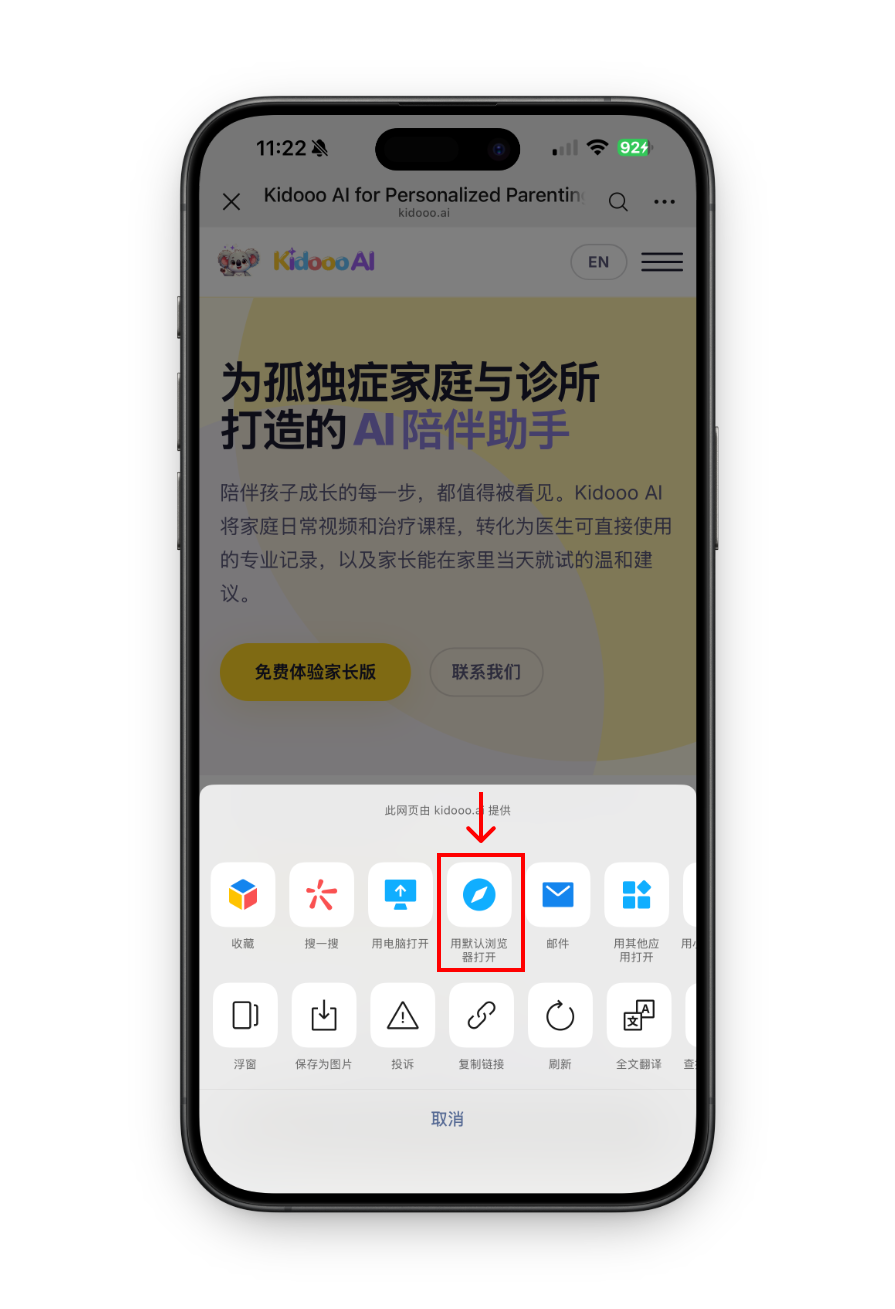
如果你正在微信里看这个页面,请先切换到手机自带浏览器,不然登录和上传可能会不太顺畅。
请使用手机自带浏览器打开

如果你正在微信里看这个页面,请先切换到手机自带浏览器,不然登录和上传可能会不太顺畅。

现在就切换?点右上角"…",选「在浏览器中打开」就好。
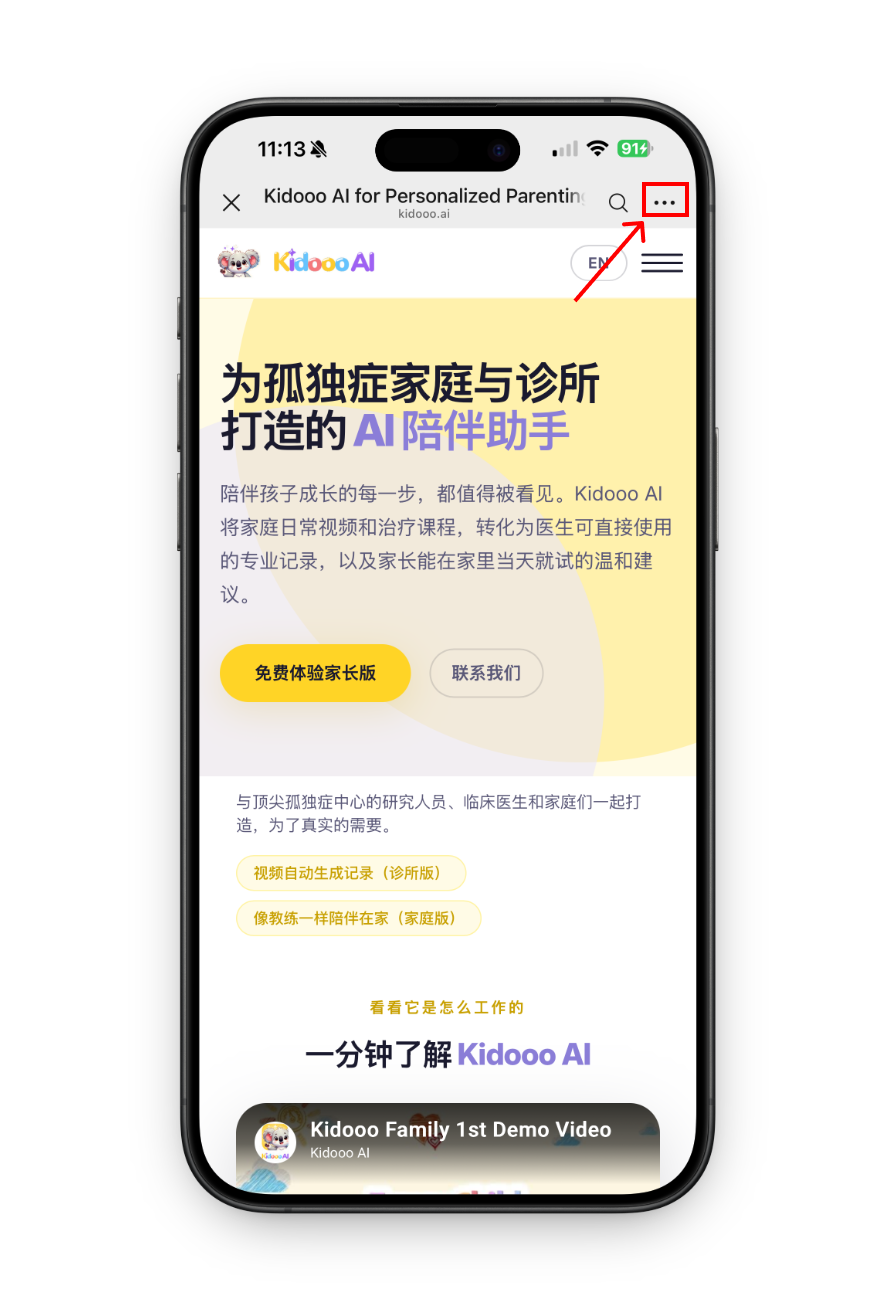
微信切换浏览器步骤 1 微信切换浏览器步骤 2

How to use Kidooo

Follow these steps to turn one real moment into clear next steps.
1
Create account
Create your free account
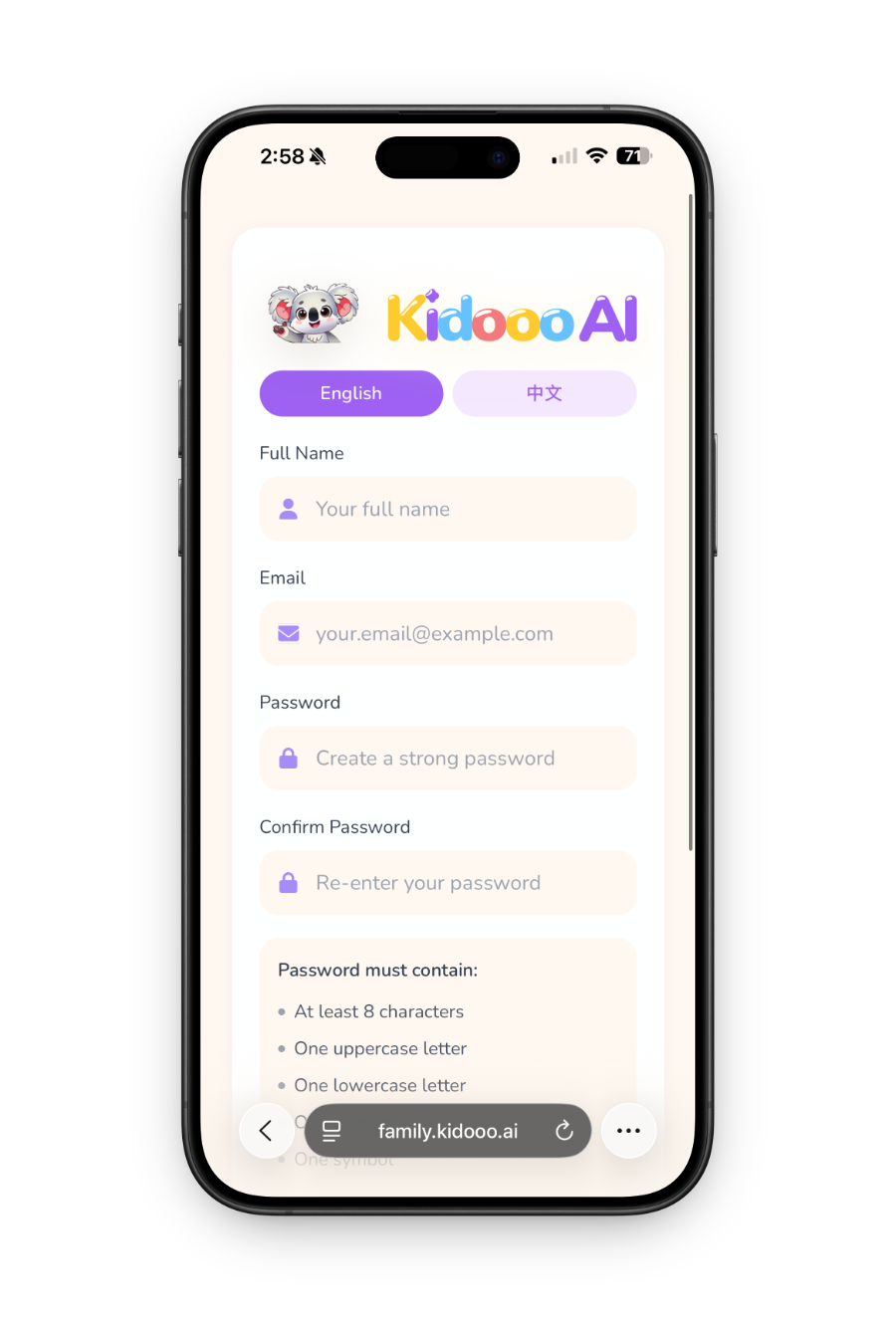
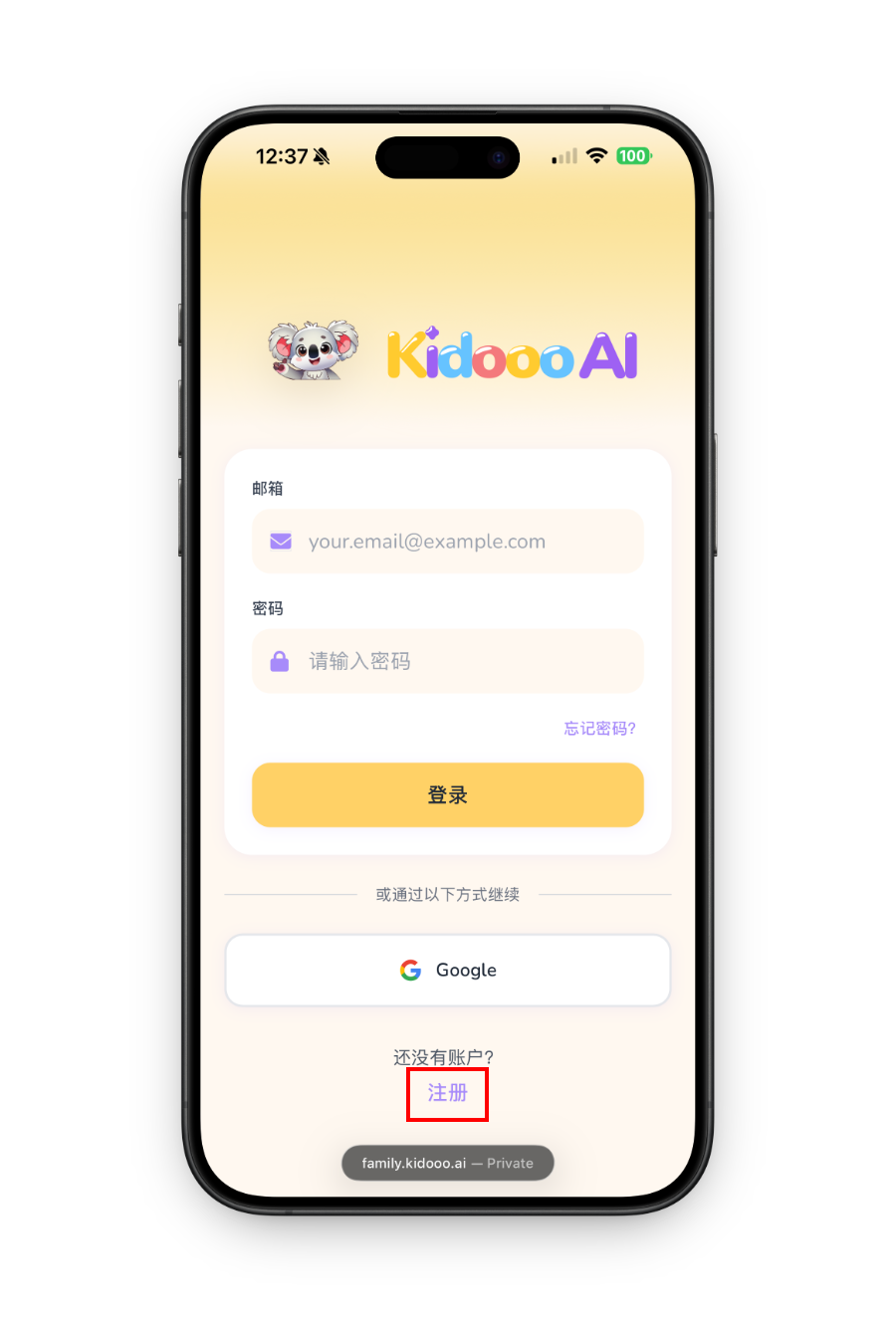
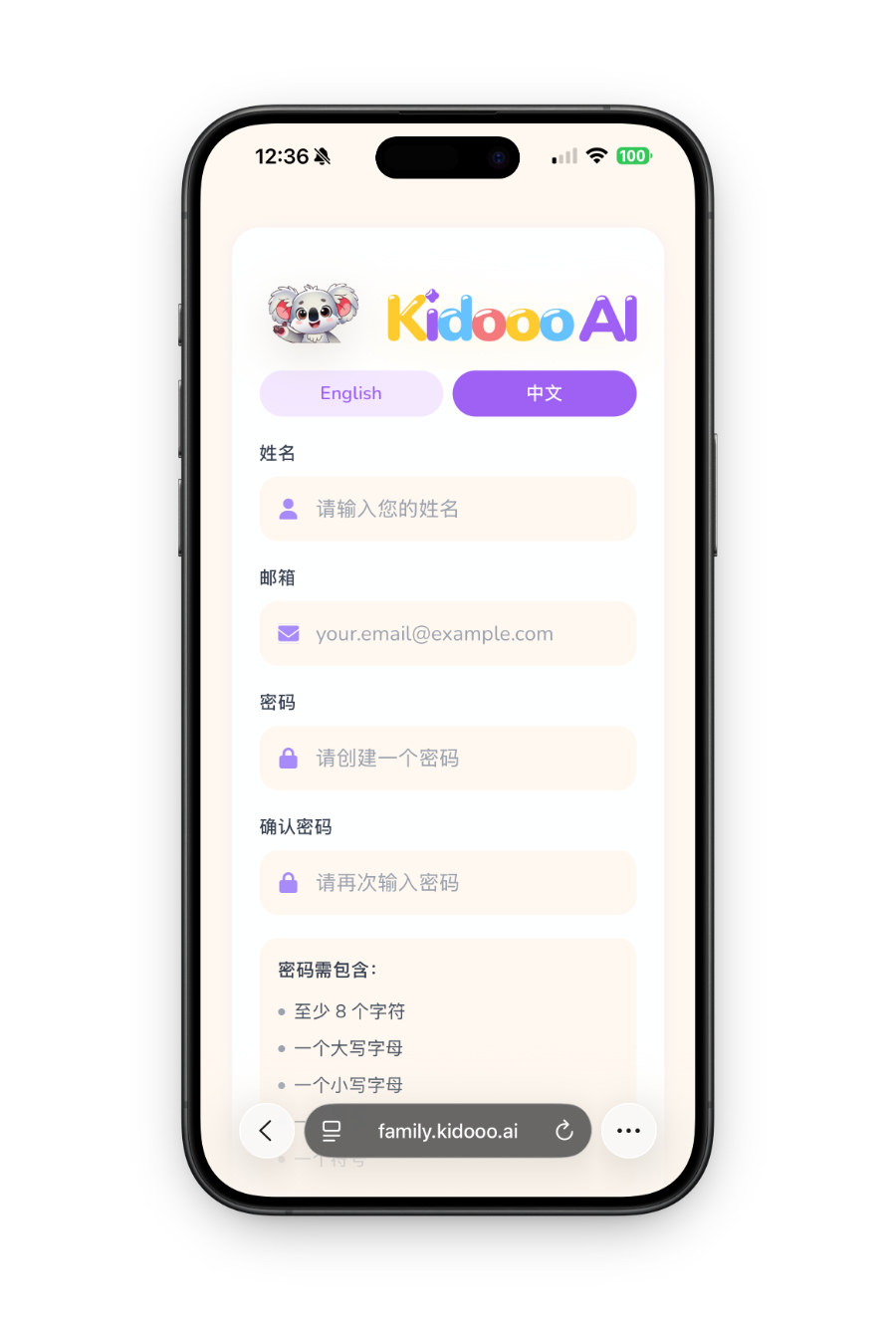
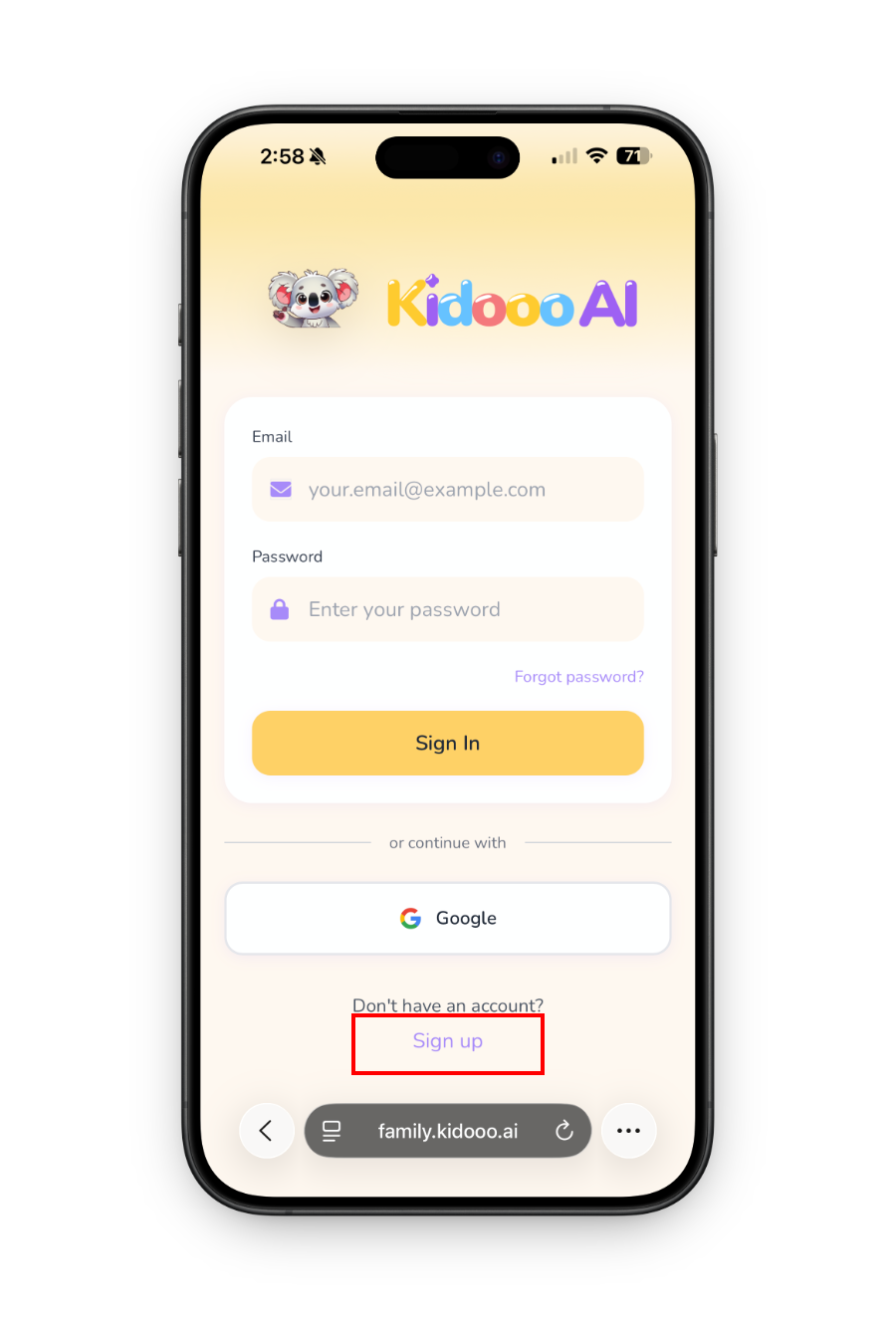
Go to family.kidooo.ai and tap Create account. Enter your full name, email, and a password. You can also select your preferred language, English or 中文, right on the sign-up screen. No credit card required.
Kidooo sign up screen step 1 Kidooo sign up screen step 2
2
Child profile
Add your child's profile
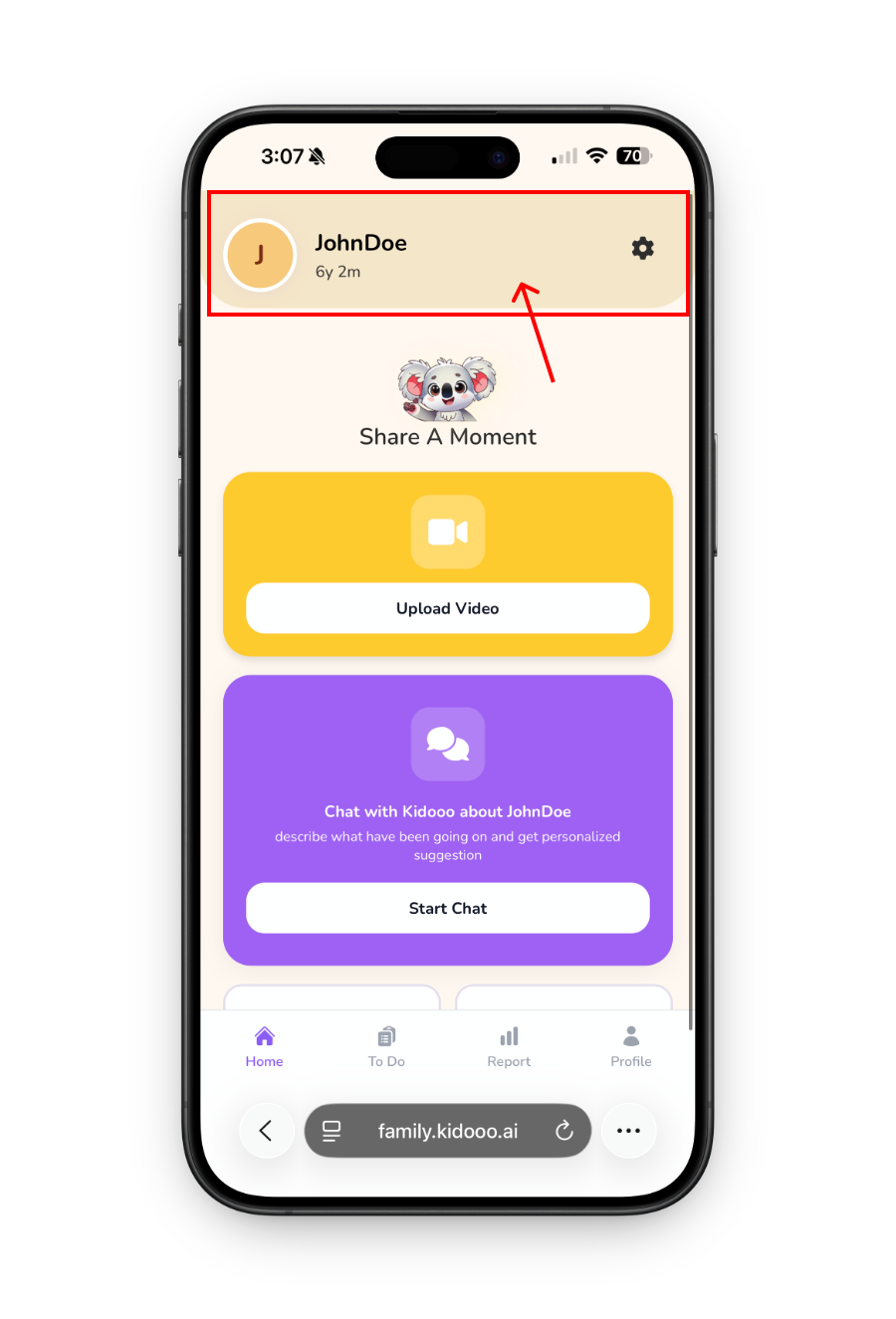
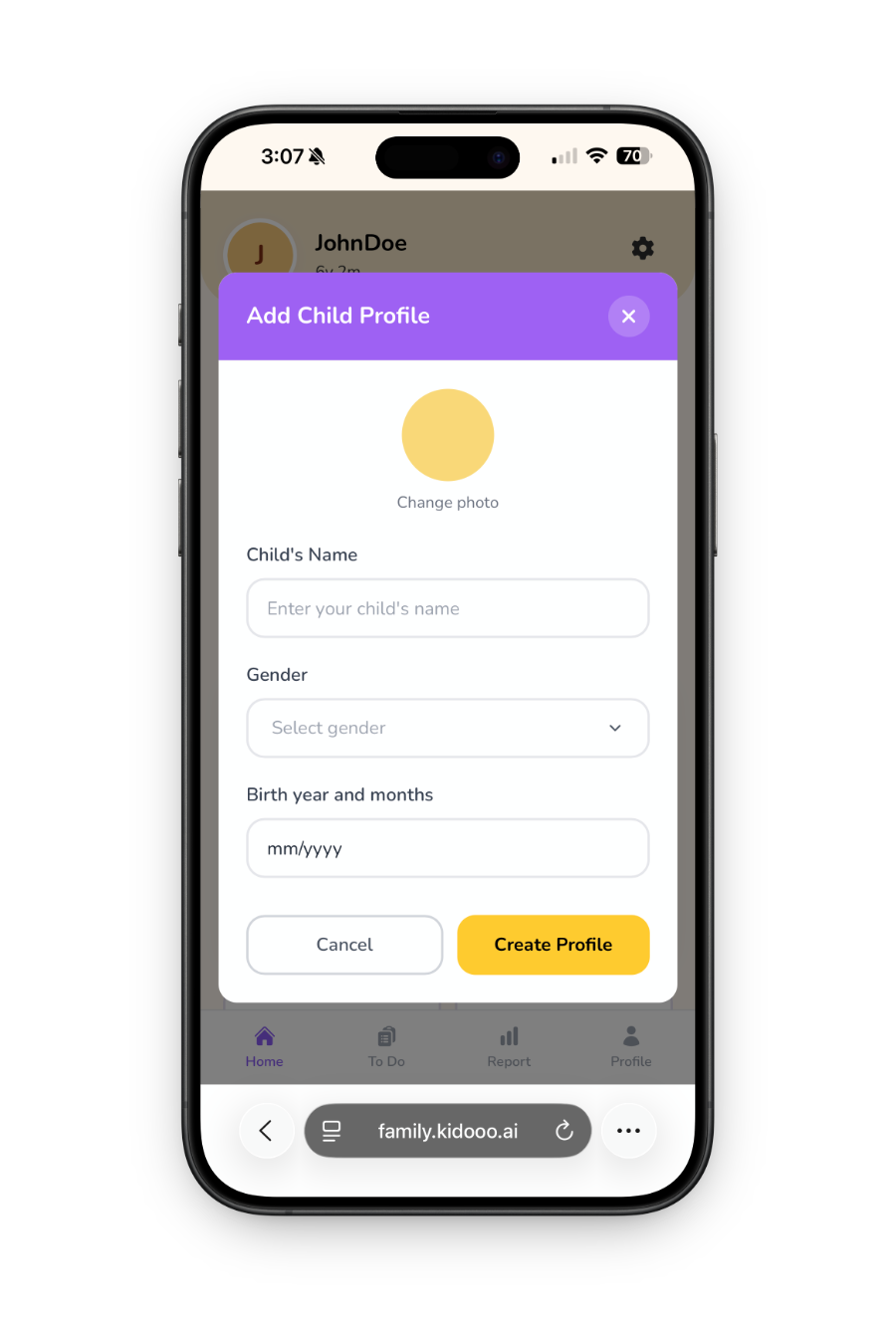
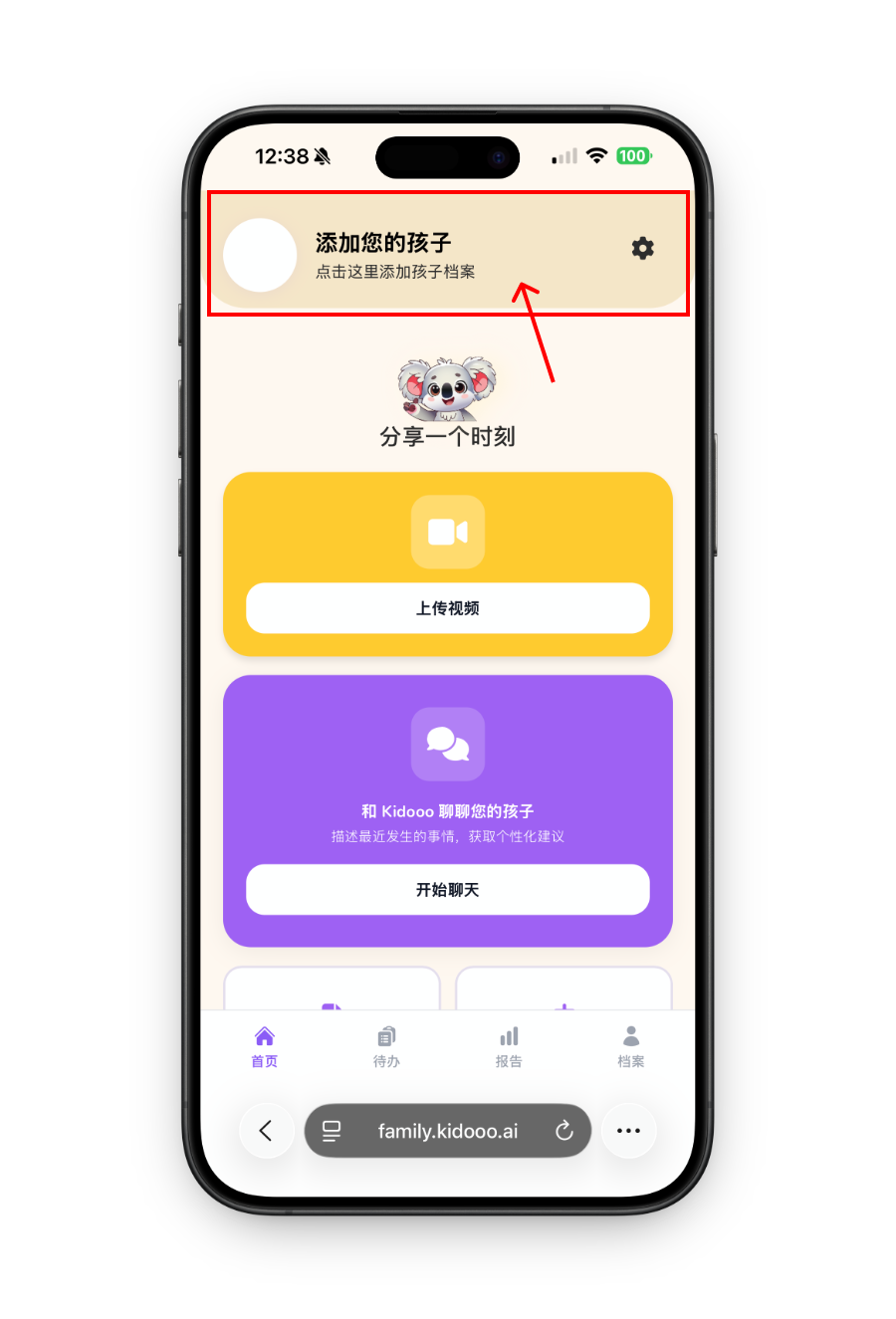
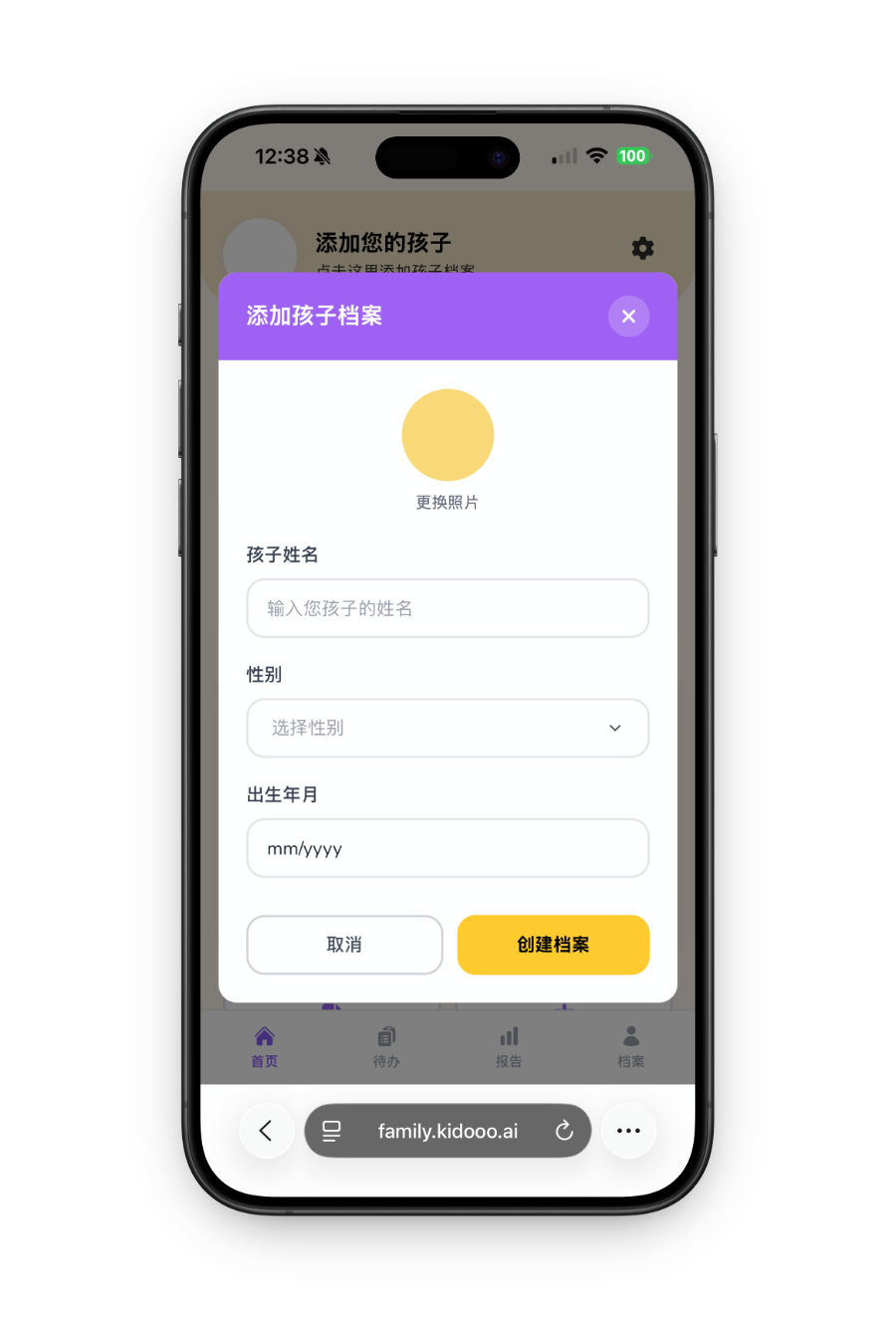
Tap Add child profile and enter your child's name, gender, birth year, and birth month. Kidooo uses age to understand what is typical for that stage, because the same moment can mean different things at 2 years old versus 6. You can add multiple children and switch between them anytime.
Add child profile step 1 Add child profile step 2
3
Build profile
Add background about your child (optional but helpful)
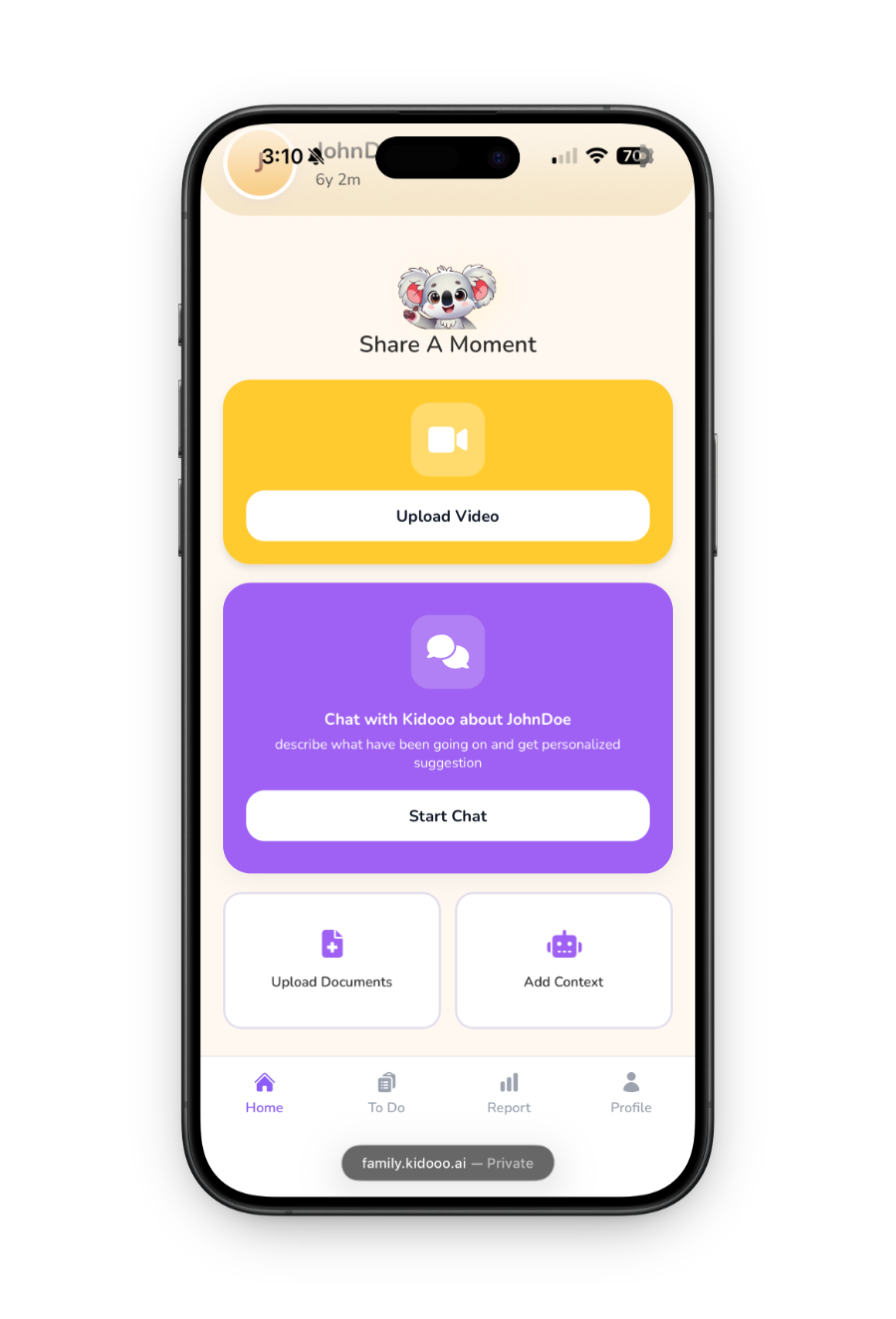
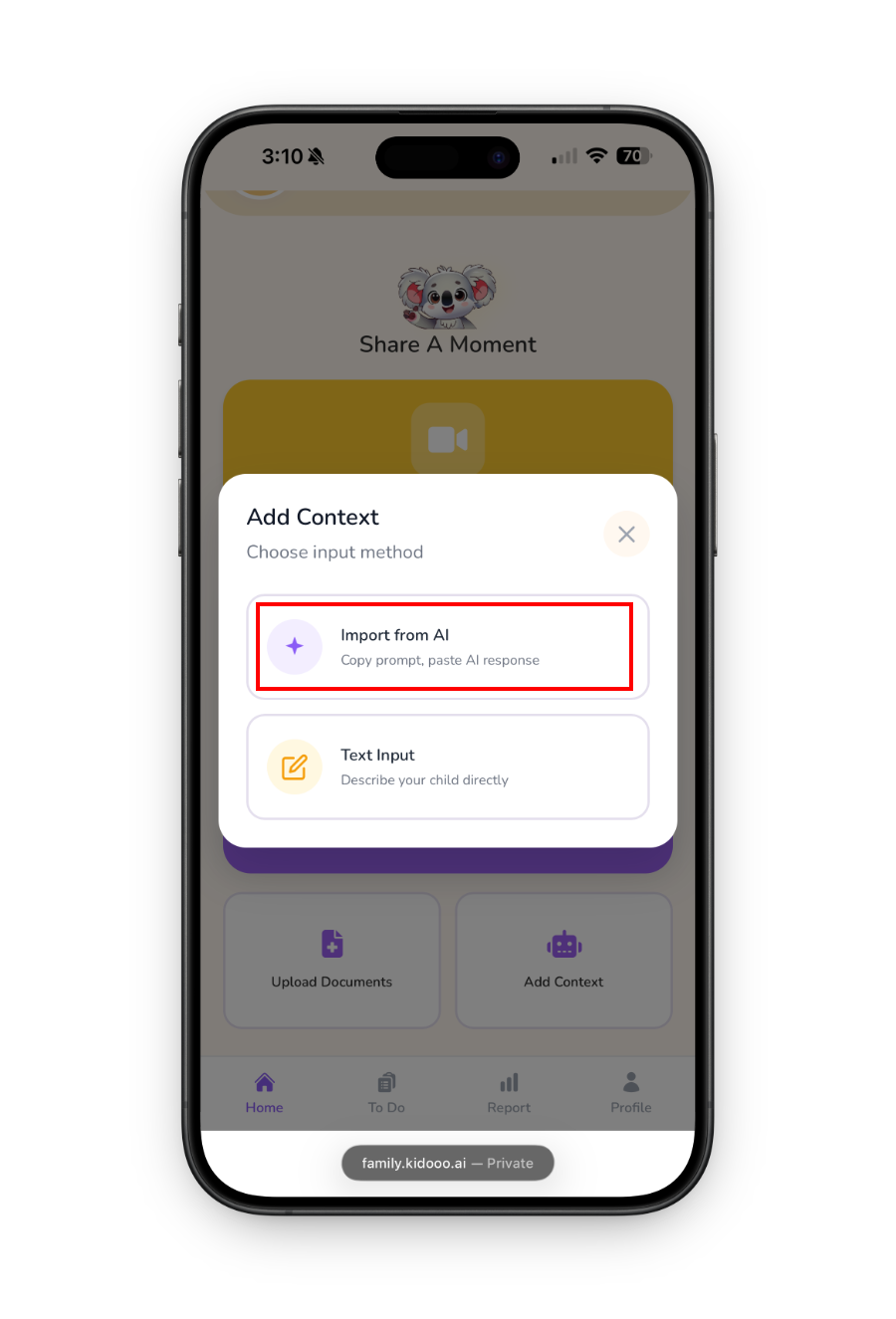
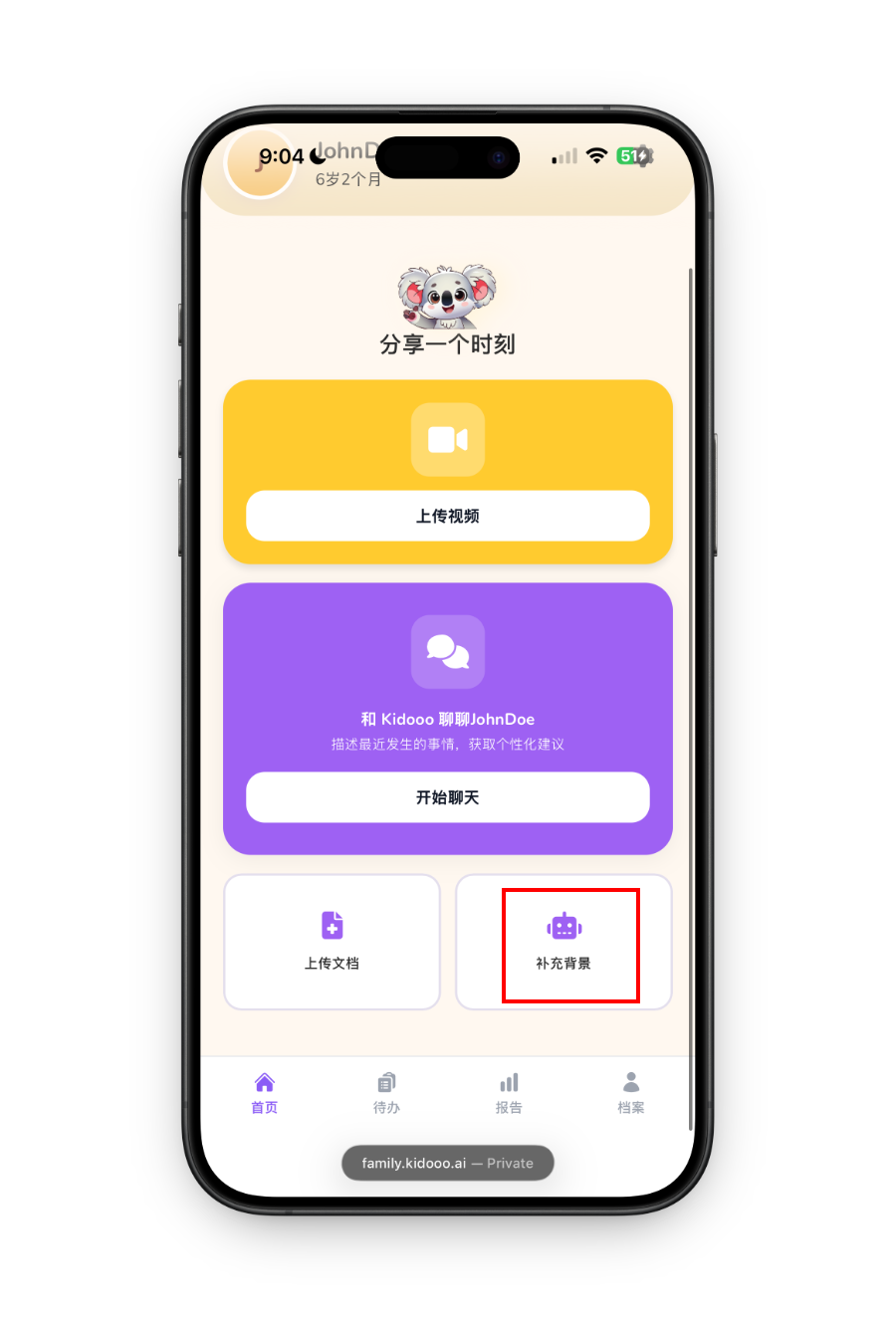
The more Kidooo understands your child’s routines, strengths, and sensitivities, the more specific the guidance can feel. From the home screen, choose one of two ways to add context:
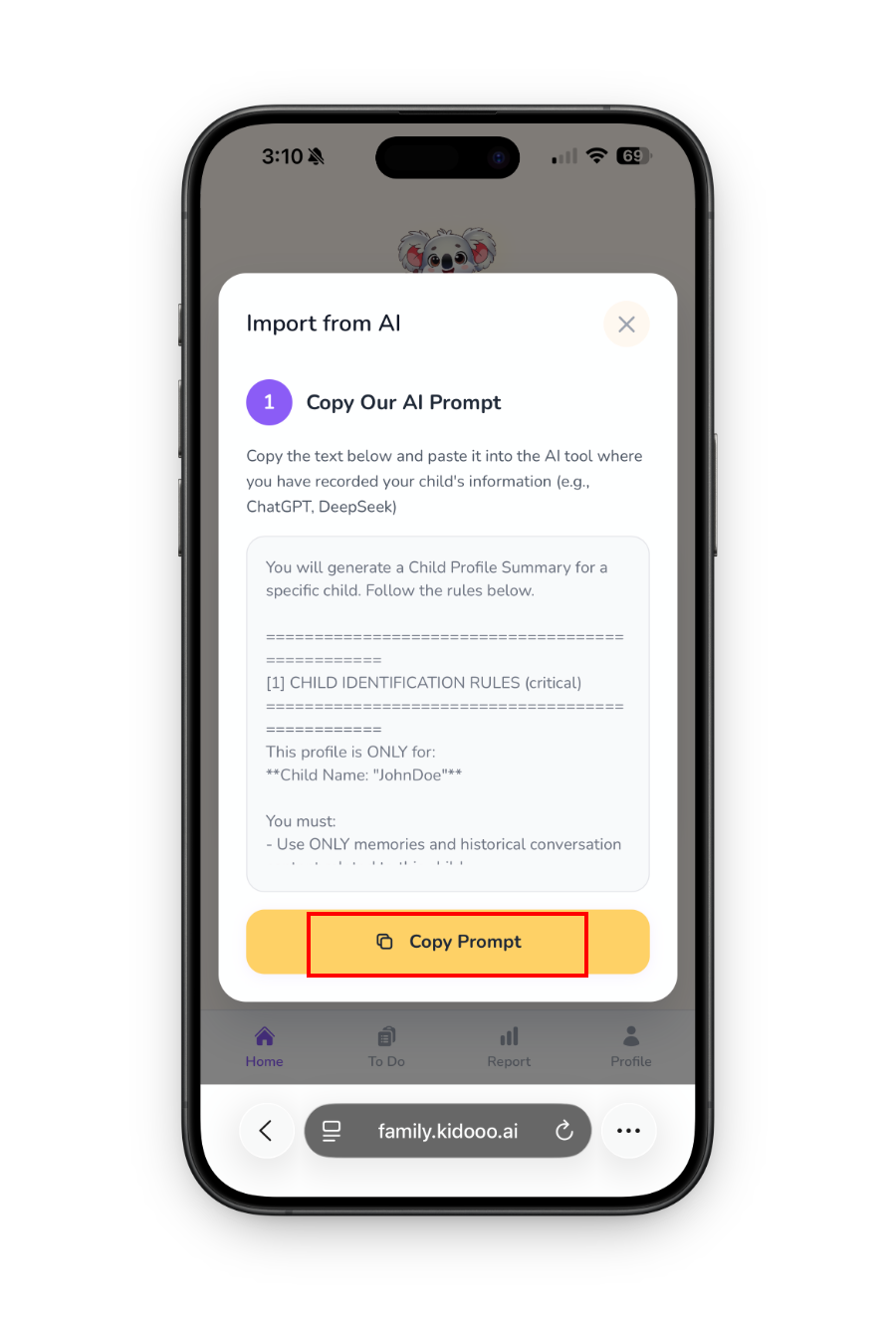
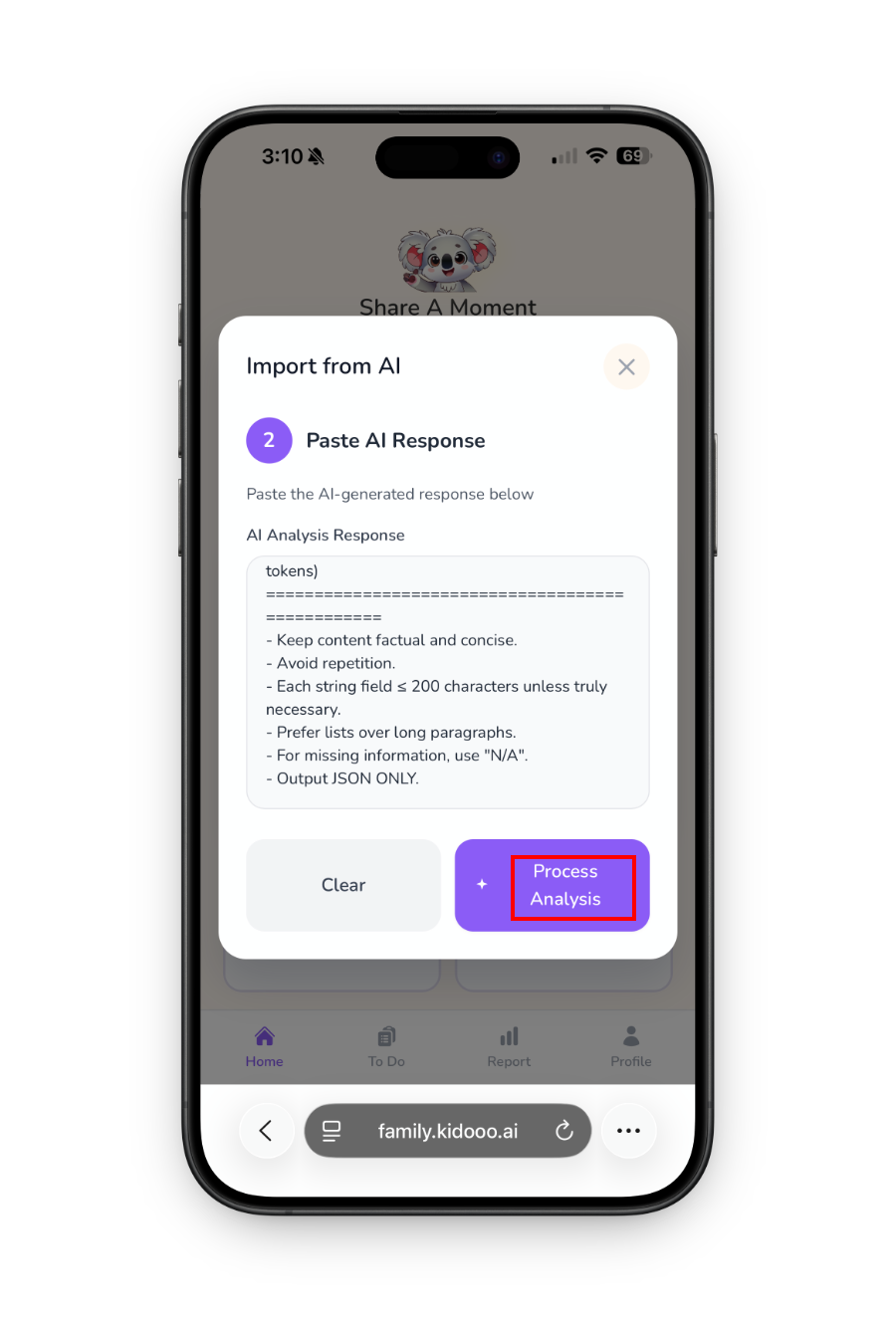
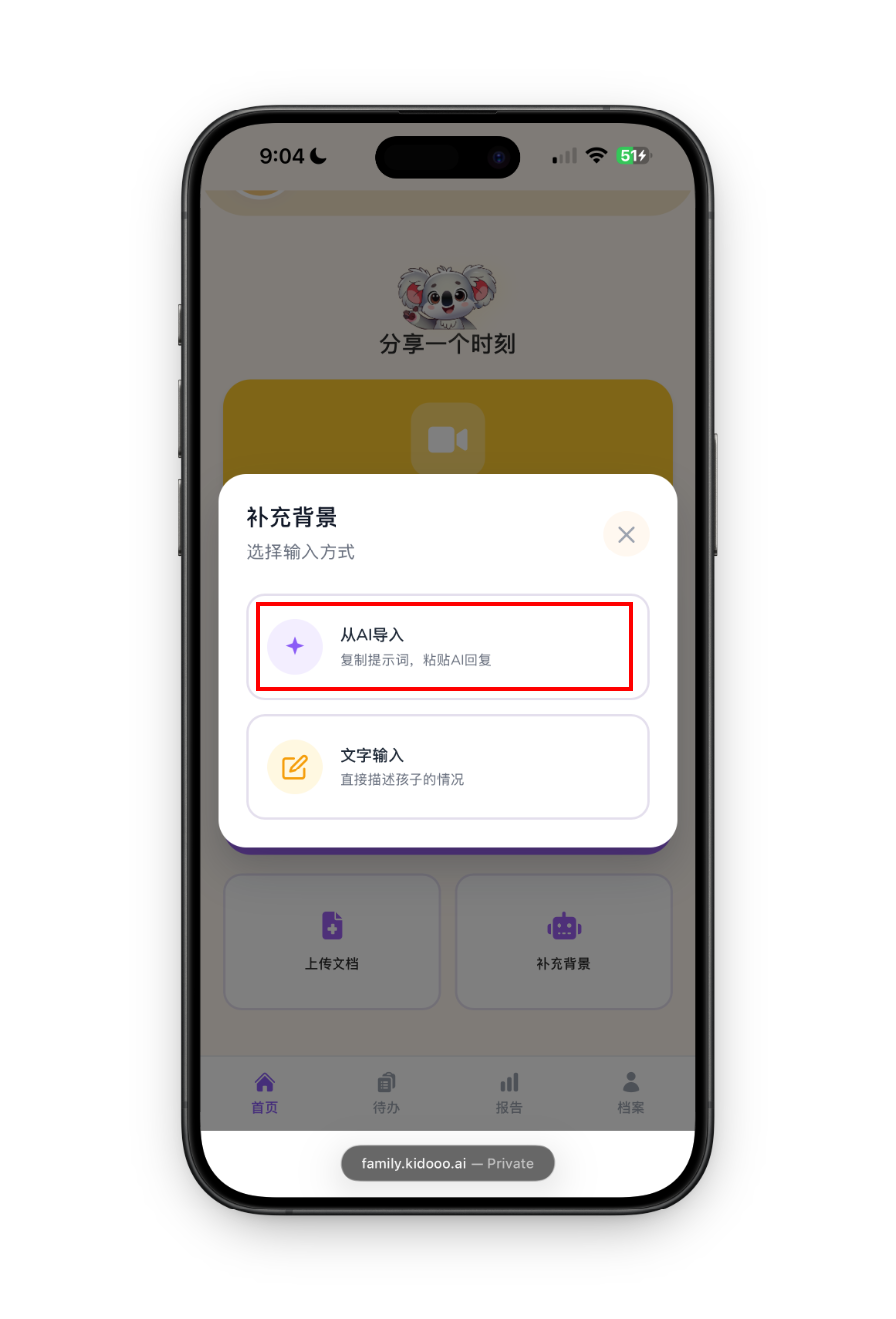
Add notes from another tool
If you already have notes from another tool, you can paste them here. Avoid putting private child information into tools you do not trust. Kidooo is designed to keep your child’s context organized in one secure place.
Import from AI step 1 Import from AI step 2
Import from AI step 3 Import from AI step 4
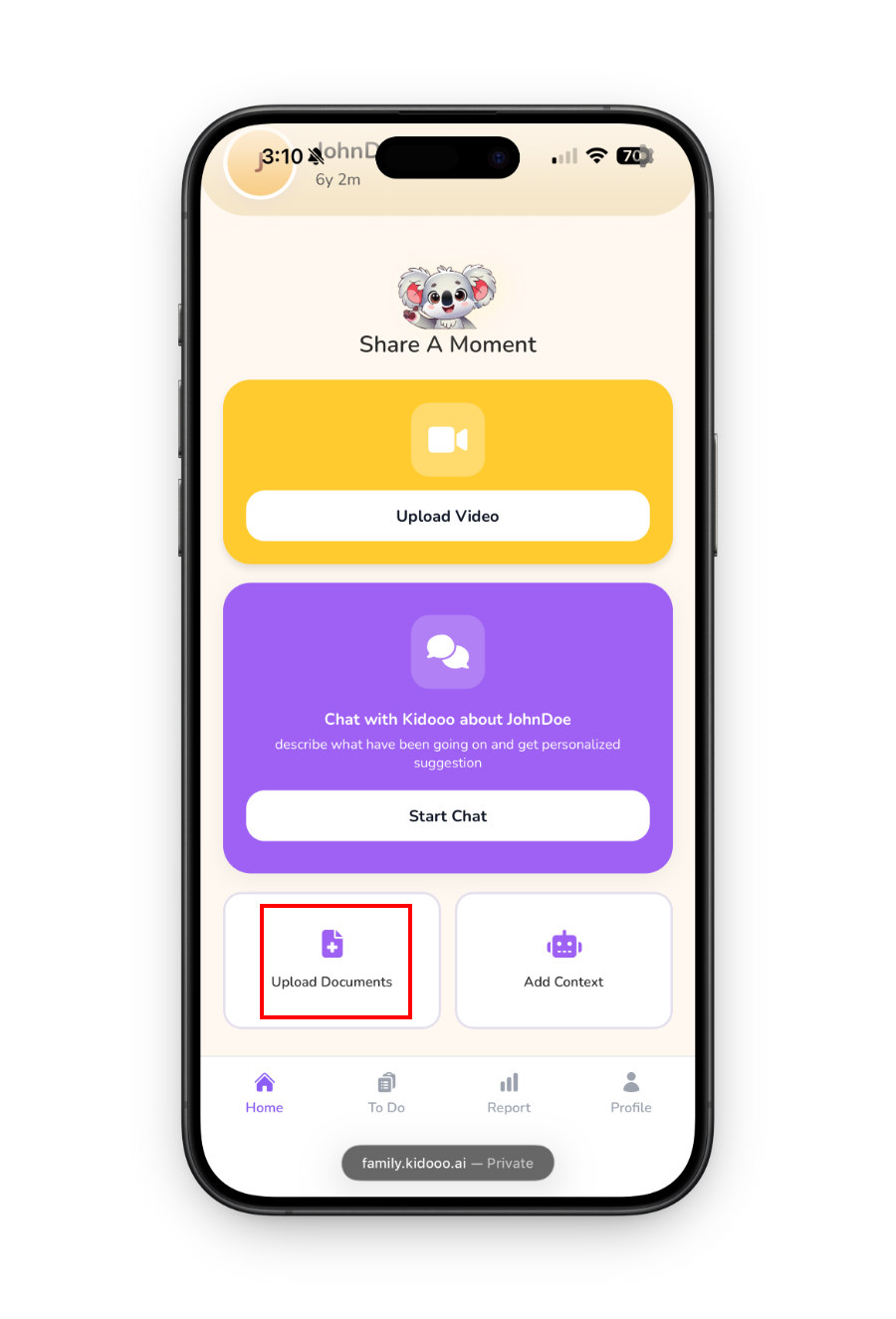
Upload documents
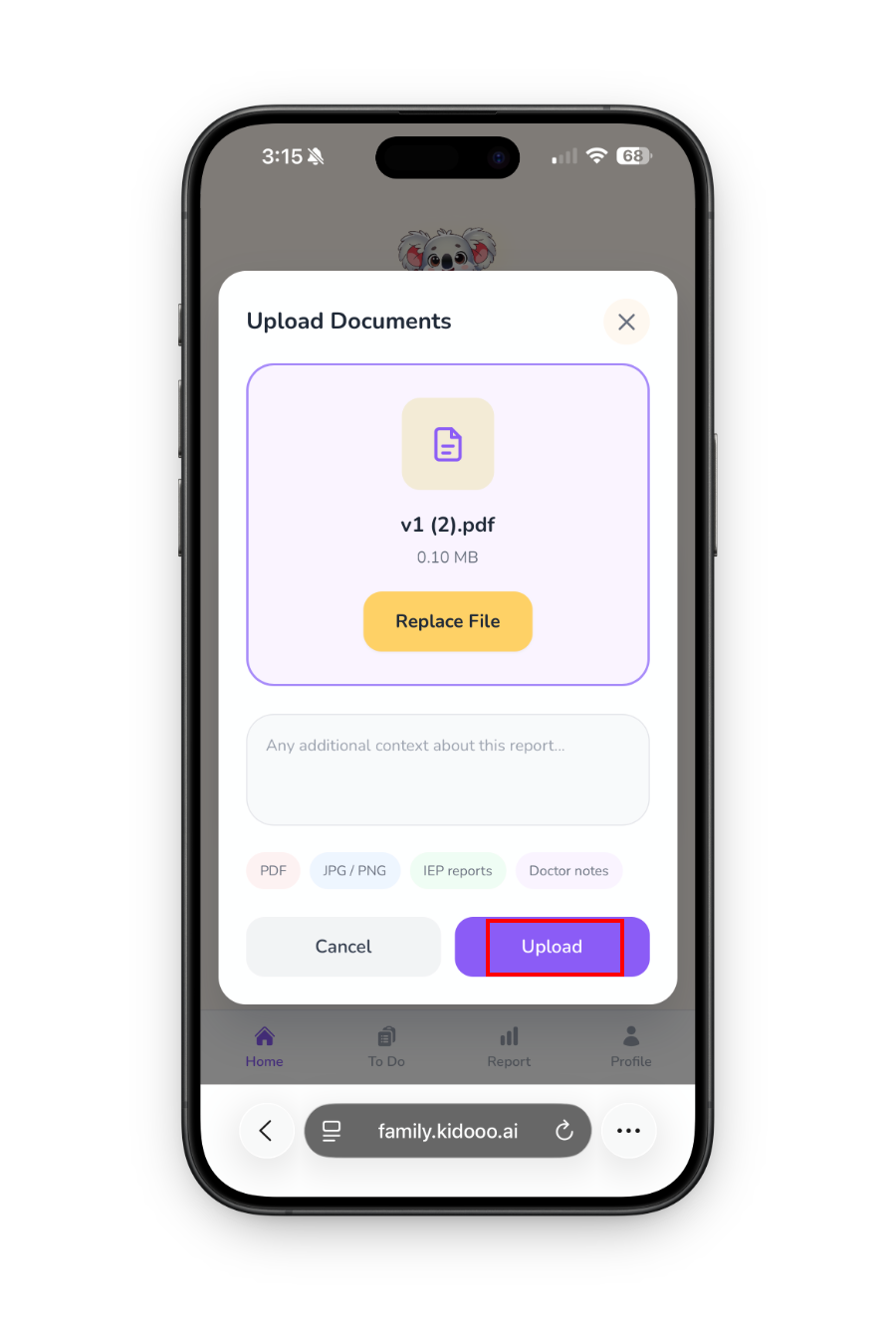
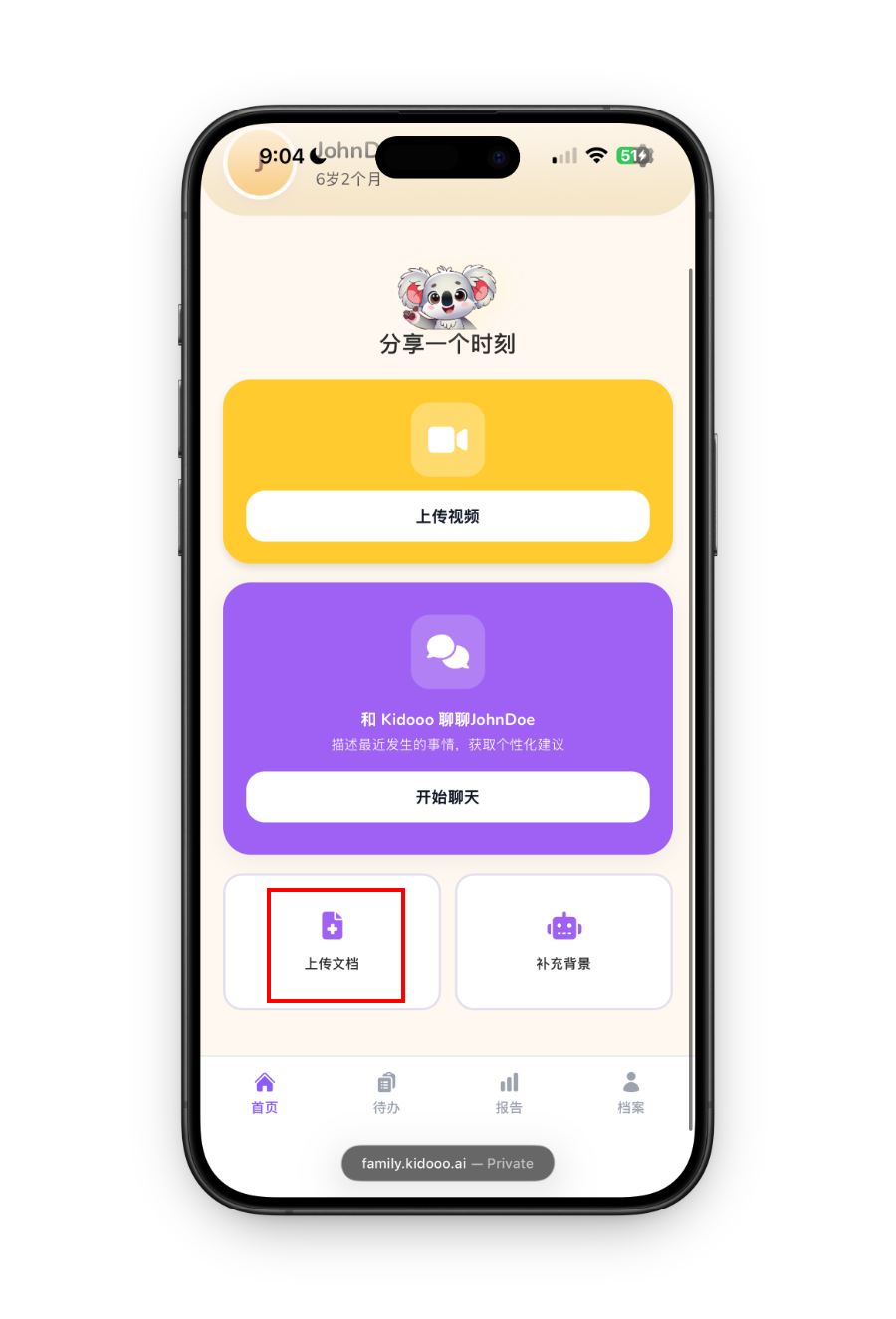
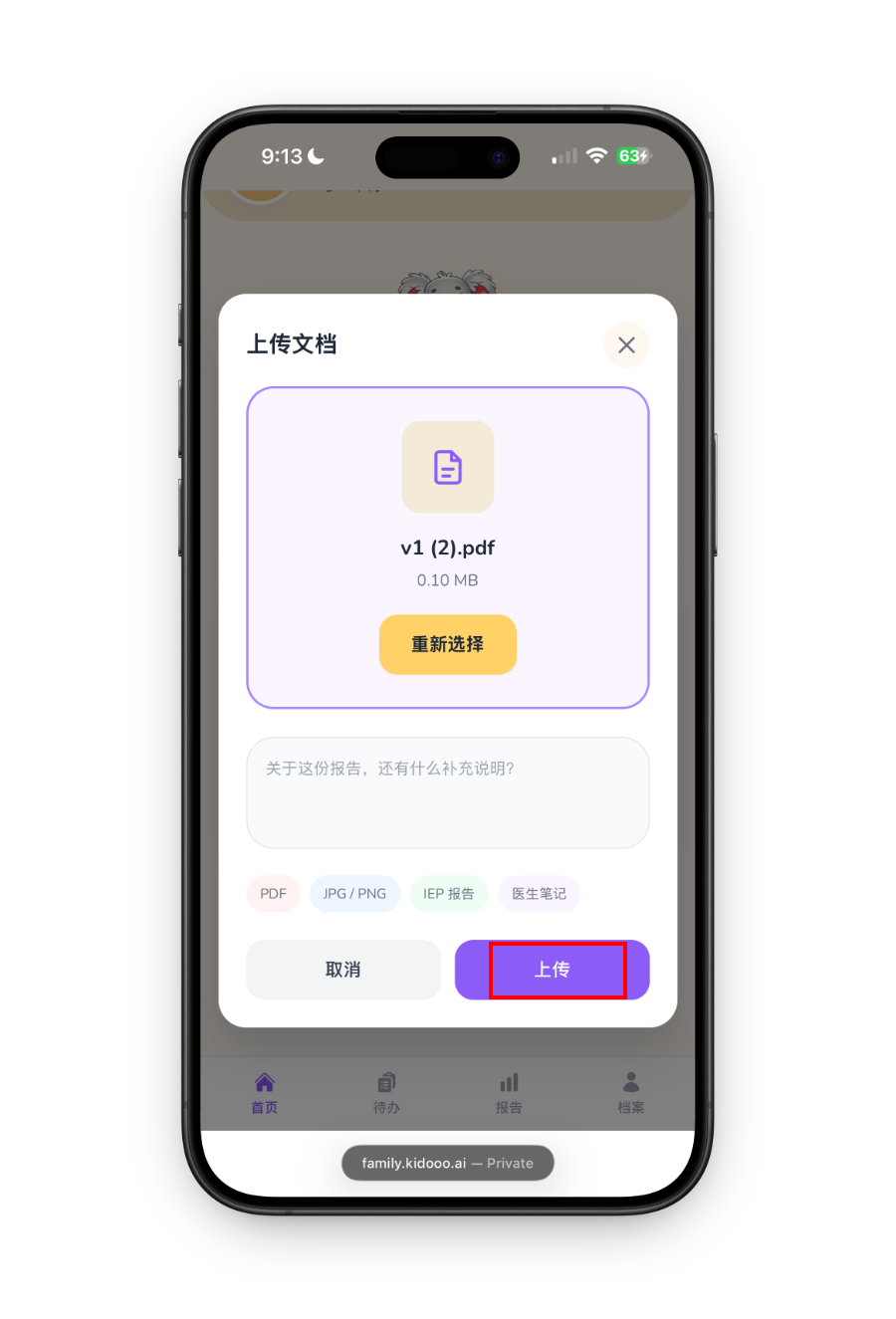
Tap Upload documents to add files you already have: school notes, teacher updates, past evaluations, therapy reports, doctor notes, or anything else that helps explain your child. Supported formats: PDF, JPG, PNG. Kidooo extracts the key details and adds them to your child’s profile.
Upload documents step 1 Upload documents step 2
4
Share a moment
Upload a video of your child
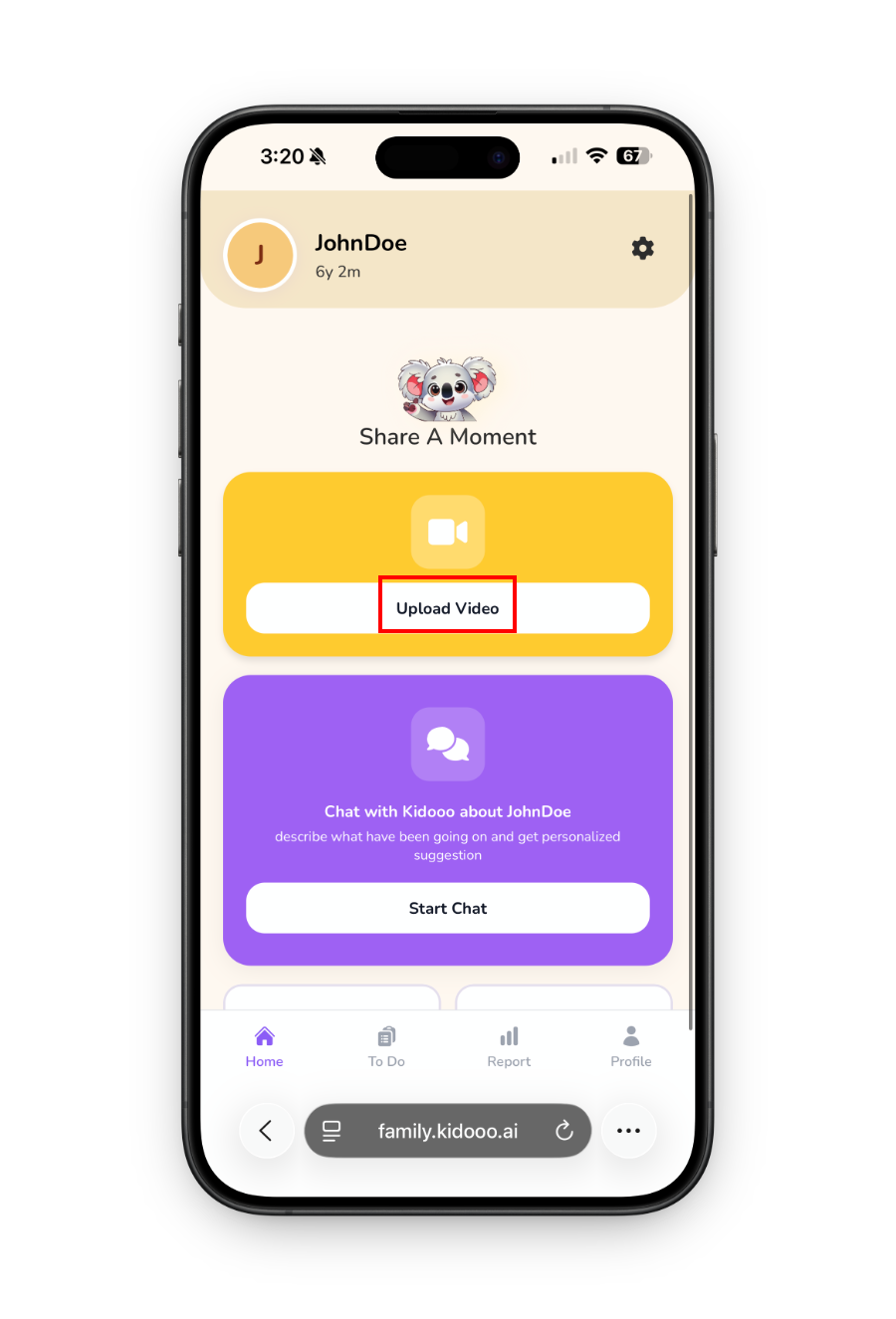
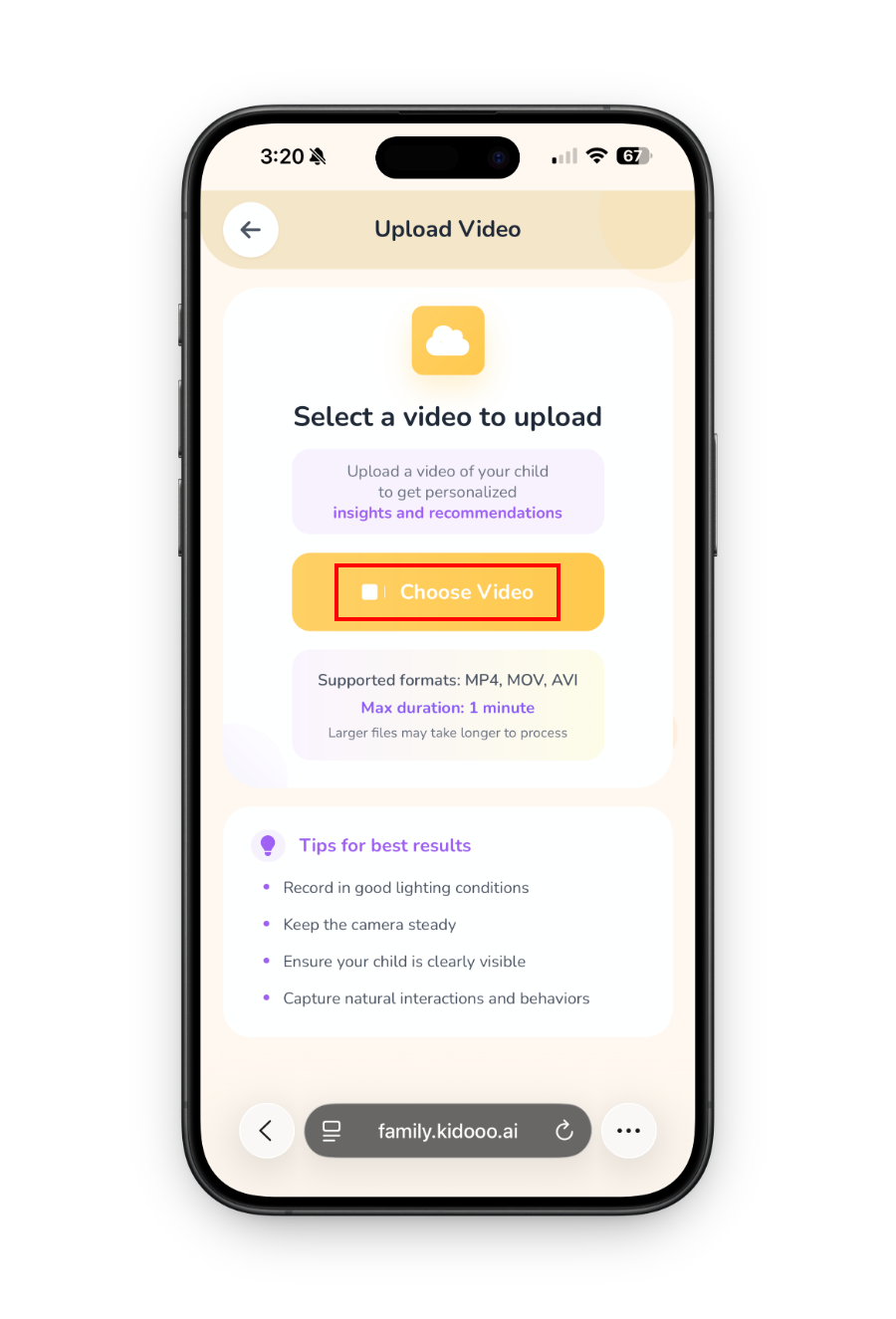
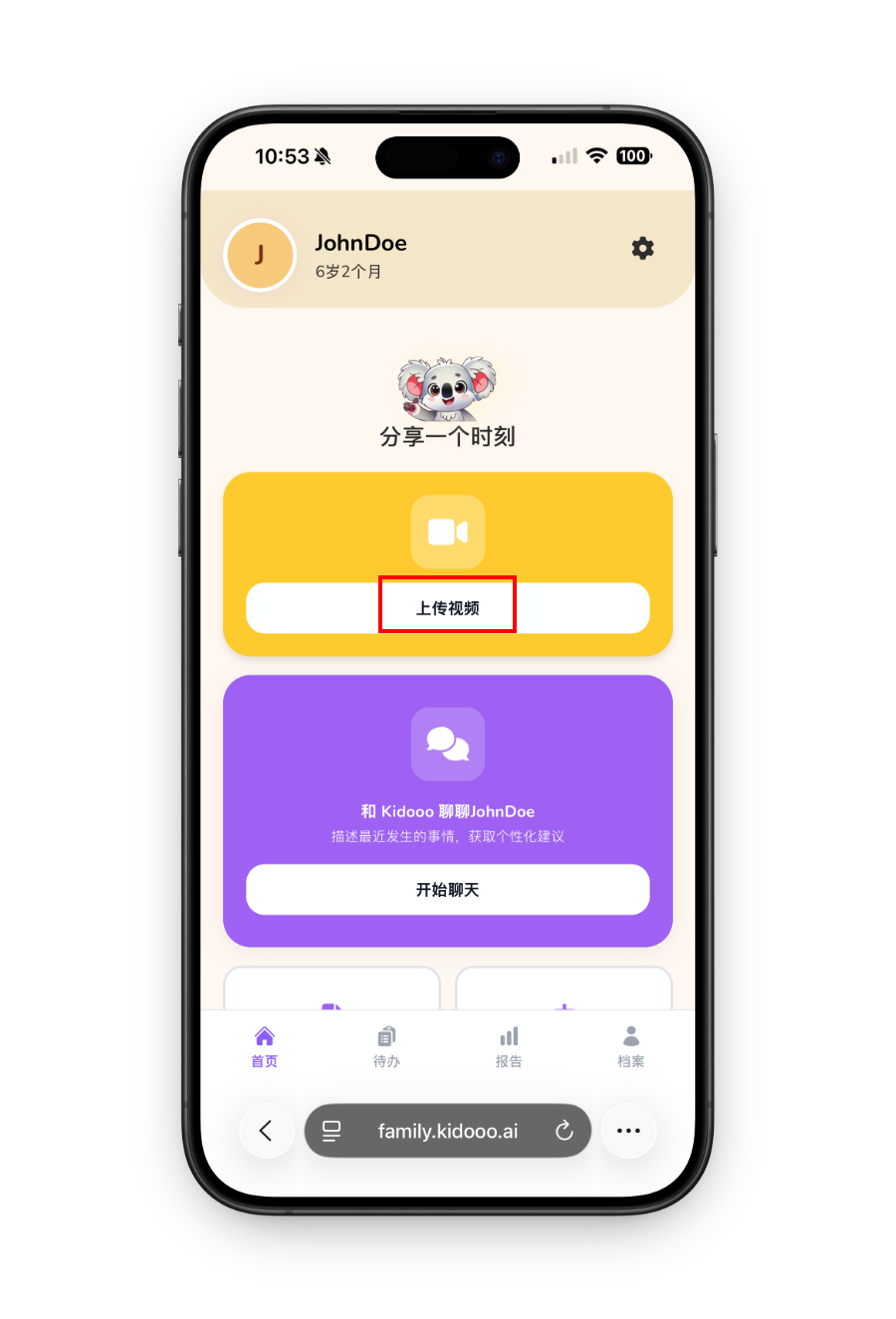
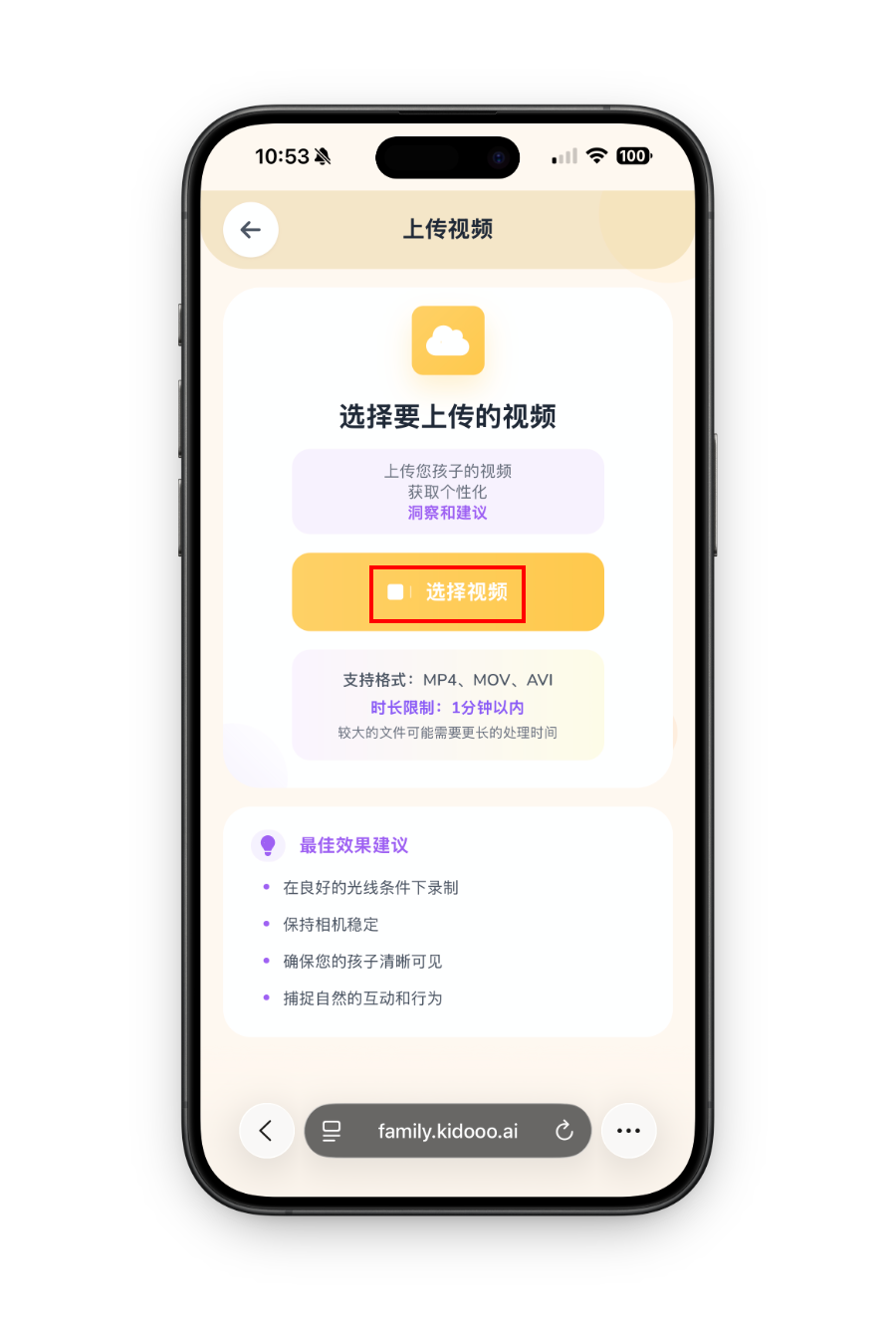
From the home screen, tap the yellow Upload video button. Select a 10 to 60 second clip of a real moment: a hard transition, a win, mealtime, playtime, bedtime, or anything you want to understand better. Tap Upload and Kidooo starts analyzing immediately.
Tips for better results: Natural lighting works well. Keep the camera steady. Capture what actually happens. No need to stage or script anything.
Upload video step 1 Upload video step 2
5
Video report
Read your video report
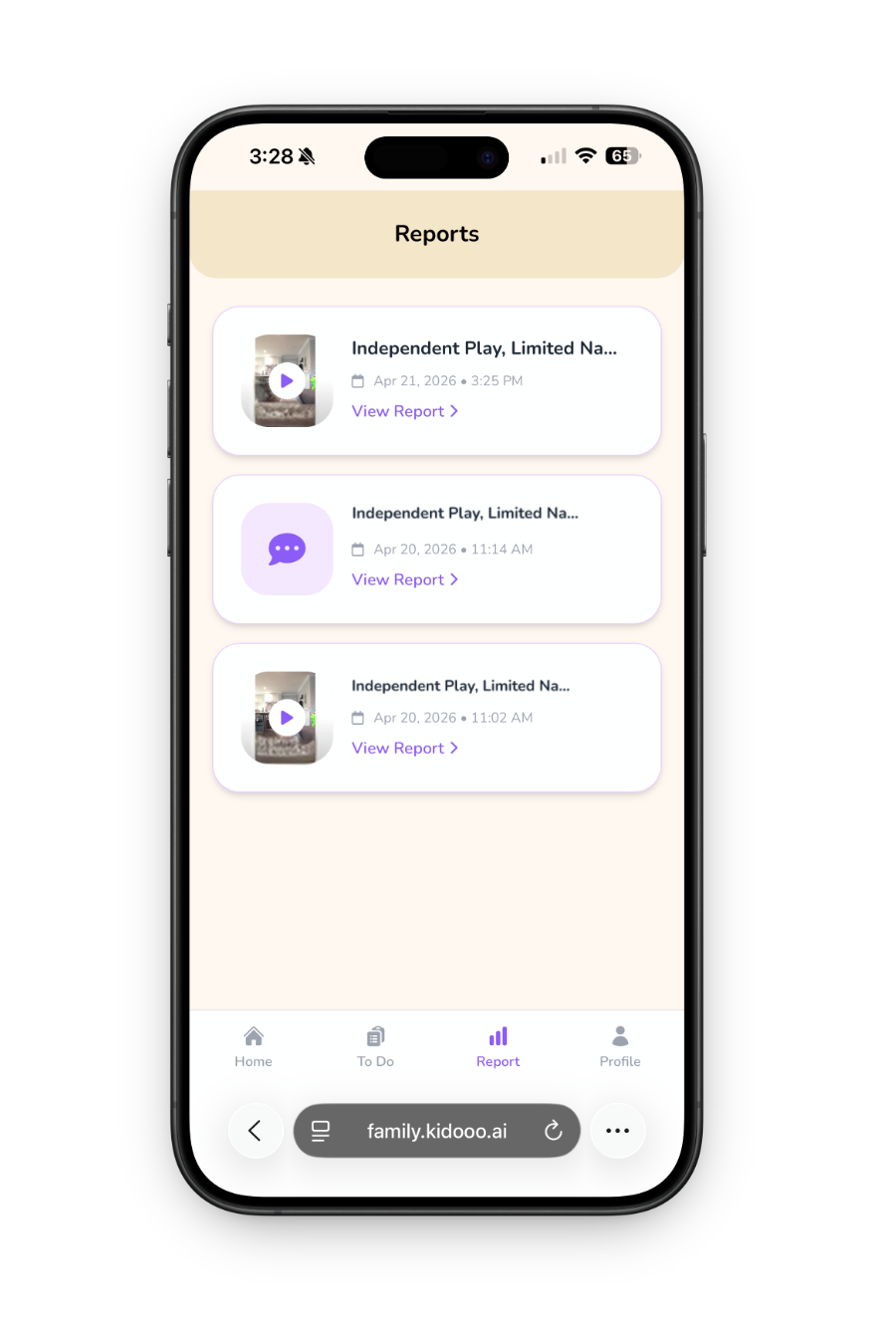
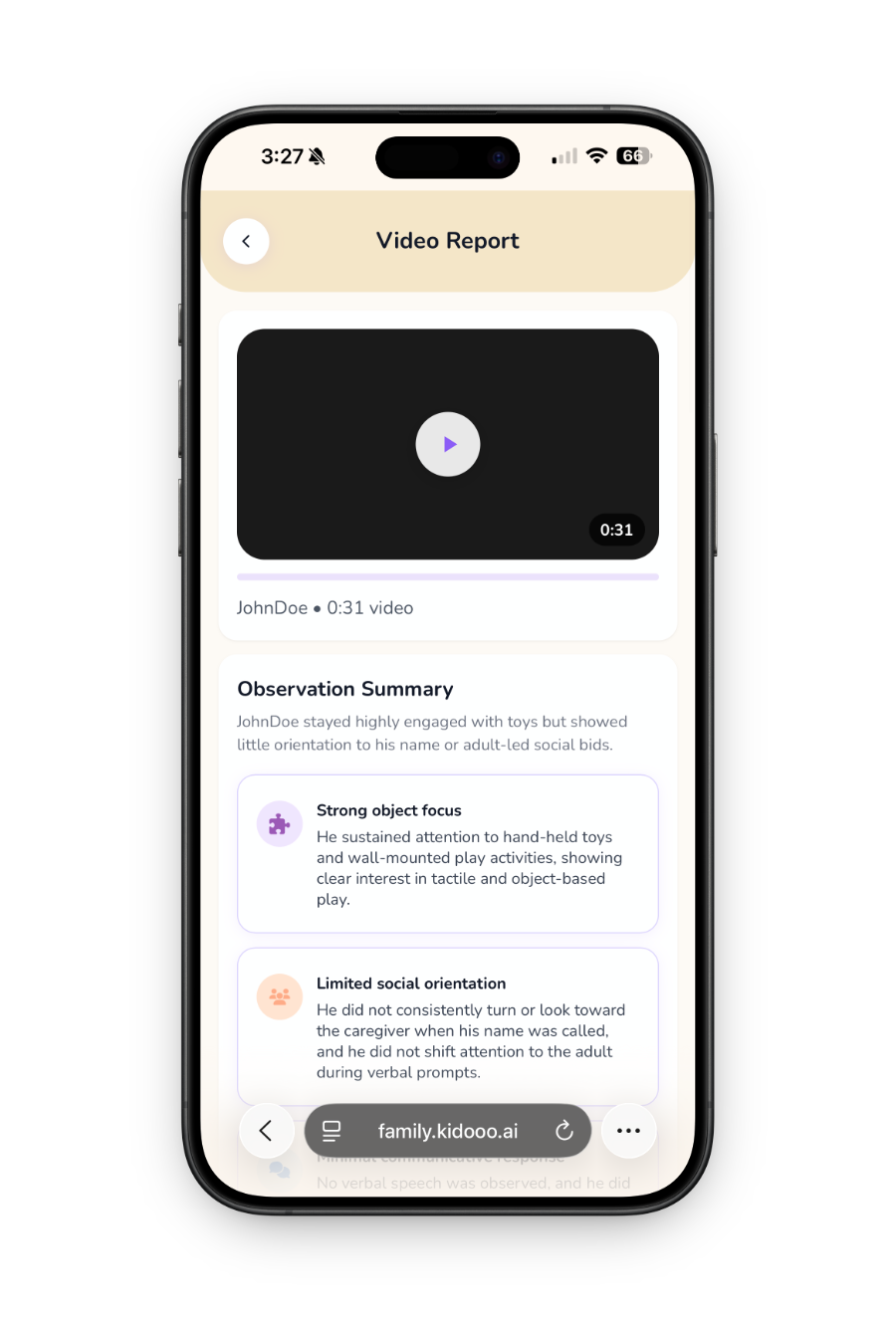
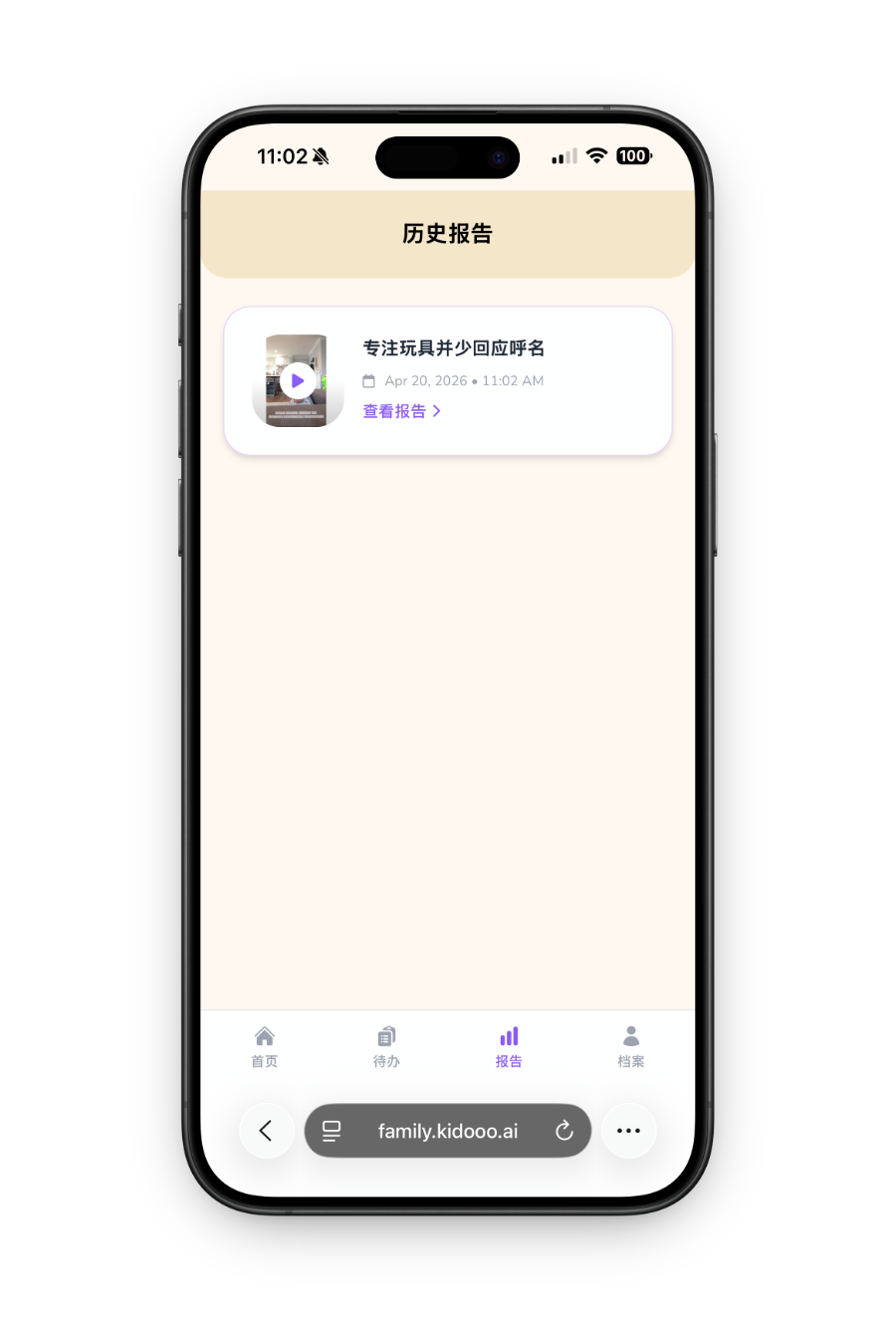
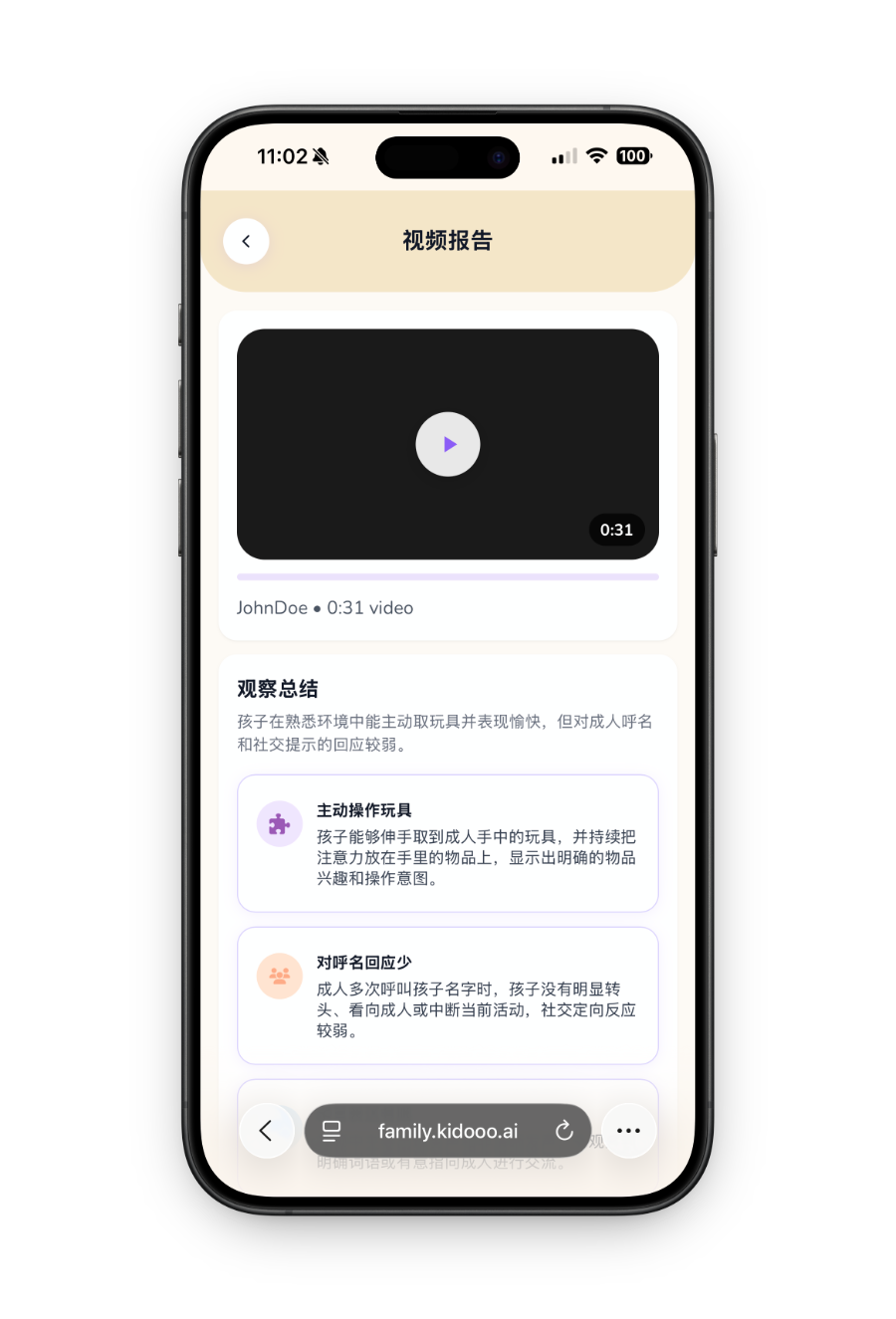
In a few minutes, your video report appears in the Reports tab. It opens with an observation summary: a plain-language description of what Kidooo noticed. Then it highlights patterns that may matter, such as communication, attention, social connection, emotional regulation, and what seemed to help or make things harder.
Video report step 1 Video report step 2
6
Kidooo AI Chat
Tell Kidooo what happened
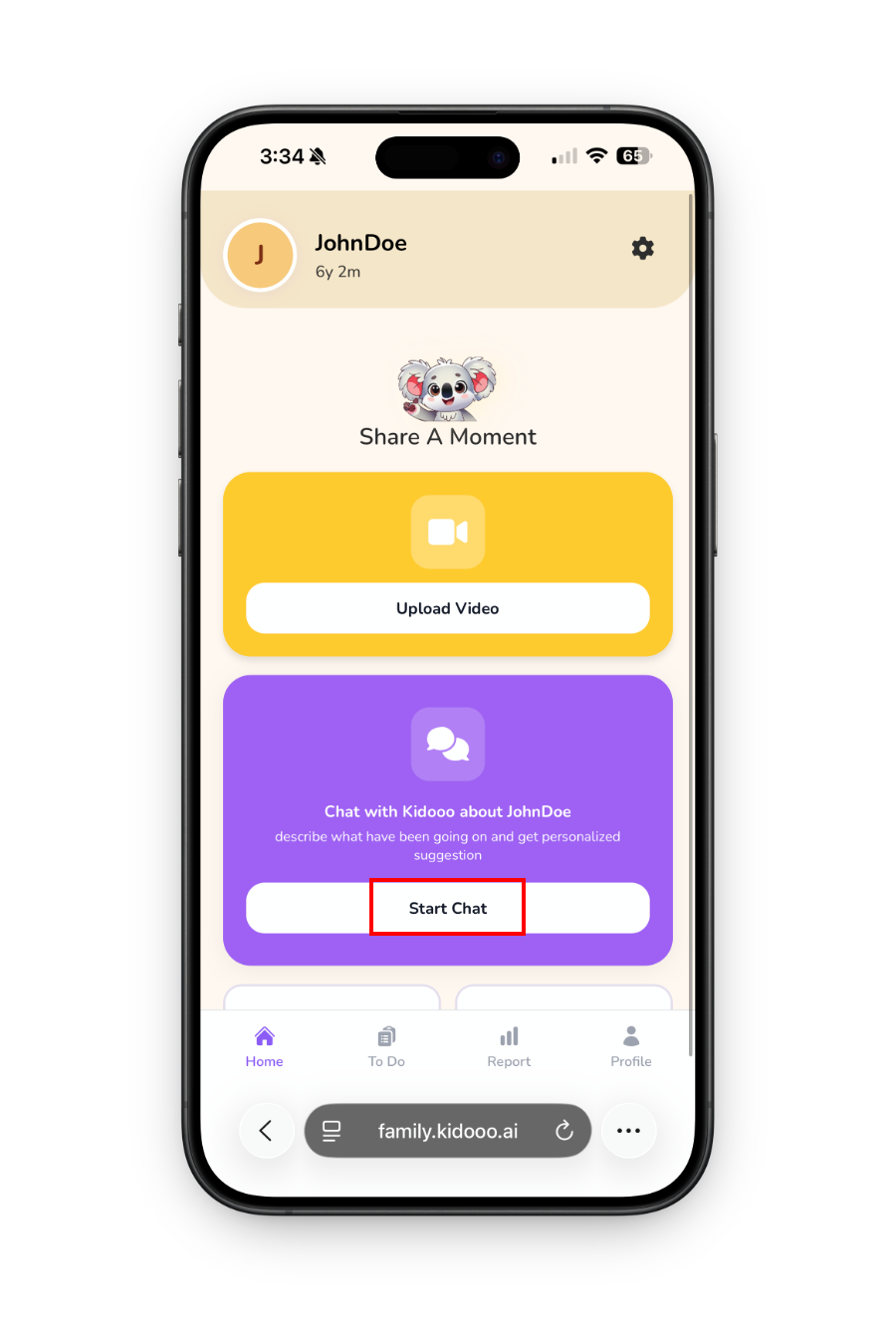
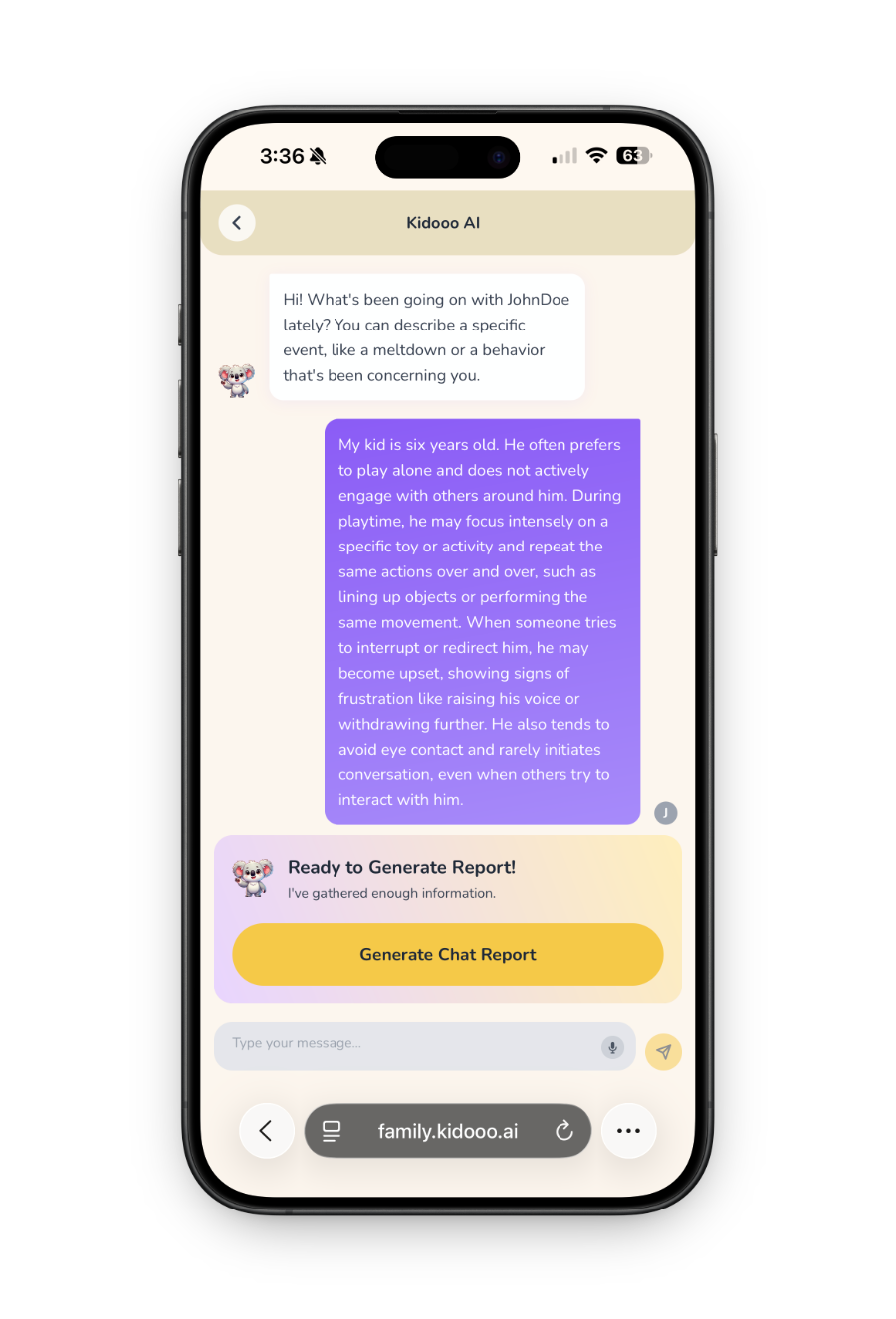
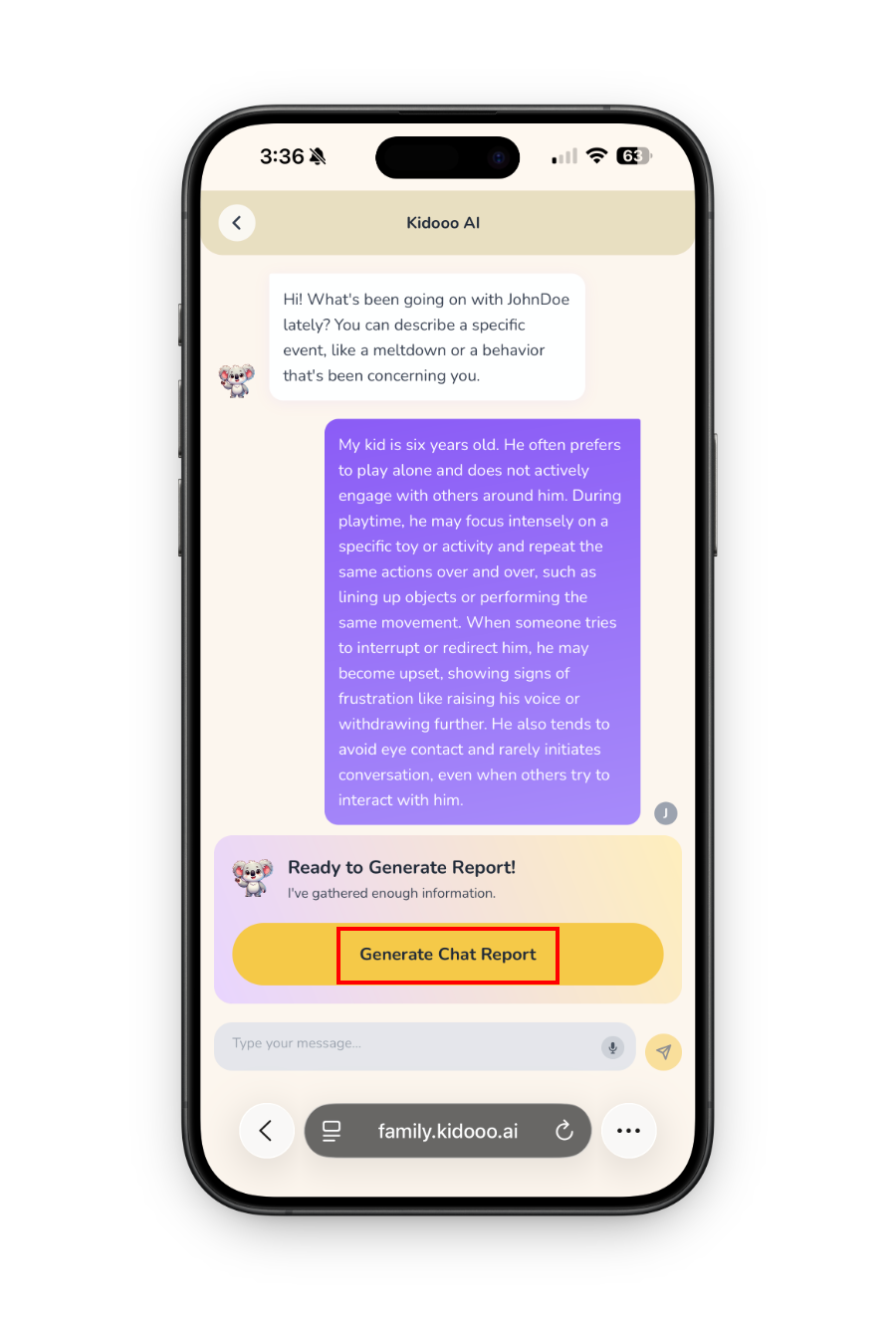
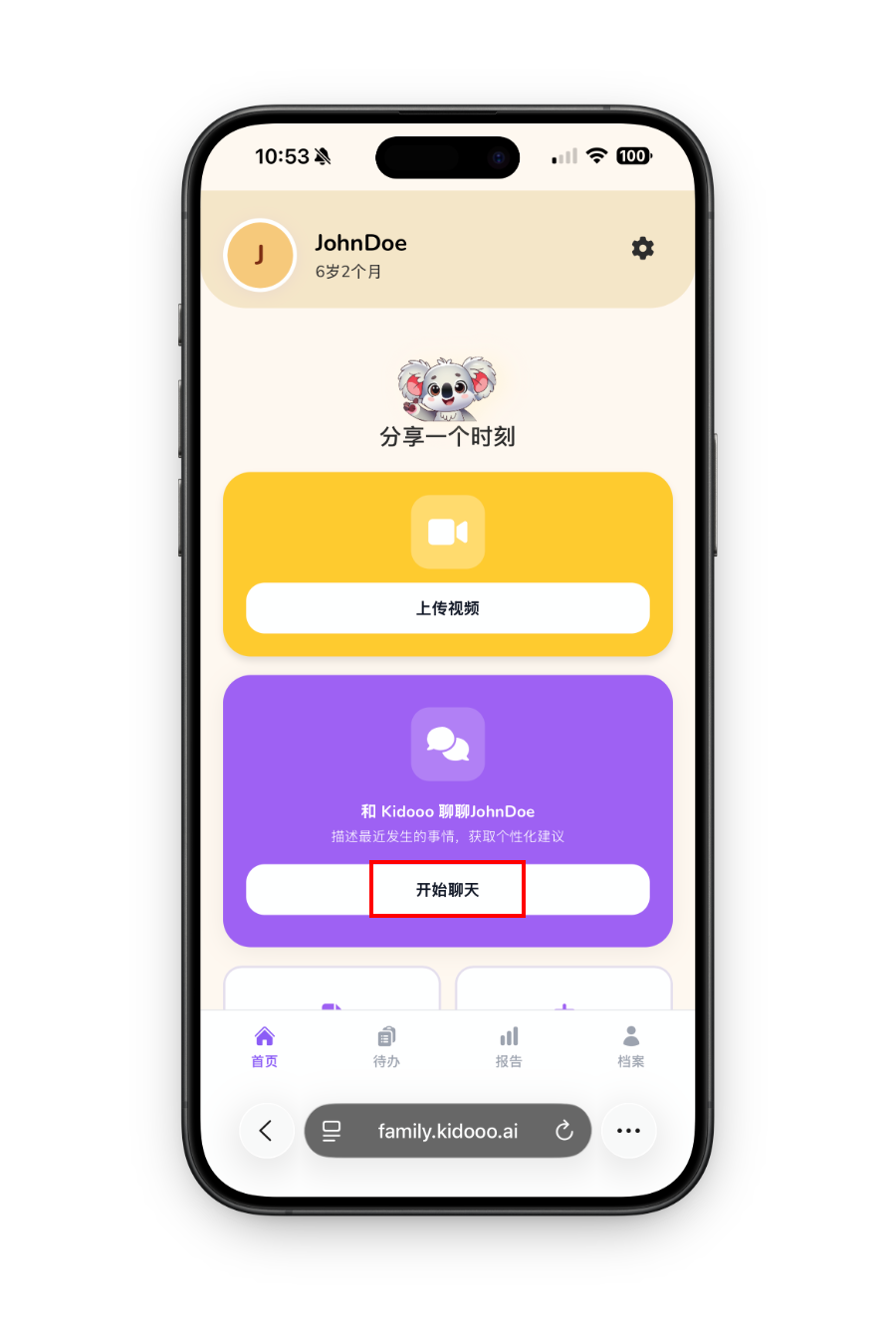
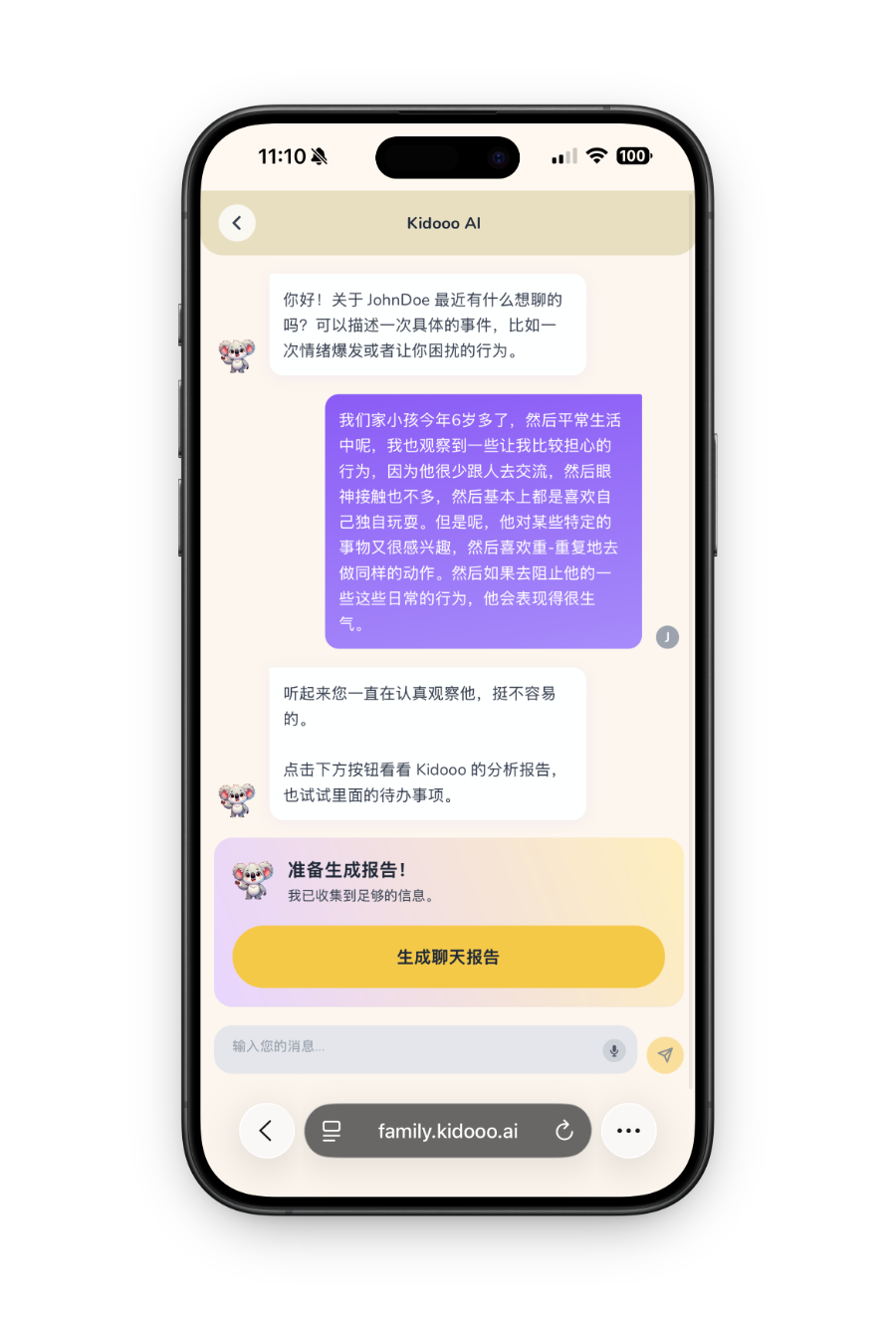
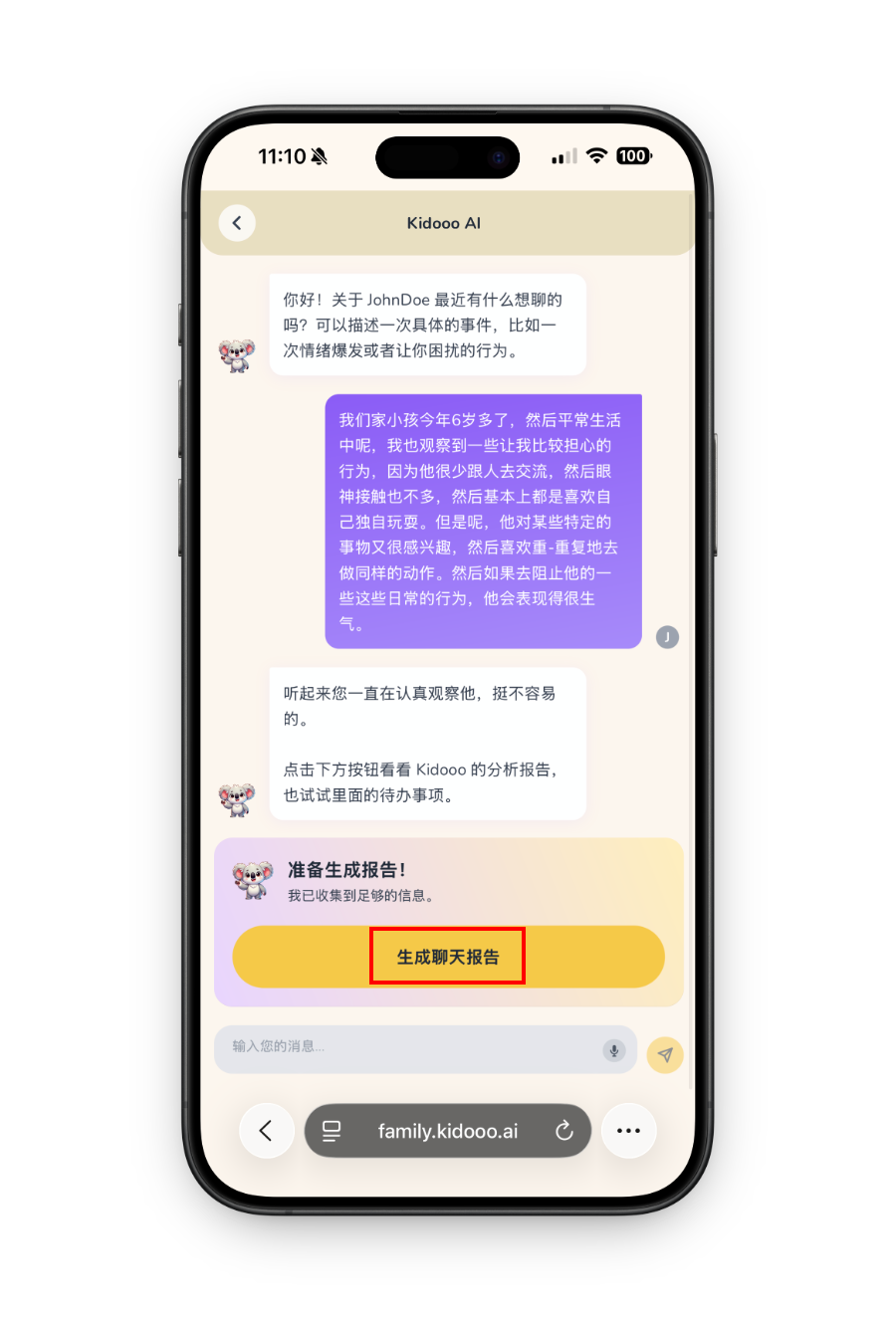
No video? Tap Start new on the home screen and describe a real moment in your own words: a hard transition, a repeated challenge, a confusing reaction, or something you want to understand better. Kidooo asks follow-up questions so the guidance can fit your child, not a generic checklist. When it has enough context, a Generate chat report button appears.
Kidooo AI chat step 1 Kidooo AI chat step 2
7
Chat report
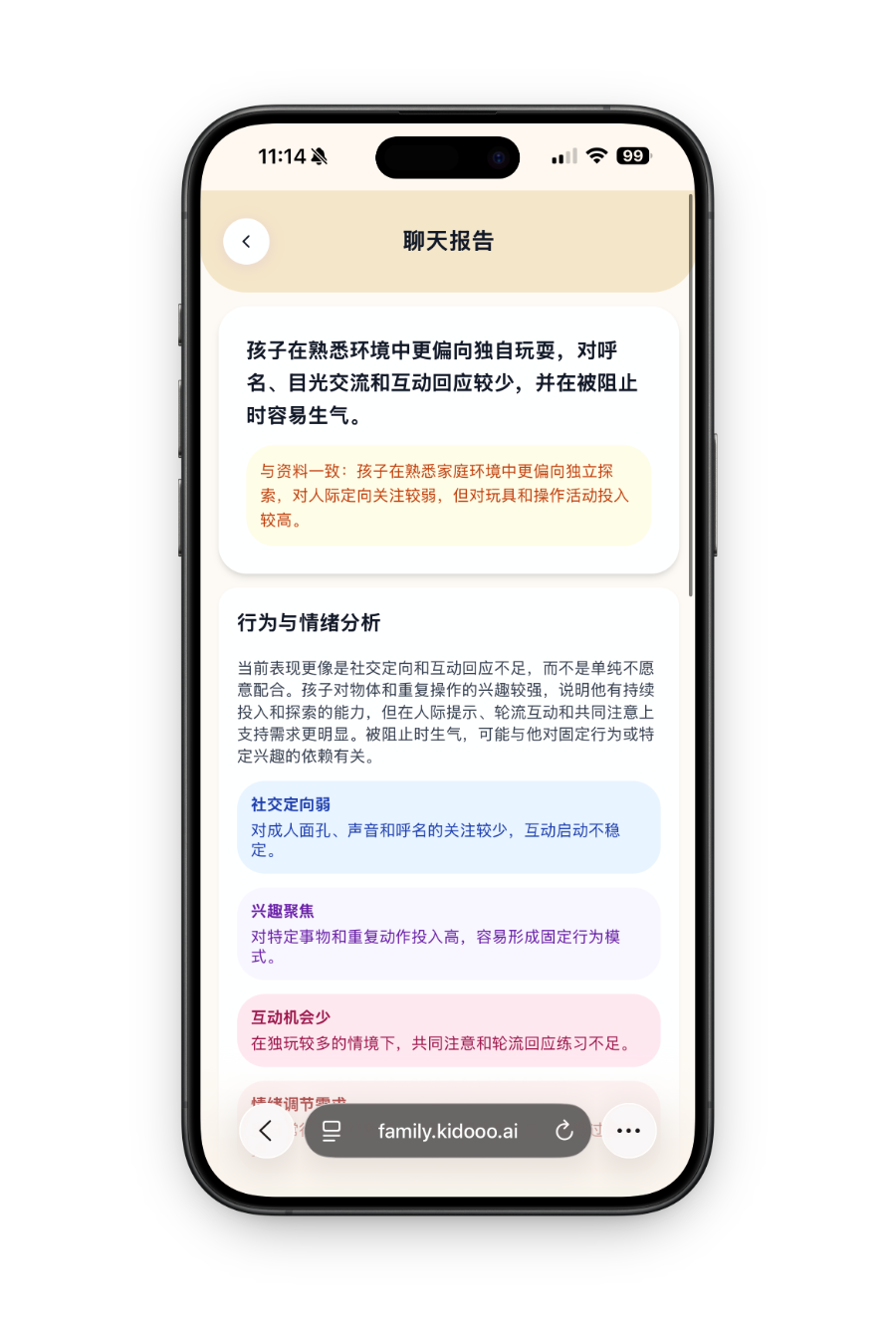
Get your chat report
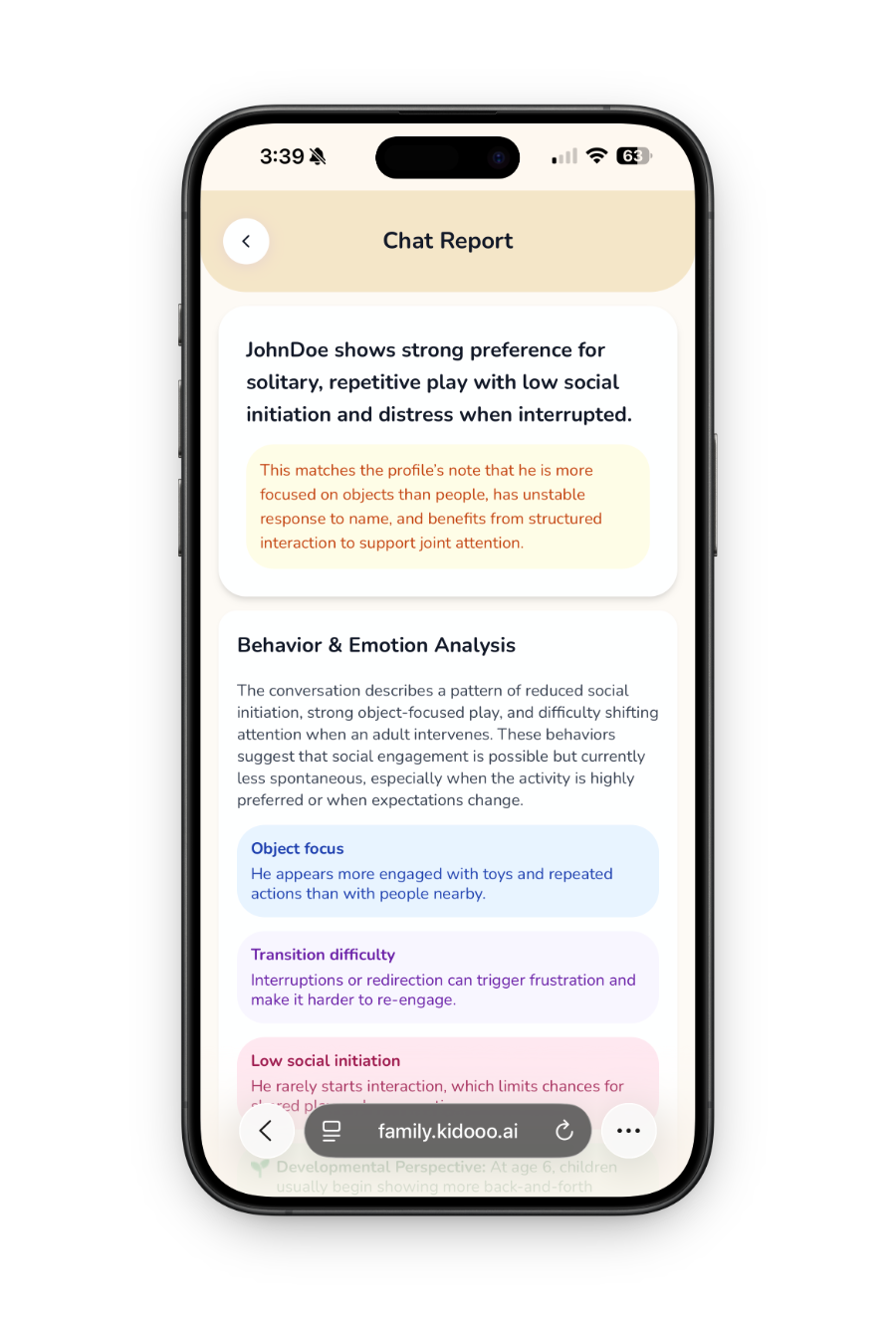
Kidooo generates a chat report with three parts: a simple summary of the moment, how it connects to your child’s profile, and possible patterns to watch. It may point to things like sensory needs, communication challenges, transitions, frustration tolerance, or what helped your child feel safer and calmer.
Chat report step 1 Chat report step 2
8
Take action
Save next steps to your To-Do list
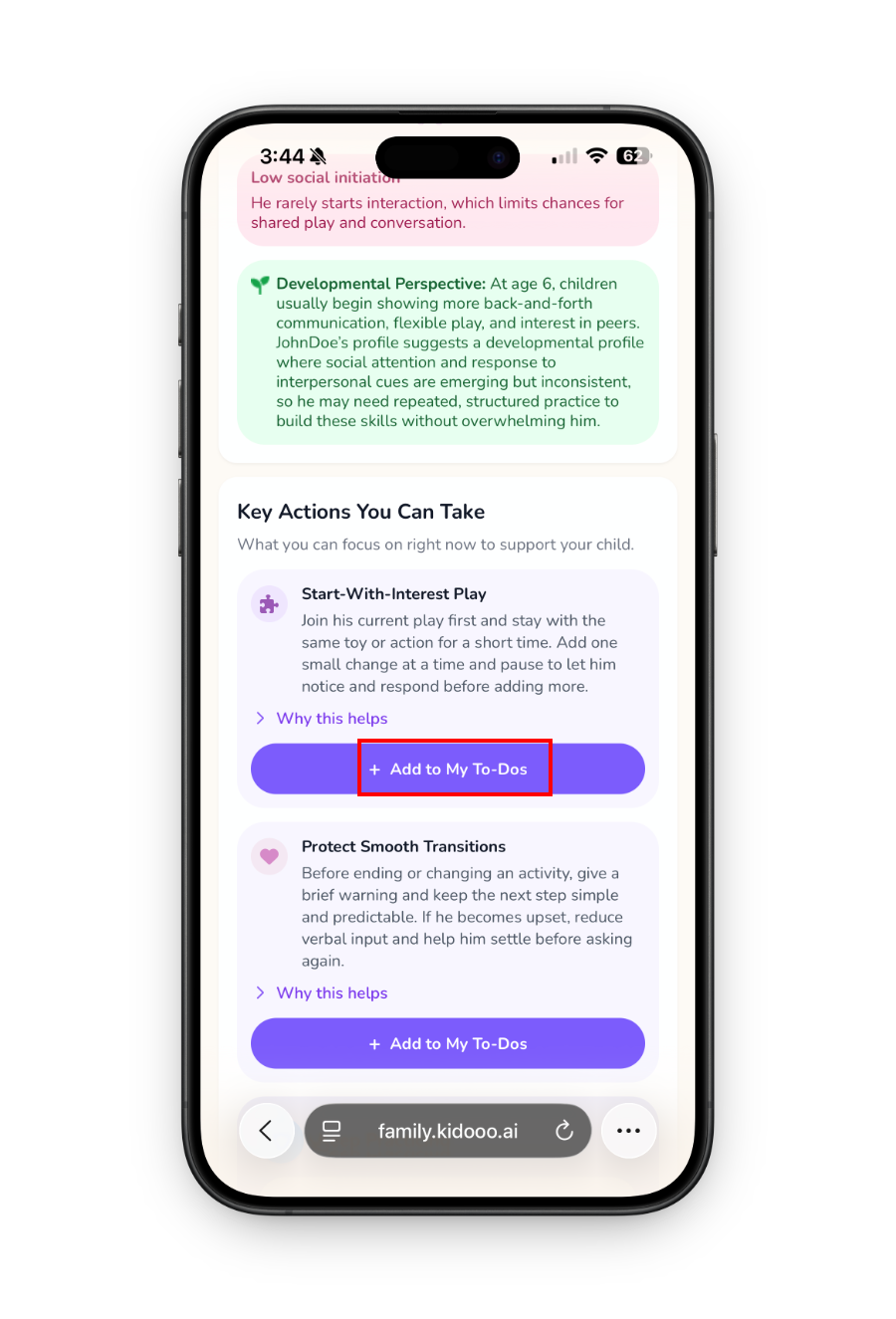
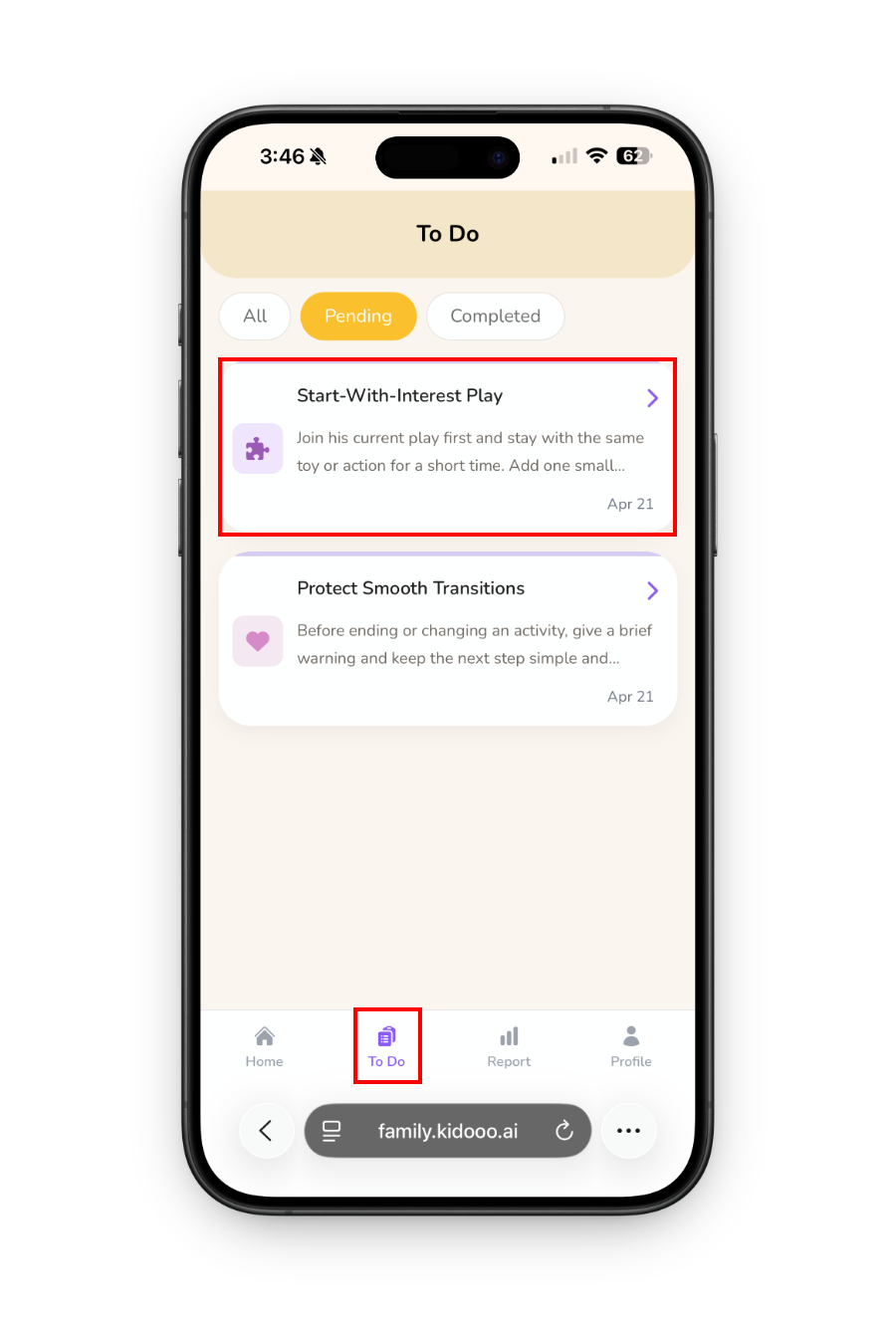
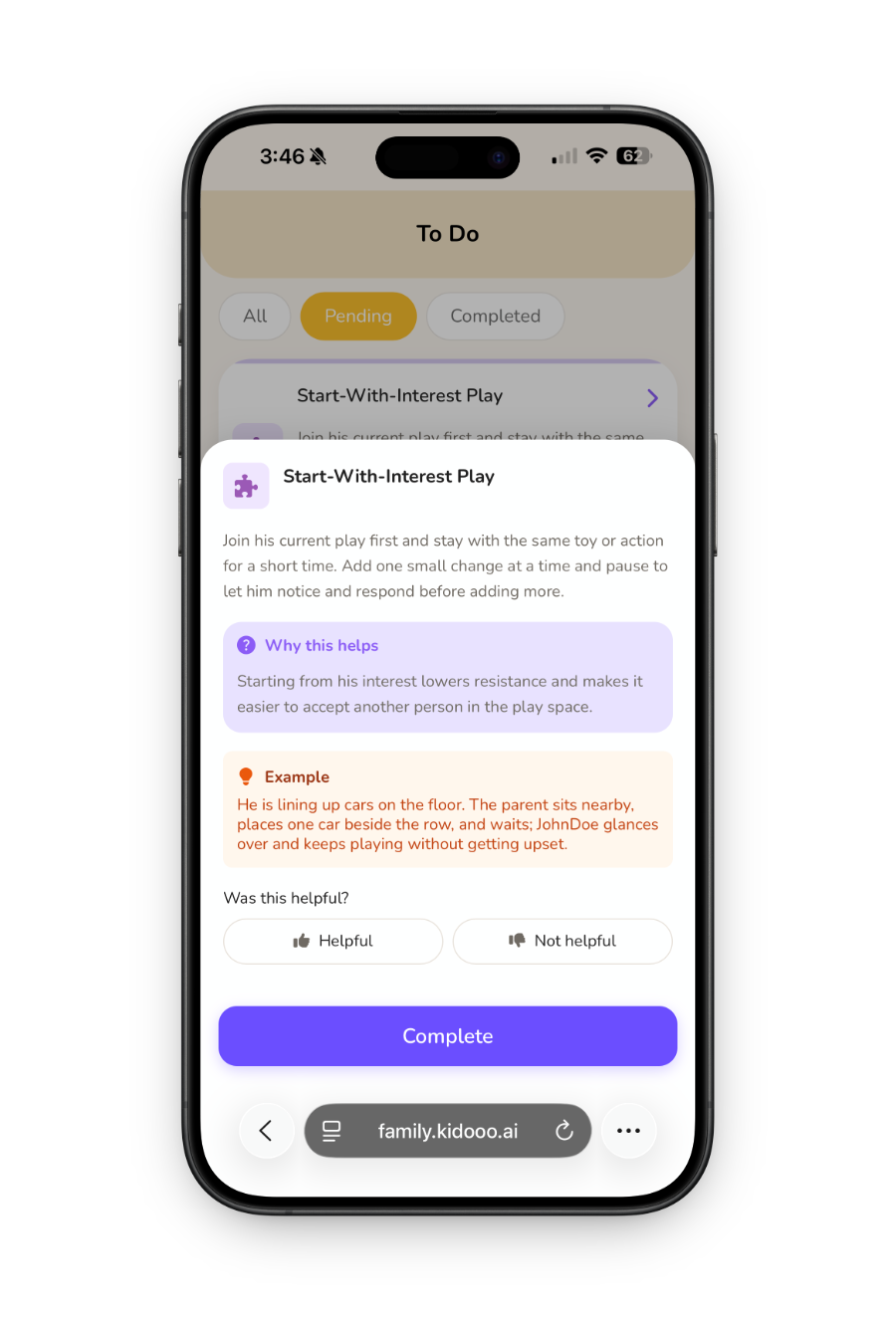
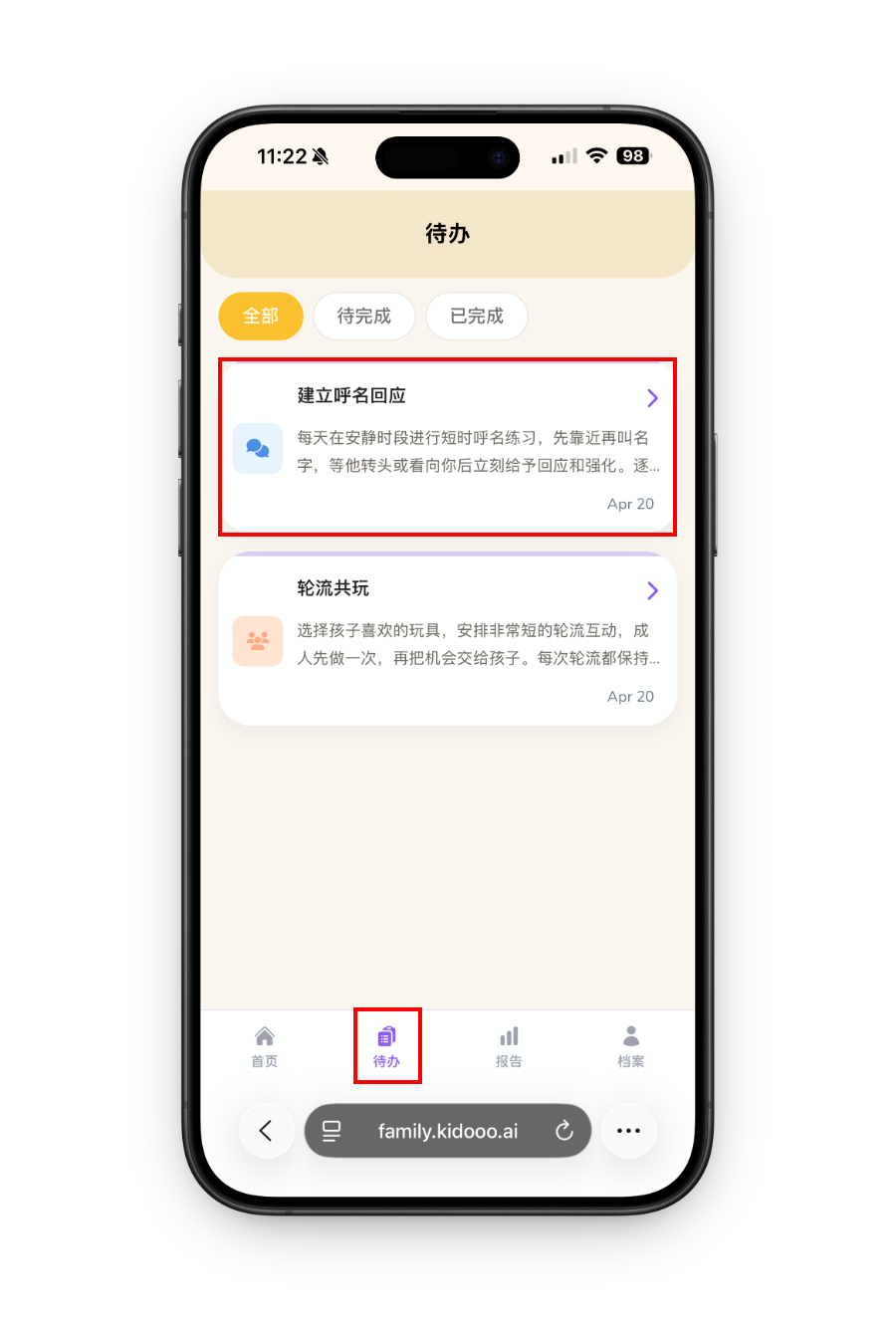
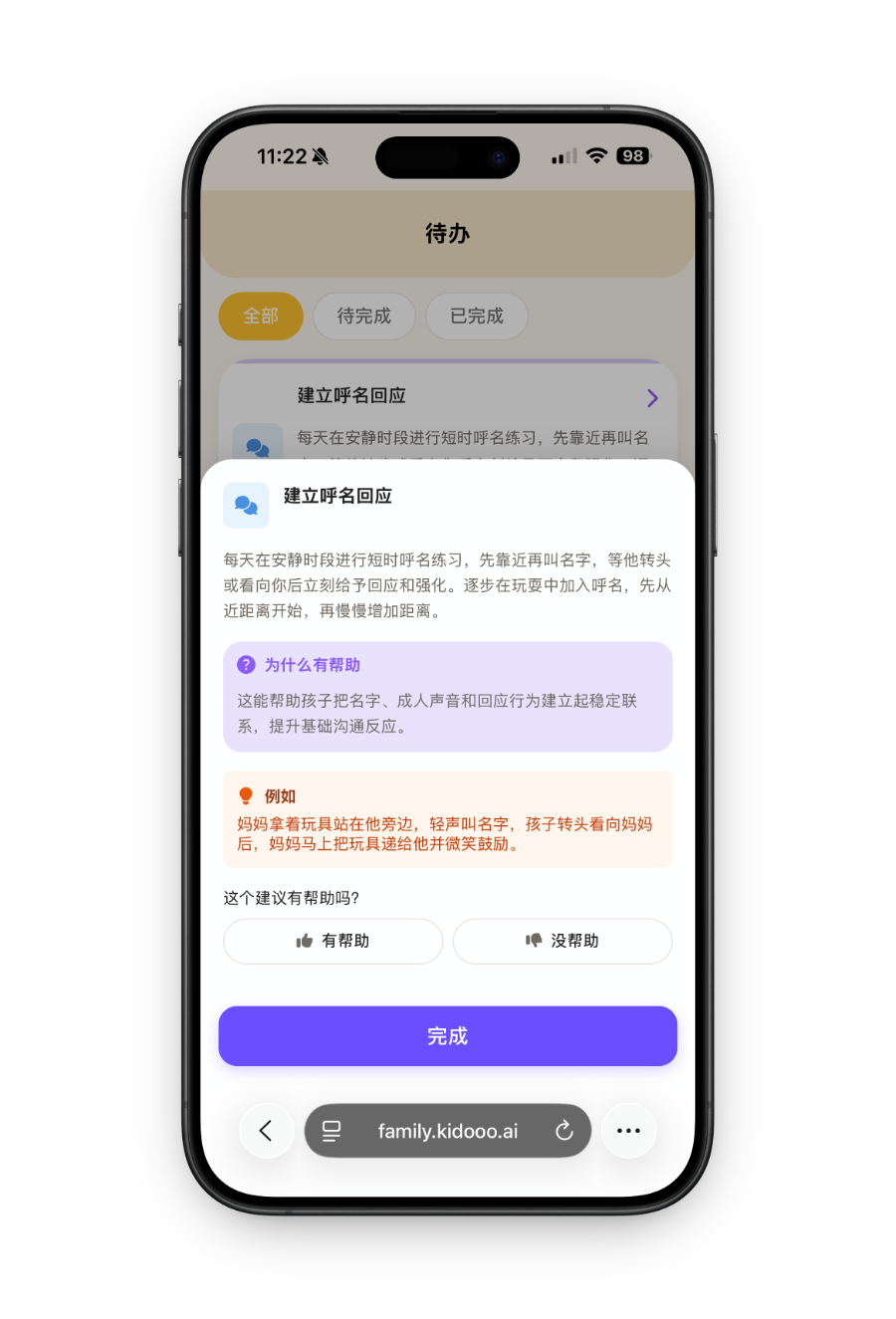
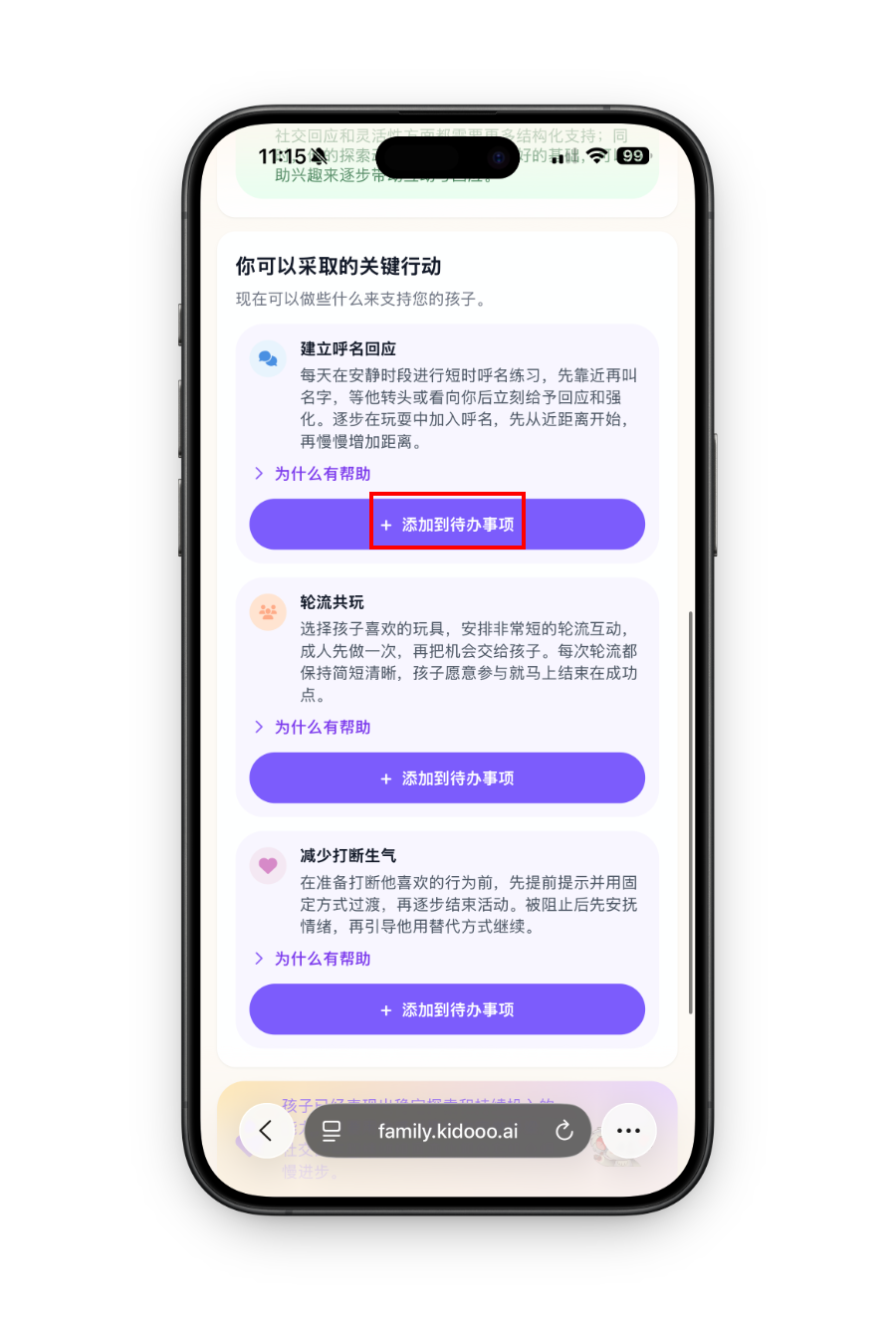
Every report ends with 2 to 3 clear next steps you can try at home. Save the ones that feel useful, mark what you tried, and come back later to see what helped.
To-Do step 1 To-Do step 2 To-Do step 3
9
Track progress
See what changes over time
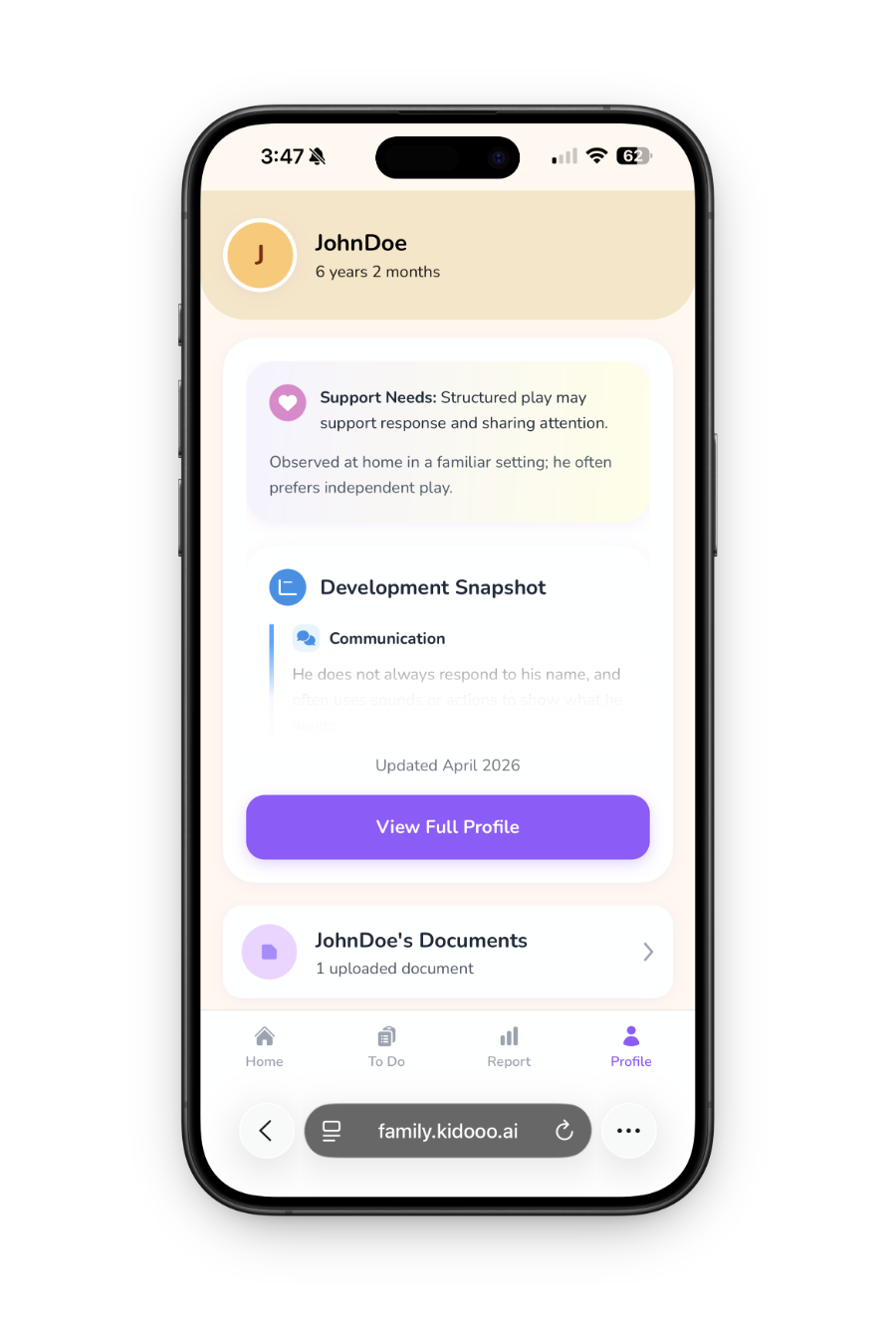
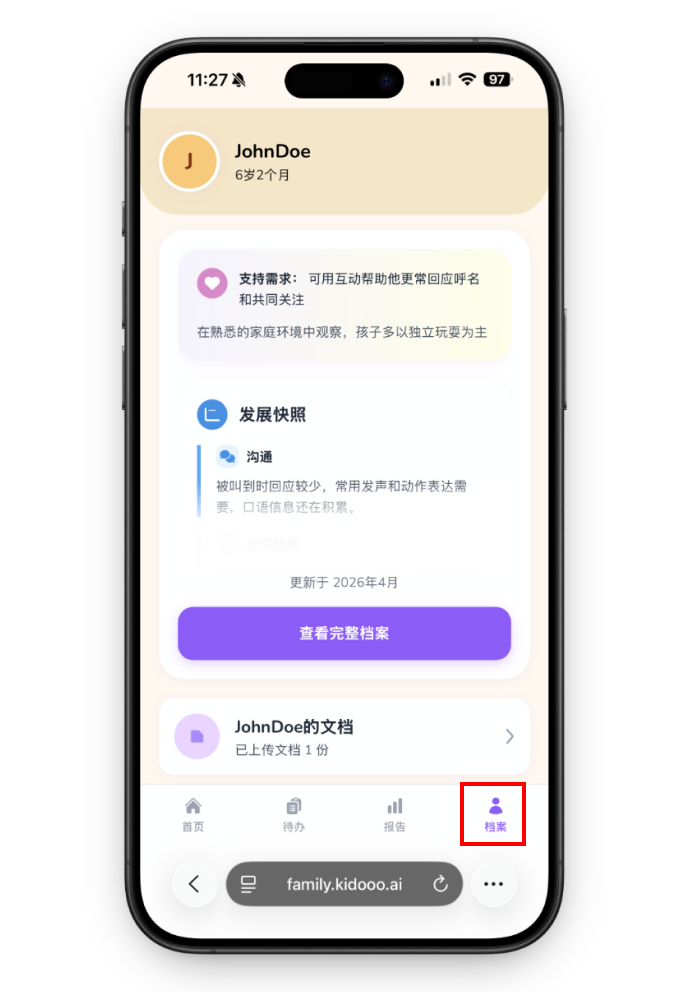
Every video, chat, and saved next step helps Kidooo build a clearer picture of your child over time. Go to the Profile tab to see strengths, support needs, patterns across daily moments, and a history of the notes and reports you choose to keep.
Child profile
1
创建账号
创建你的账号
到 Kidooo 官网,点「创建账号」。填个名字、邮箱、密码就行,不用绑卡。
Kidooo 注册界面步骤 1 Kidooo 注册界面步骤 2
2
添加孩子
添加你的孩子
填上他的小名、生日。年龄很关键,因为同一个行为在 2 岁和 6 岁可能含义完全不同。
添加孩子档案步骤 1 添加孩子档案步骤 2
3
补背景 (可跳过)
补点背景(可跳过)
如果你手头有以前的记录、老师的话、评估报告,可以传上来或粘贴。Kidooo 会帮你整理好,用在后面的解读里。
补充背景步骤 1 补充背景步骤 2
上传文件步骤 1 上传文件步骤 2
4
拍个视频
拍下那个让你困惑的时刻
选一段 10 到 60 秒的片段:哭闹、不理人、重复动作。别摆拍,我们要的就是真实反应。
上传视频步骤 1 上传视频步骤 2
5
行为报告
读懂第一份行为报告
几分钟后,你会看到「观察摘要」,用大白话告诉你 Kidooo 看到了什么,以及孩子可能想表达什么。没有诊断,只有理解。
视频报告步骤 1 视频报告步骤 2
6
对话
或者直接说说发生了什么
不想拍视频没关系。打开「对话」,用你的话描述孩子的举动,Kidooo 会追问细节,把线索串起来。
Kidooo AI 对话步骤 1 Kidooo AI 对话步骤 2
7
对话报告
获得对话报告
和视频报告一样,会总结这次的行为、它和孩子的特点有什么关联,以及可以留意的地方。
对话报告步骤 1 对话报告步骤 2
8
保存方法
保存你想试的下一步
每次结尾都会给你 2 到 3 个小方法,你觉得靠谱的就保存下来,试试看。管不管用,你回来标记一下。
待办步骤 1 待办步骤 2 待办步骤 3
9
成长轨迹
逐渐看见孩子的成长轨迹
每次记录都会沉淀下来。在「档案」里,你能看到孩子的优势、需要支持的地方,以及你一路走来的努力。
孩子档案

Common questions

How is my child's video kept private?
All videos are encrypted and stored securely. Kidooo never sells your data. You choose what to save, what to share, and what to keep private.
What kind of moments should I record?
Any real moment works: a hard transition, a breakthrough during play, a difficult bedtime, mealtime, or a happy interaction with a sibling. Kidooo works best with natural, unstaged moments captured in everyday settings. Videos should be between 10 seconds and 1 minute.
Do I need a video to use Kidooo?
No. You can also use Kidooo AI Chat to describe what happened in your own words. Kidooo will ask follow-up questions and generate a chat report. No video required.
Is Kidooo free to use?
Yes, you can start for free with no credit card required. Visit family.kidooo.ai to create your account and get your first insight today.
What kinds of families is Kidooo for?
Kidooo is for parents who want to understand everyday developmental, behavioral, emotional, or routine challenges more clearly. Some families already work with specialists. Some are just trying to make sense of hard moments at home. You do not need a diagnosis to start.
Is Kidooo a medical or diagnostic tool?
No. Kidooo is not a medical device and does not provide diagnoses. It helps families observe real moments, organize child-specific context, and try practical next steps at home. Always consult a licensed professional for medical or clinical decisions.
孩子的隐私安全吗?
我们非常重视孩子的隐私。视频和记录会加密保存,默认由你自己查看。是否分享、分享给谁、分享多少,都由你决定。我们不出售数据,也不会把孩子的信息用于广告。
我该拍什么样的片段?
让你最累、最困惑的那个时刻就可以:哭闹、不回应、反复做某个动作、睡前折腾、出门过不去。越真实越好,10 秒到 1 分钟,不用刻意准备。
一定要拍视频吗?
完全不用。你可以直接用文字描述孩子的反应,Kidooo 会继续追问一些细节,并给出有研究依据的参考。我们特别理解,有些时刻拿手机拍反而不合适。
要钱吗?
免费开始,不用绑卡。拿到第一份解读后,你自己感受一下是不是有帮助。
我家孩子很普通,也能用吗?
当然可以。无论孩子是高需求、高敏感,还是比较典型的孩子,家长都会遇到"他为什么这样"的时候。Kidooo 是帮你看懂这些日常谜题的,不需要任何特殊标签。
这是诊断吗?
Kidooo 目前不提供任何医疗诊断。我们帮你理解行为背后的心理与发育可能性,并给出行动参考。任何医疗决策,请一定咨询专业医生。

Ready to try it?

Your first insight is just one short video or conversation away.