User Tutorial

Get started with
Kidooo Family

Everything you need to start recording, understanding, and acting on moments that matter — right from home.

How to use Kidooo Family

Follow these steps to get your first AI summary in minutes.

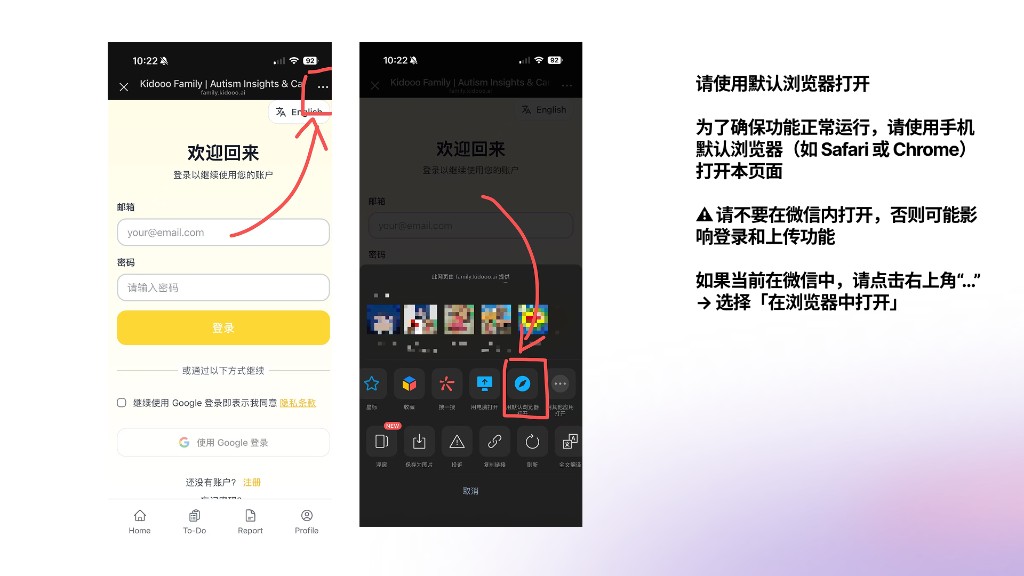
📱 如果你是通过微信打开本页面,请先切换到默认浏览器
请用默认浏览器打开
1
Account Setup
Create your account

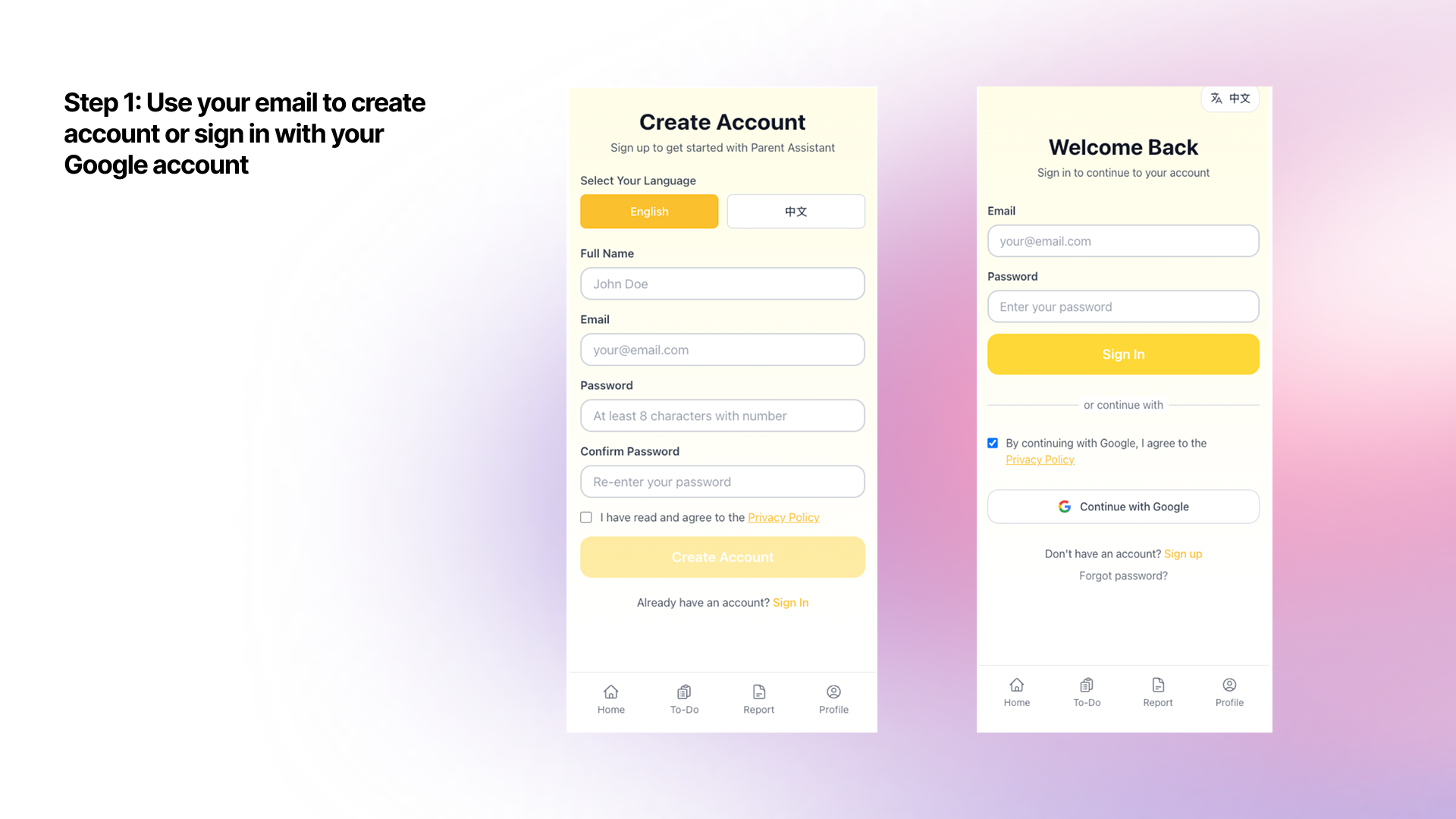
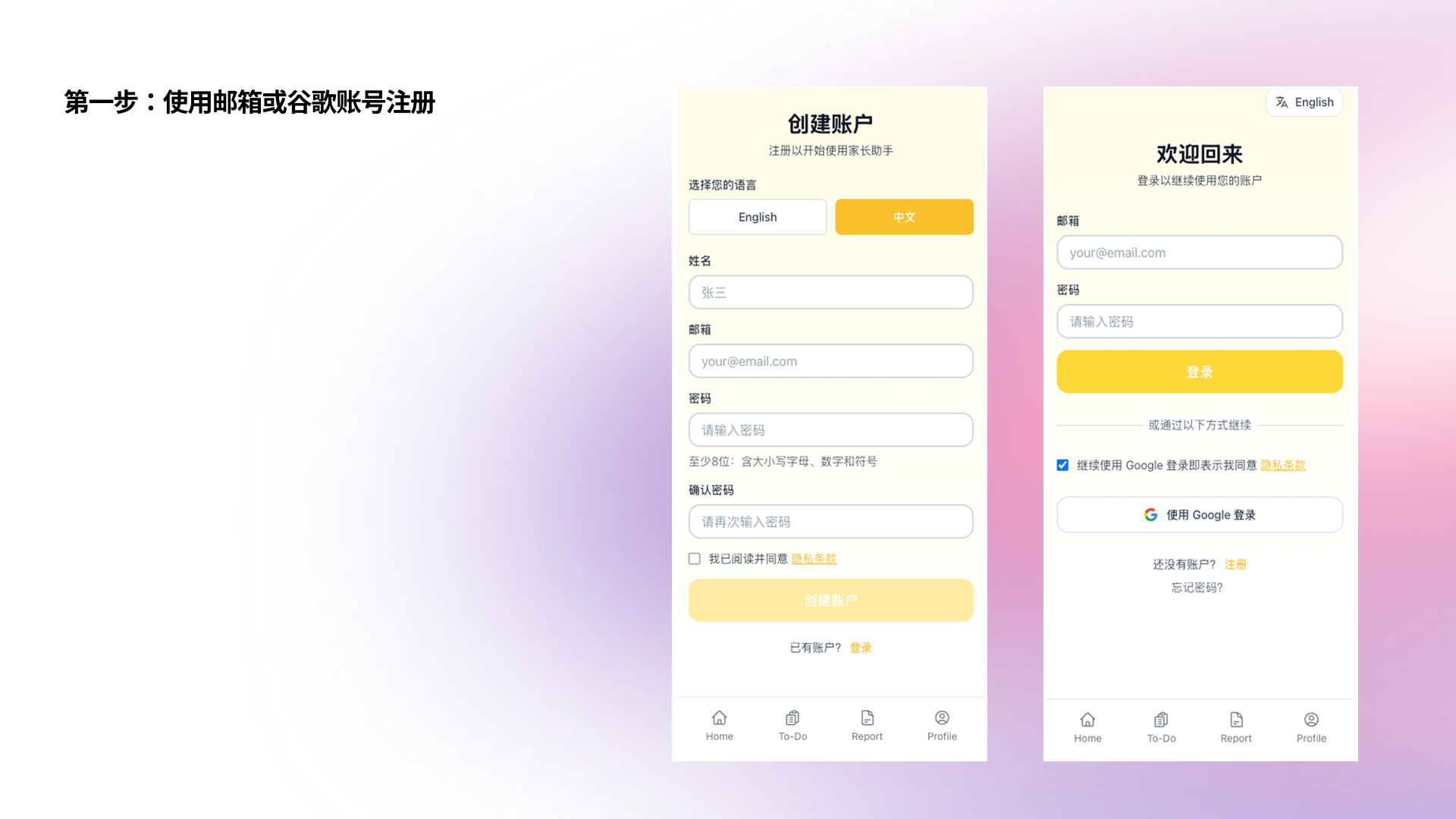
Sign up at family.kidooo.ai with your email or Google account.

Create account 创建账号
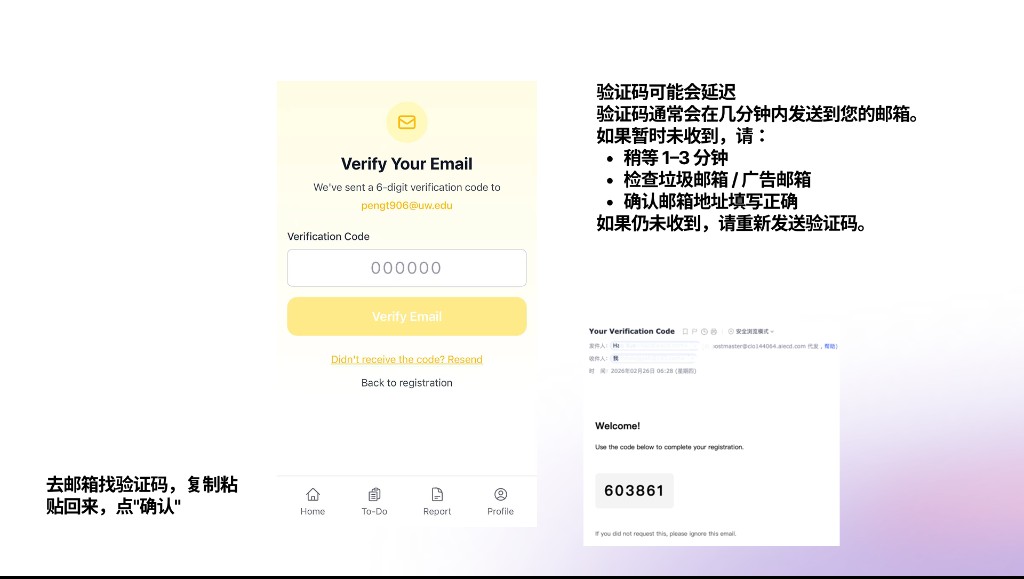
验证码说明
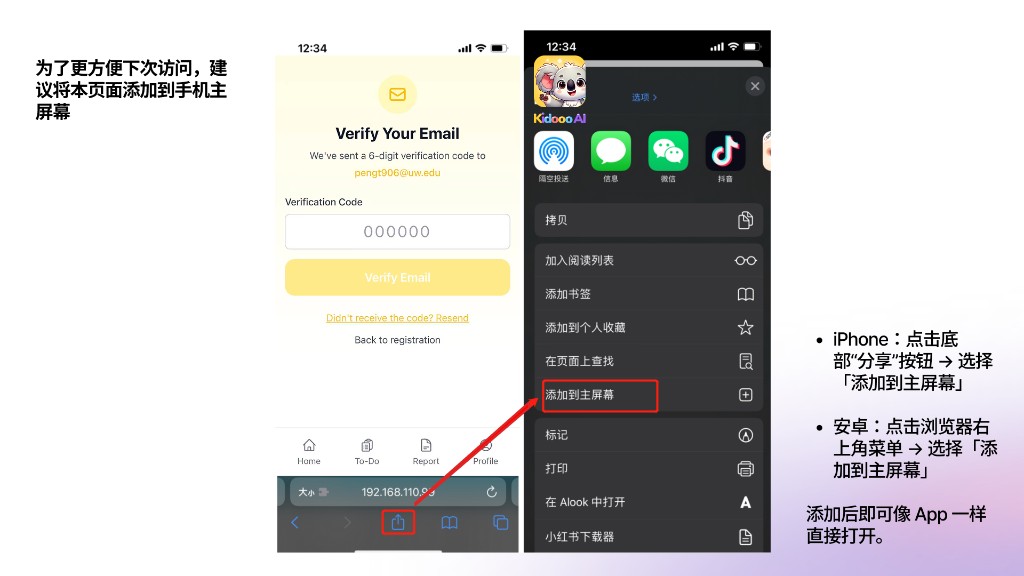
添加到主屏幕
2
Child Profile
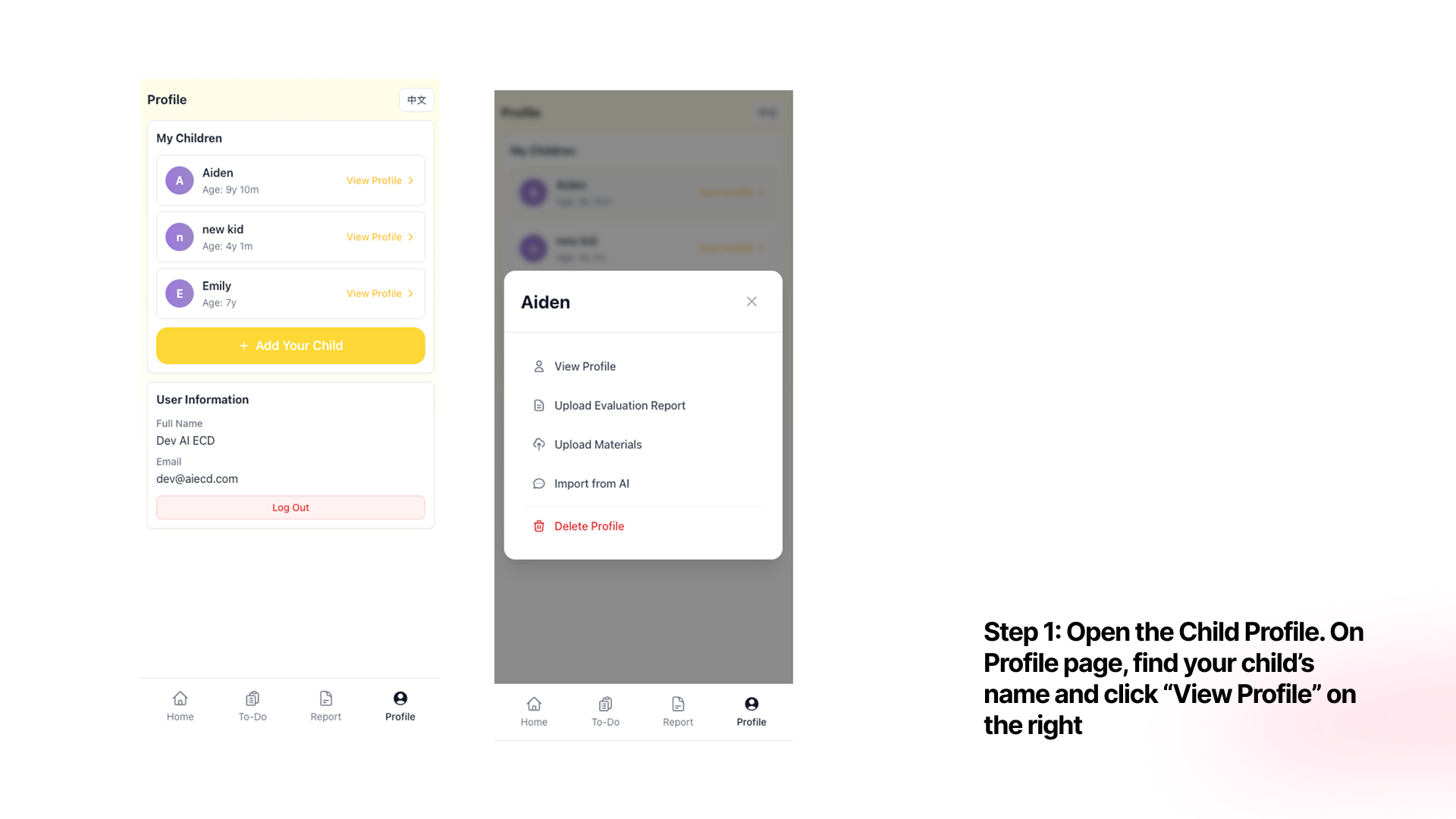
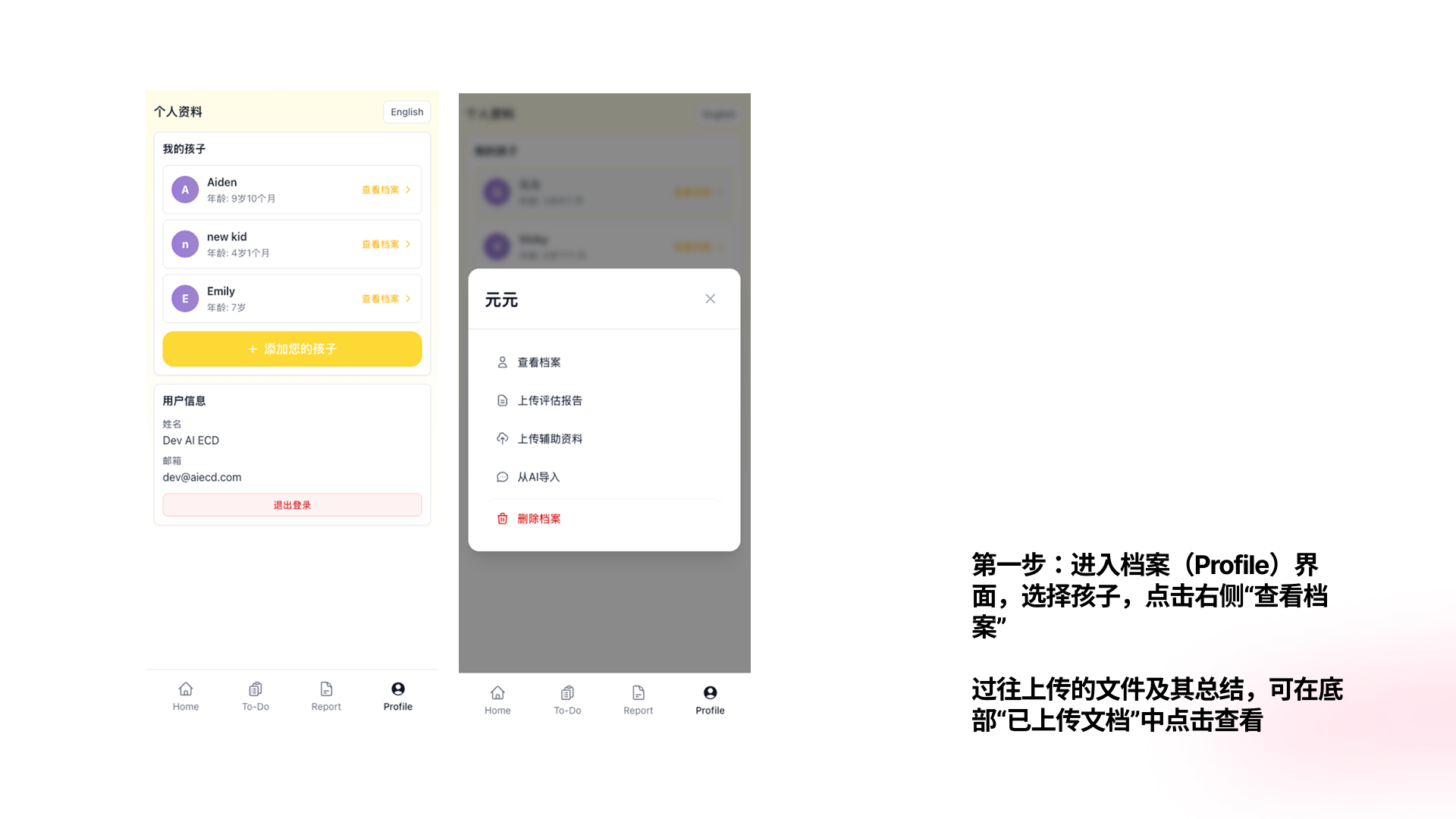
Add your child's profile

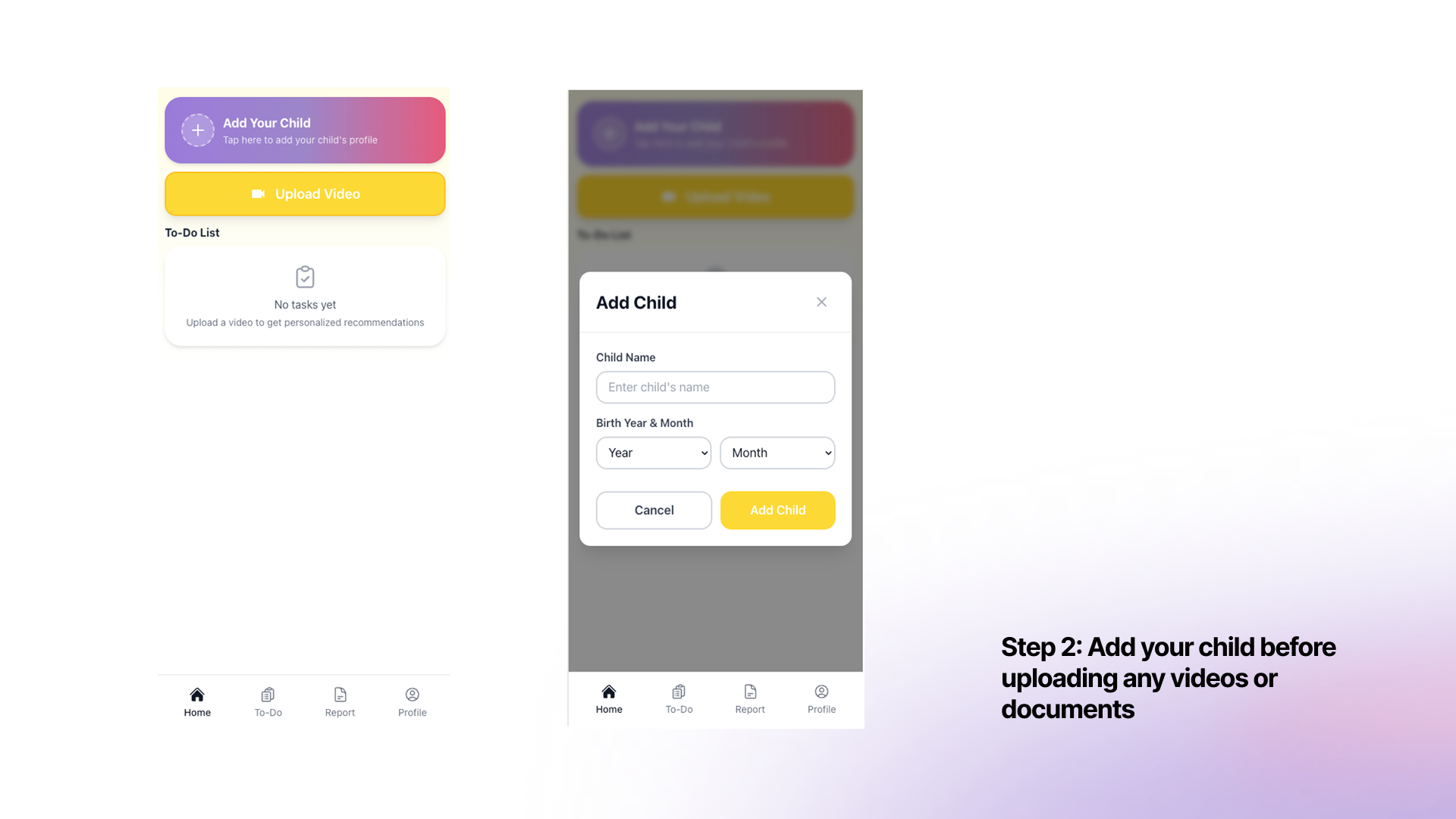
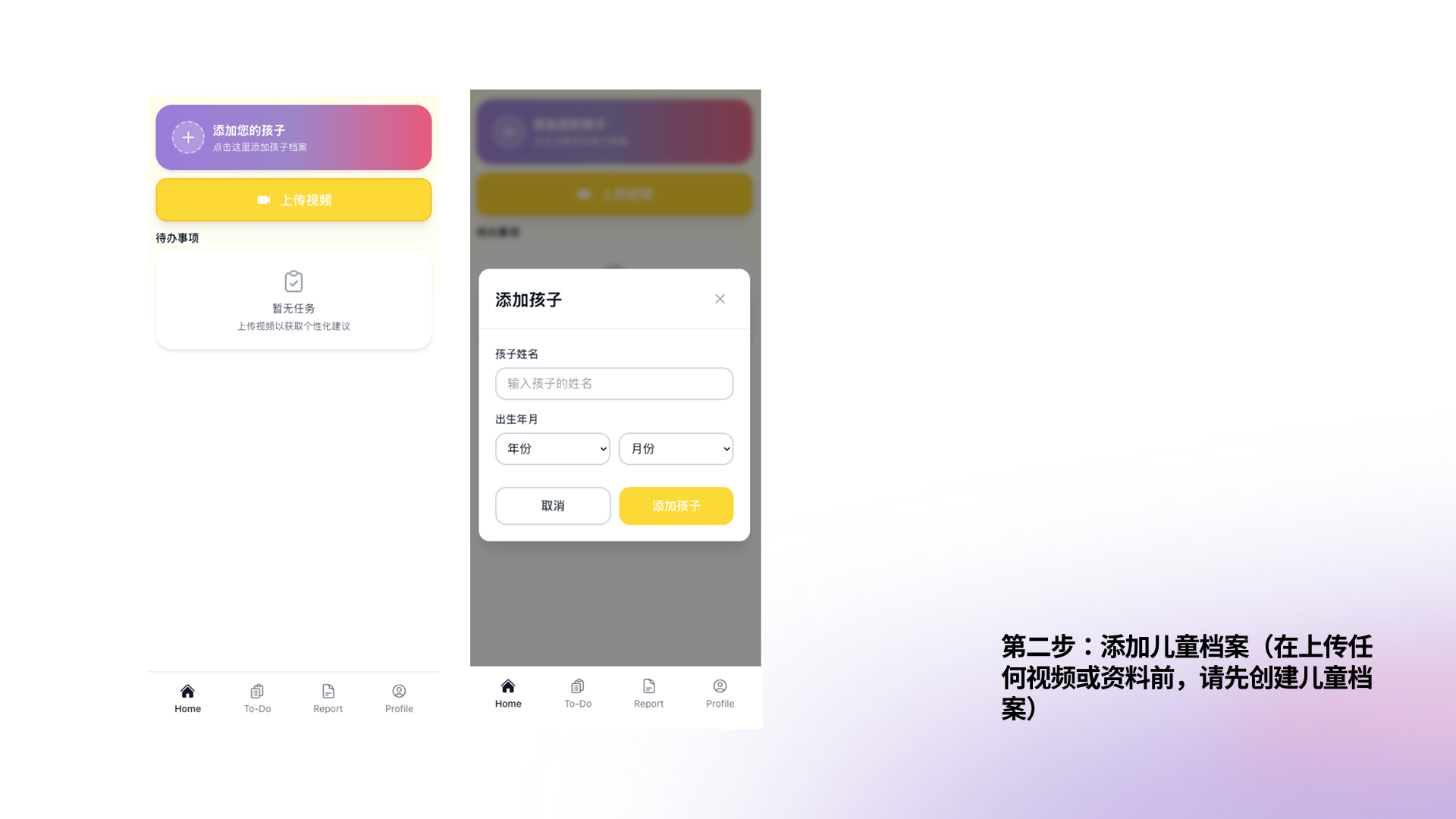
Tap "Add Your Child", enter their name and birth date. This creates a dedicated profile for AI insights and uploaded reports.

Add child 添加孩子档案
3
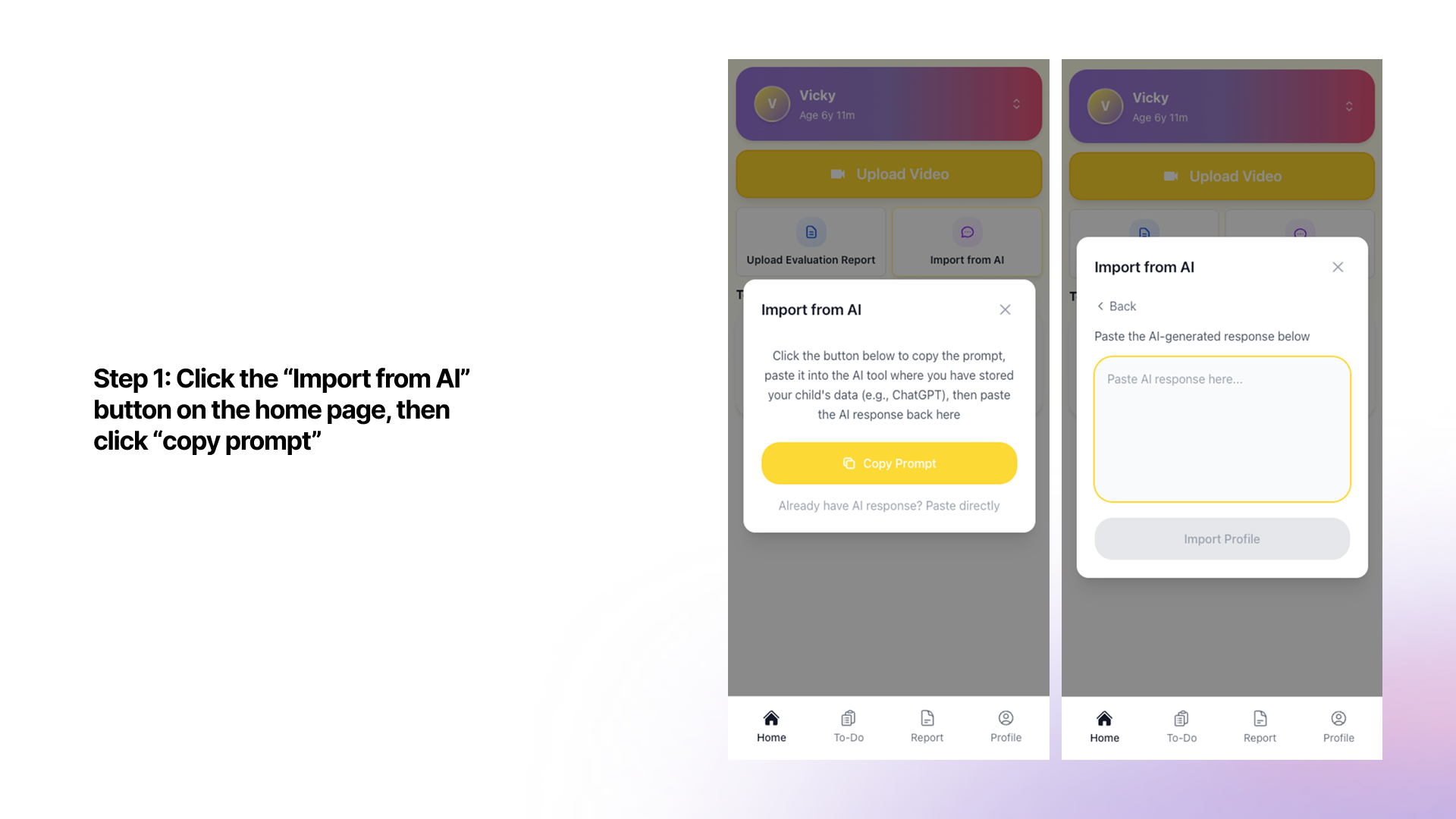
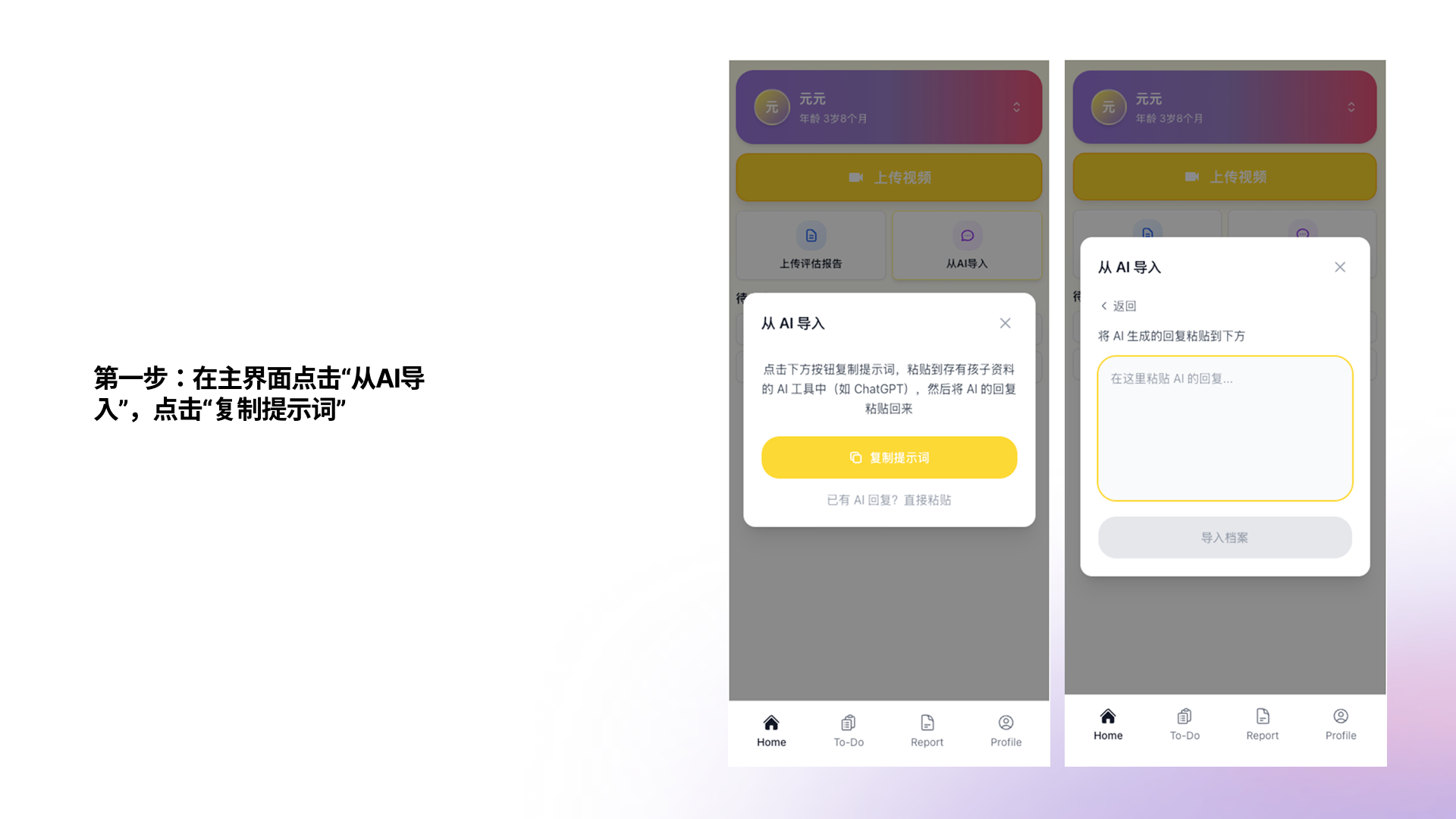
Import from AI
Add your child's background info

Tap "Import from AI""Copy Prompt", paste it into ChatGPT and fill in your child's background, then paste the AI's response back to build their profile instantly.

Import from AI 从AI导入
4
Record
Film a 10–60 second video

Capture any real moment — mealtimes, transitions, playtime, or any behavior you're wondering about. No special equipment or perfect lighting needed.

5
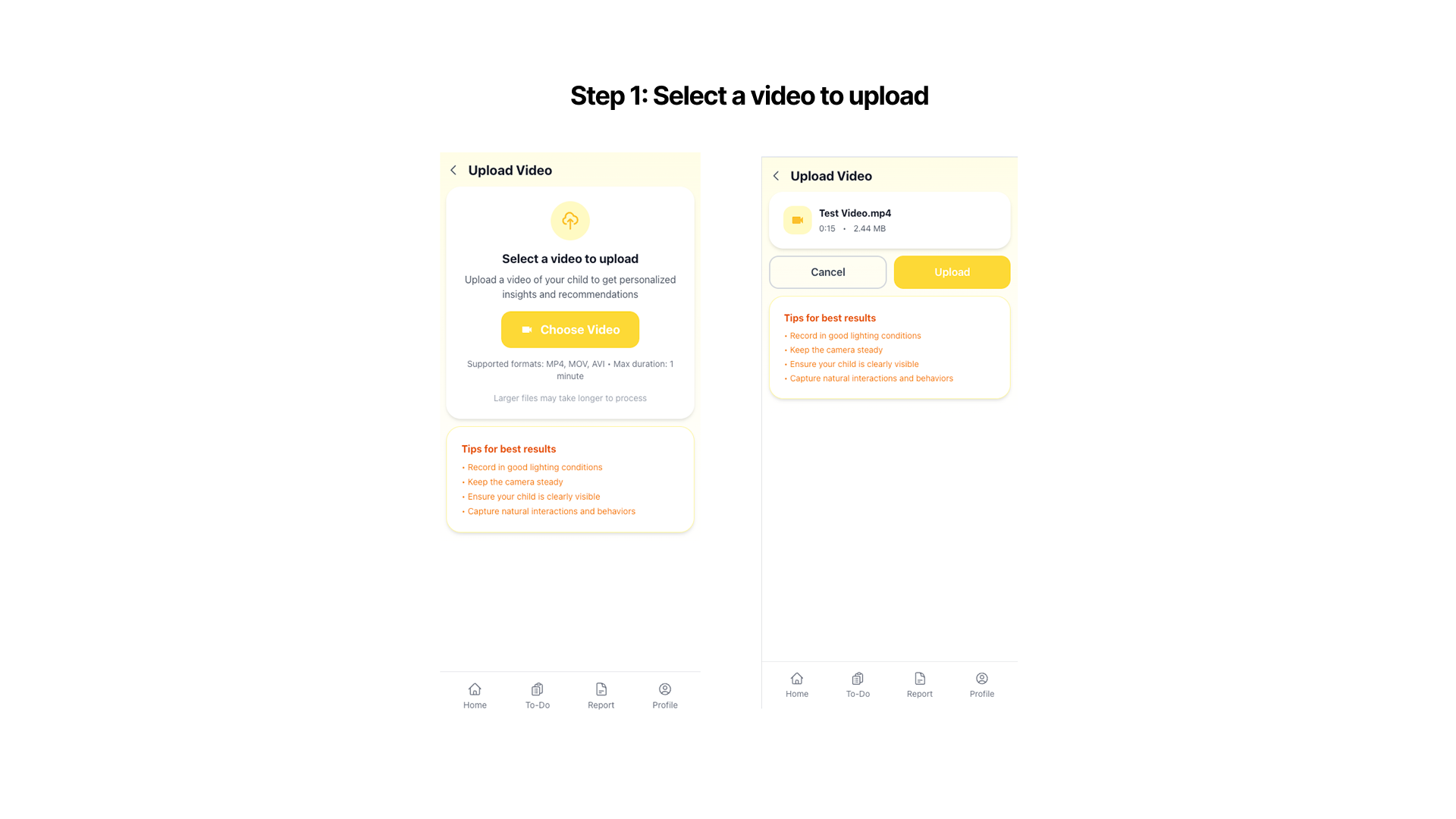
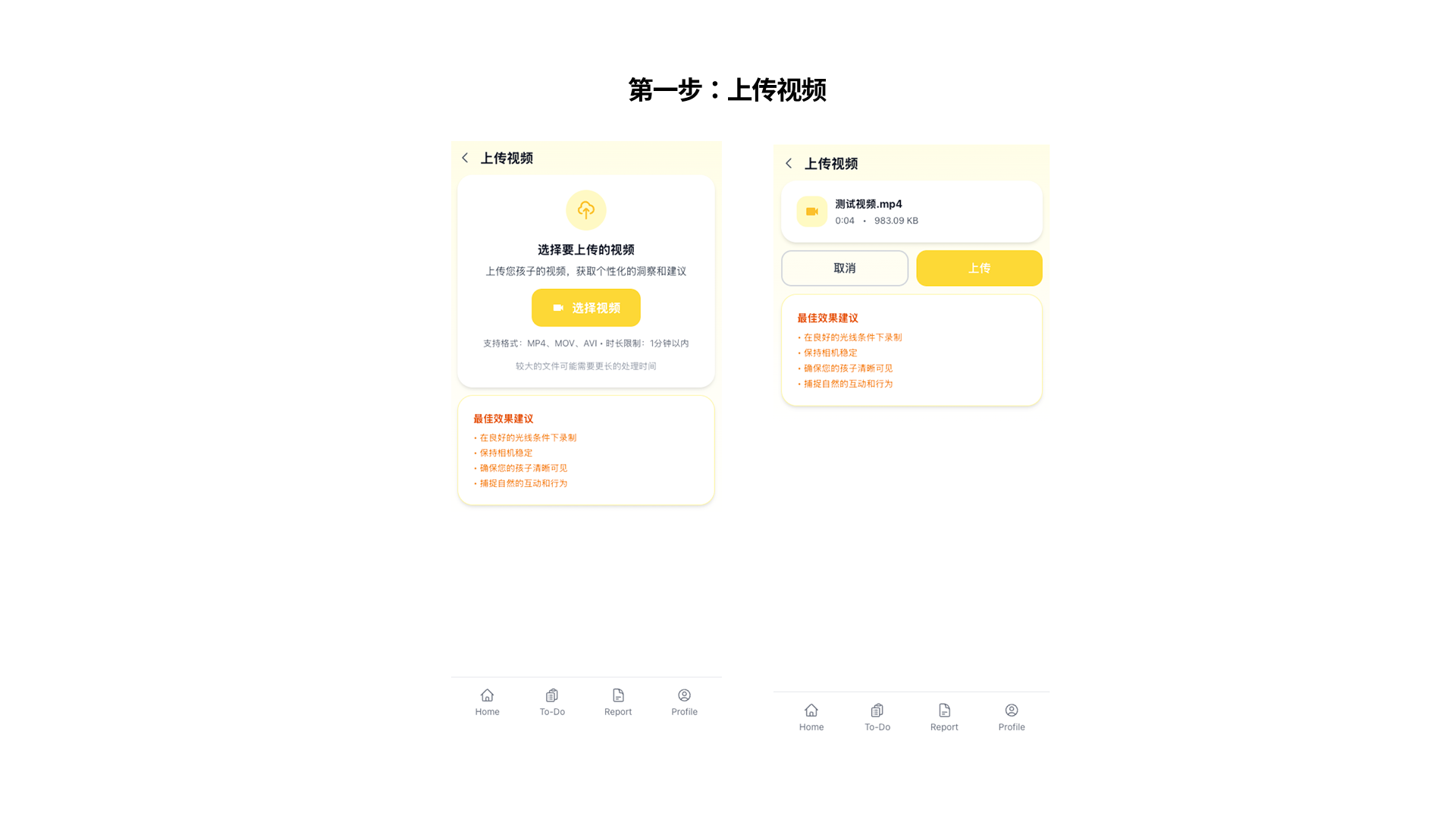
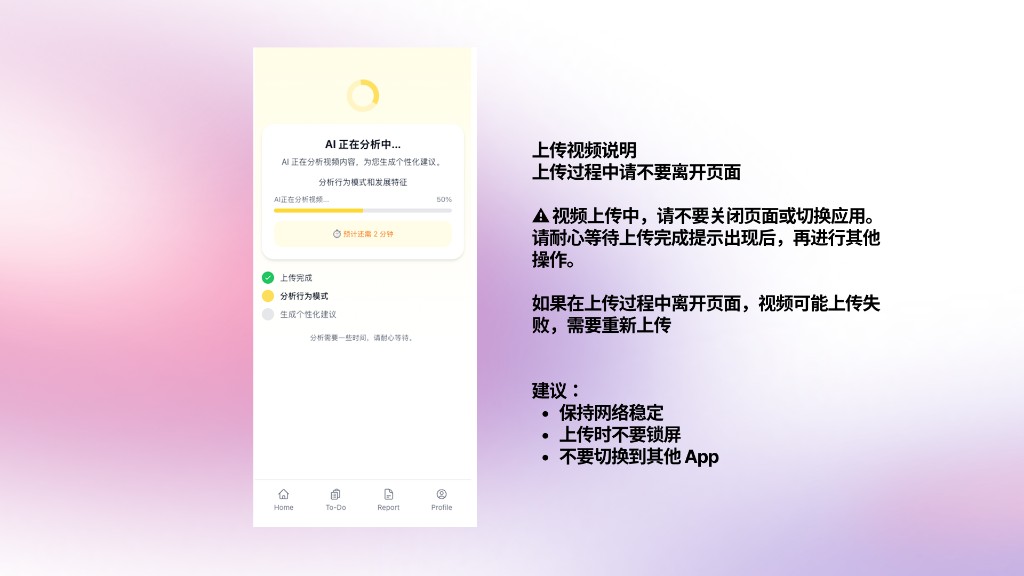
Upload Video
Upload your video

Tap Upload Video on the home screen, select your clip, and tap Upload to send it for AI analysis.

Upload video 上传视频
上传注意事项
6
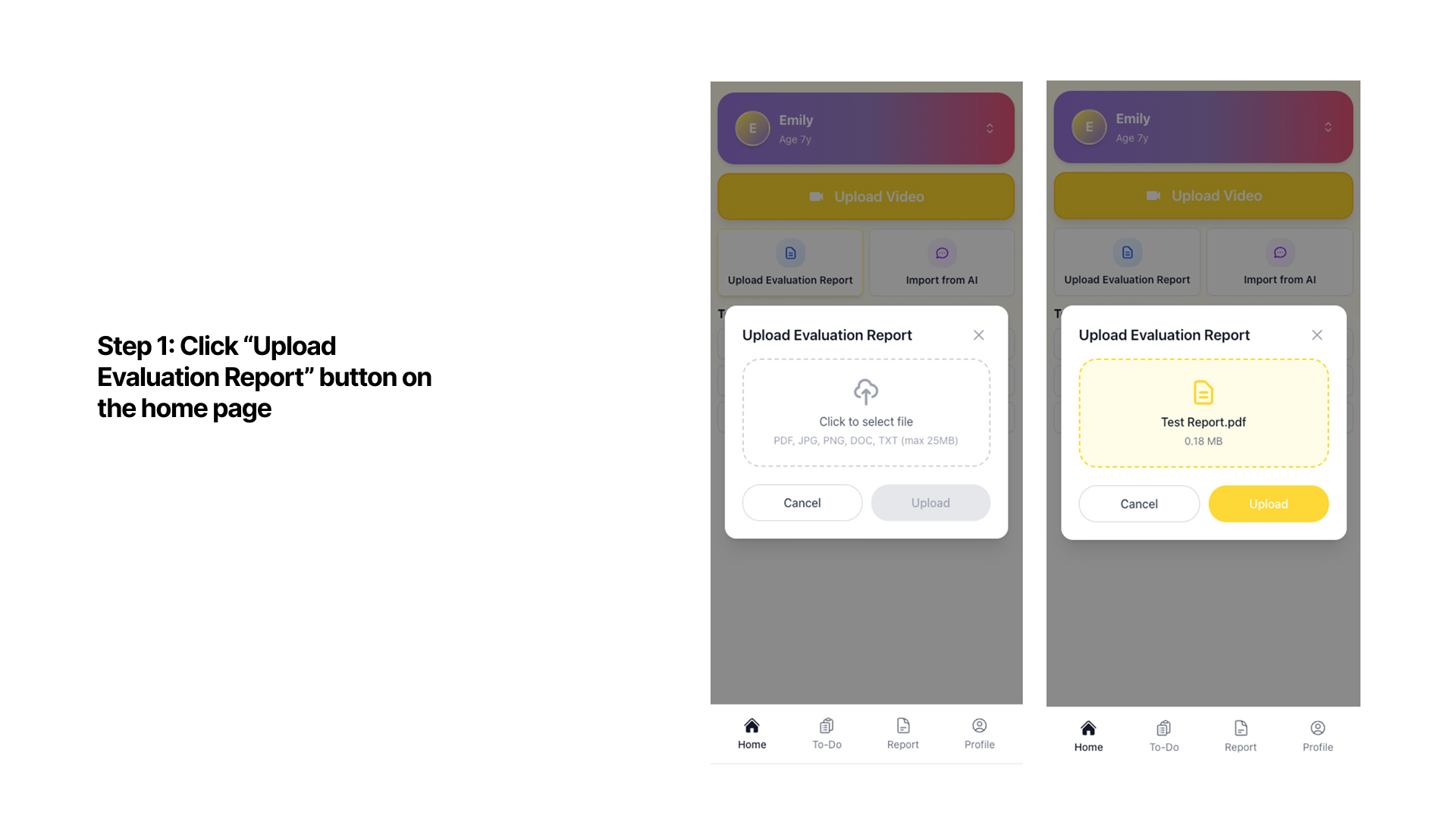
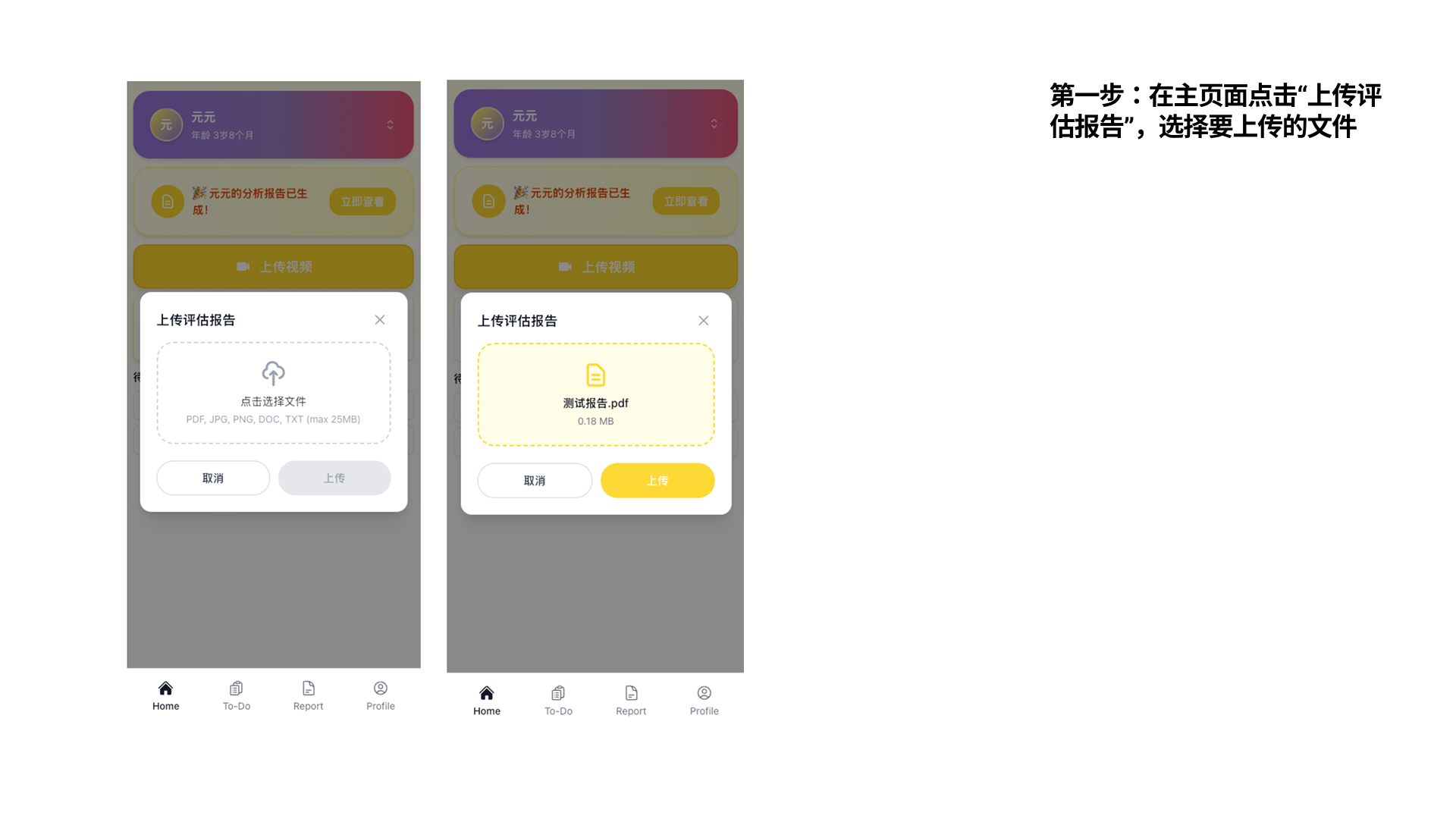
Evaluation Report
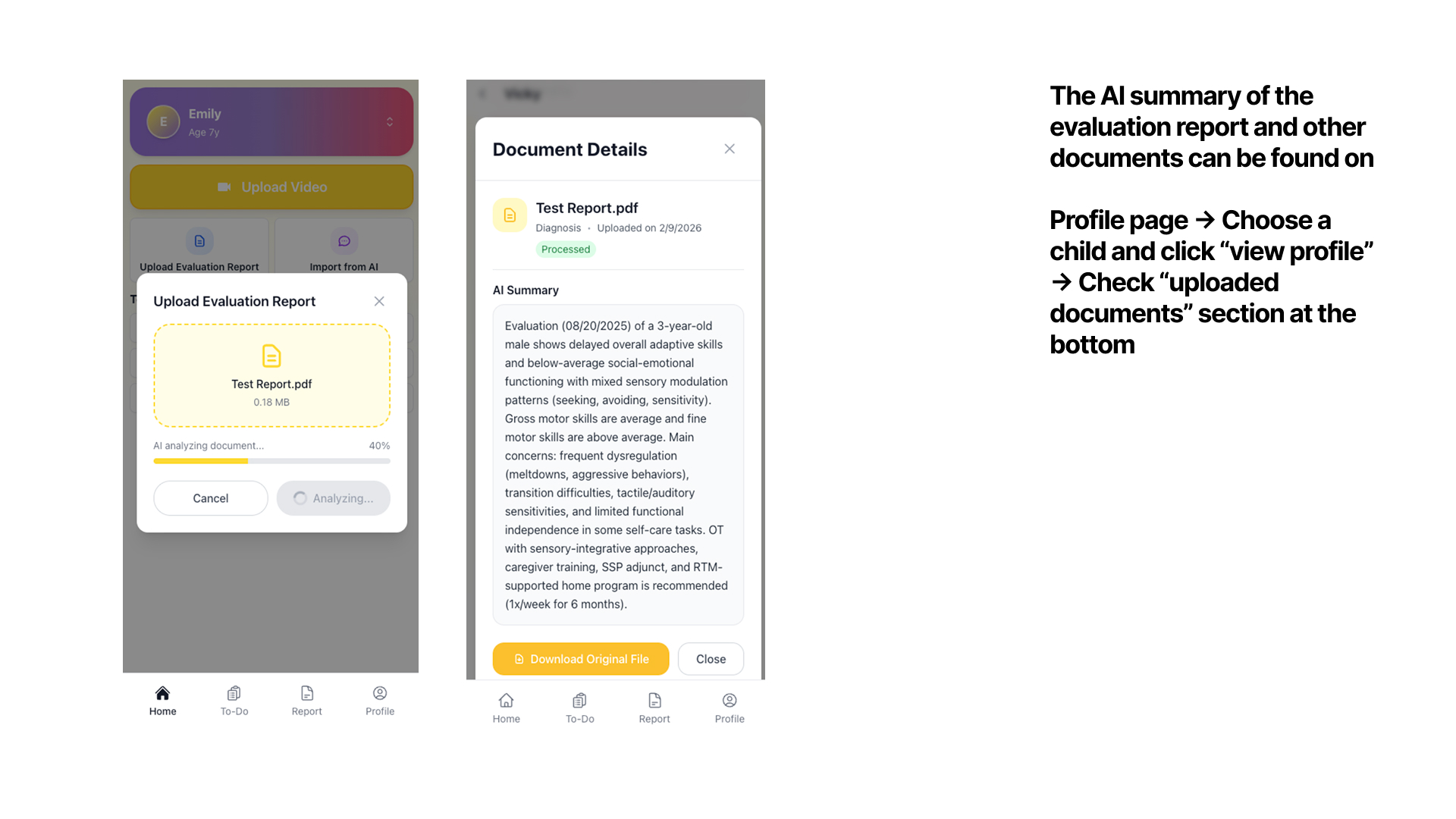
Upload a clinical document

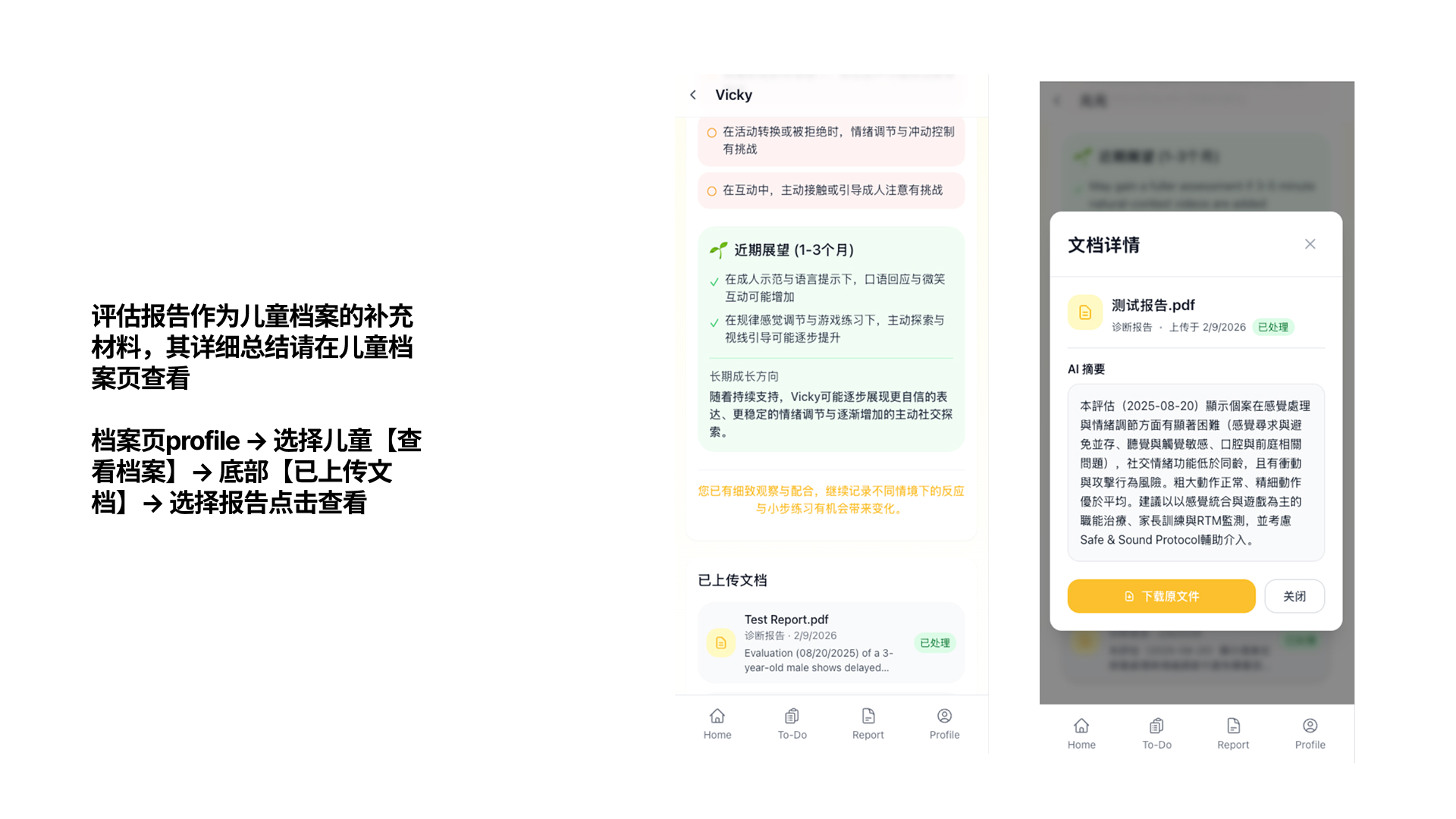
Tap "Upload Evaluation Report" to upload any IEP, OT, or speech evaluation. The AI generates a plain-language summary.

Upload eval report 上传评估报告
7
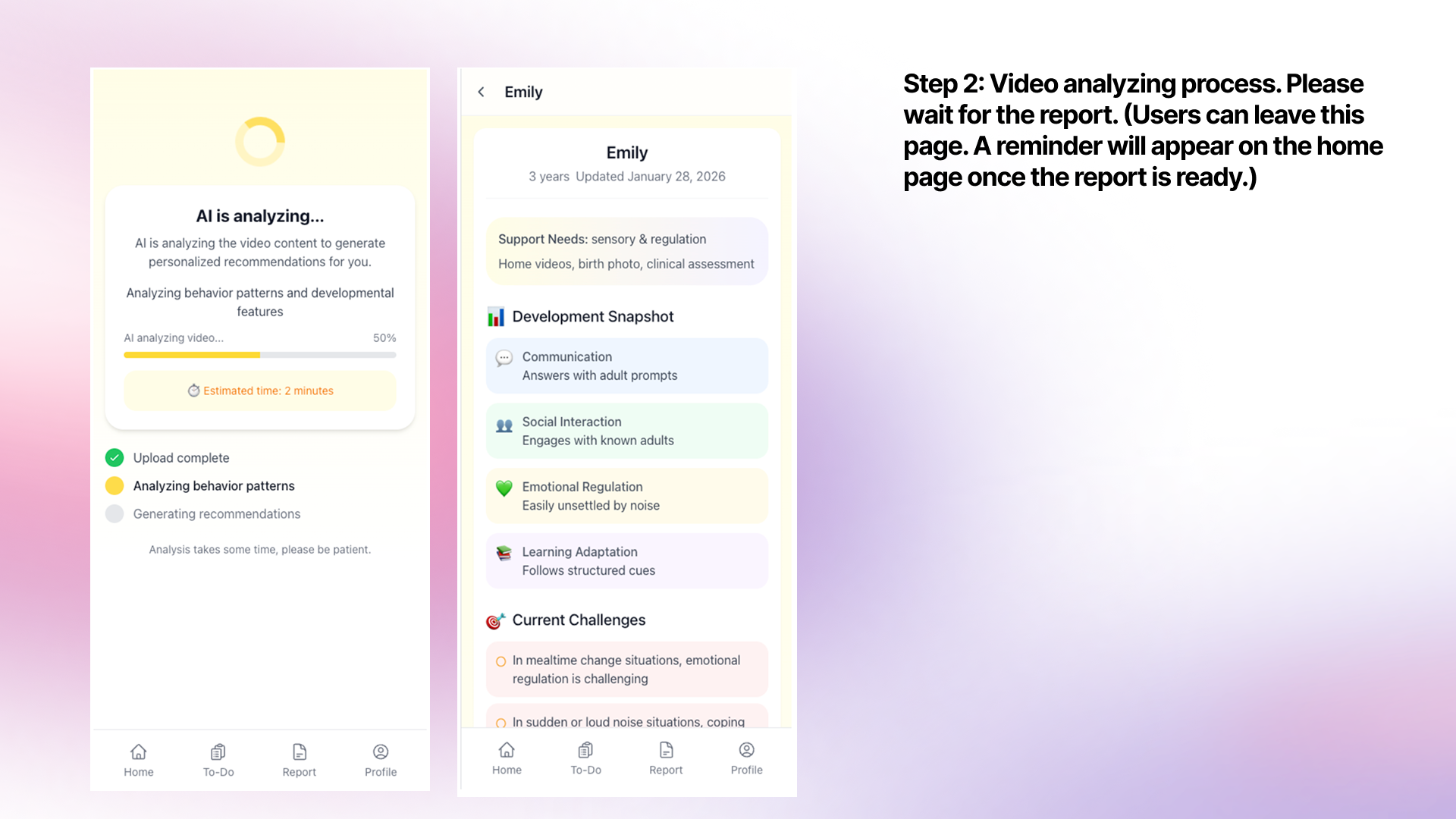
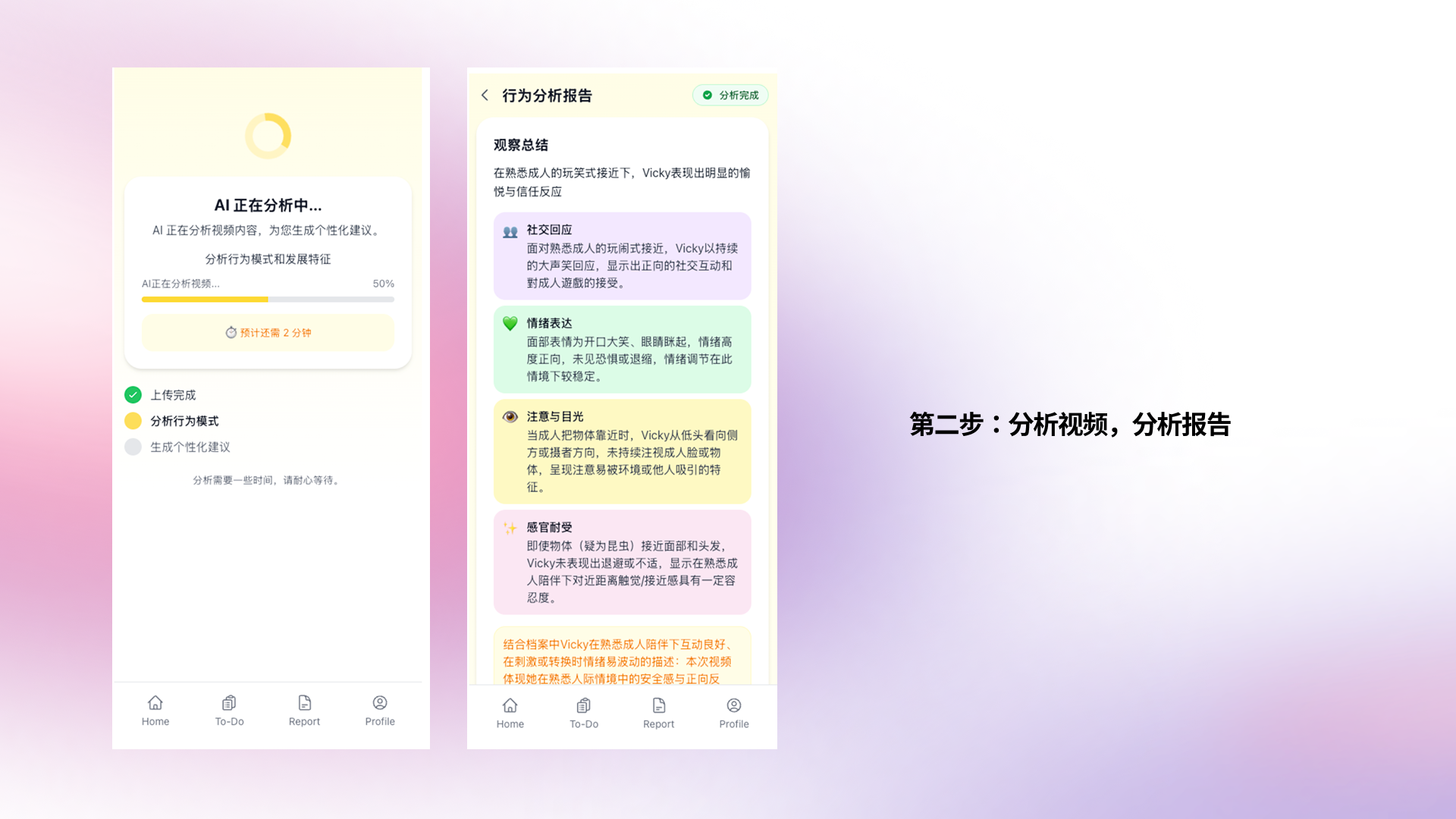
Get Report
Read your AI report

Once ready, the report shows a clear snapshot of your child's behaviors, communication, emotional regulation, and suggested next steps — all in plain language.

AI report AI报告
AI eval summary AI评估摘要
8
Take Action
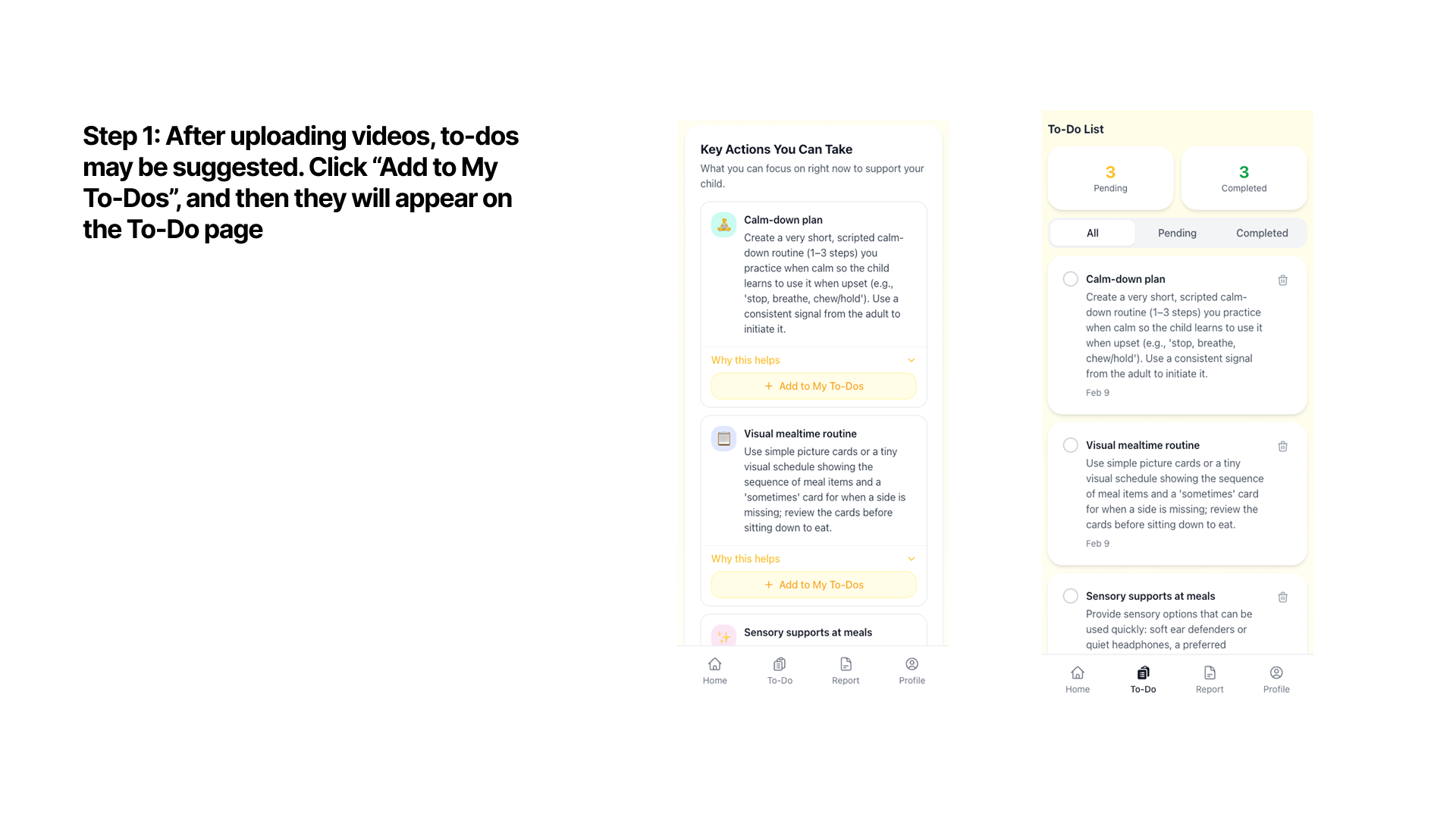
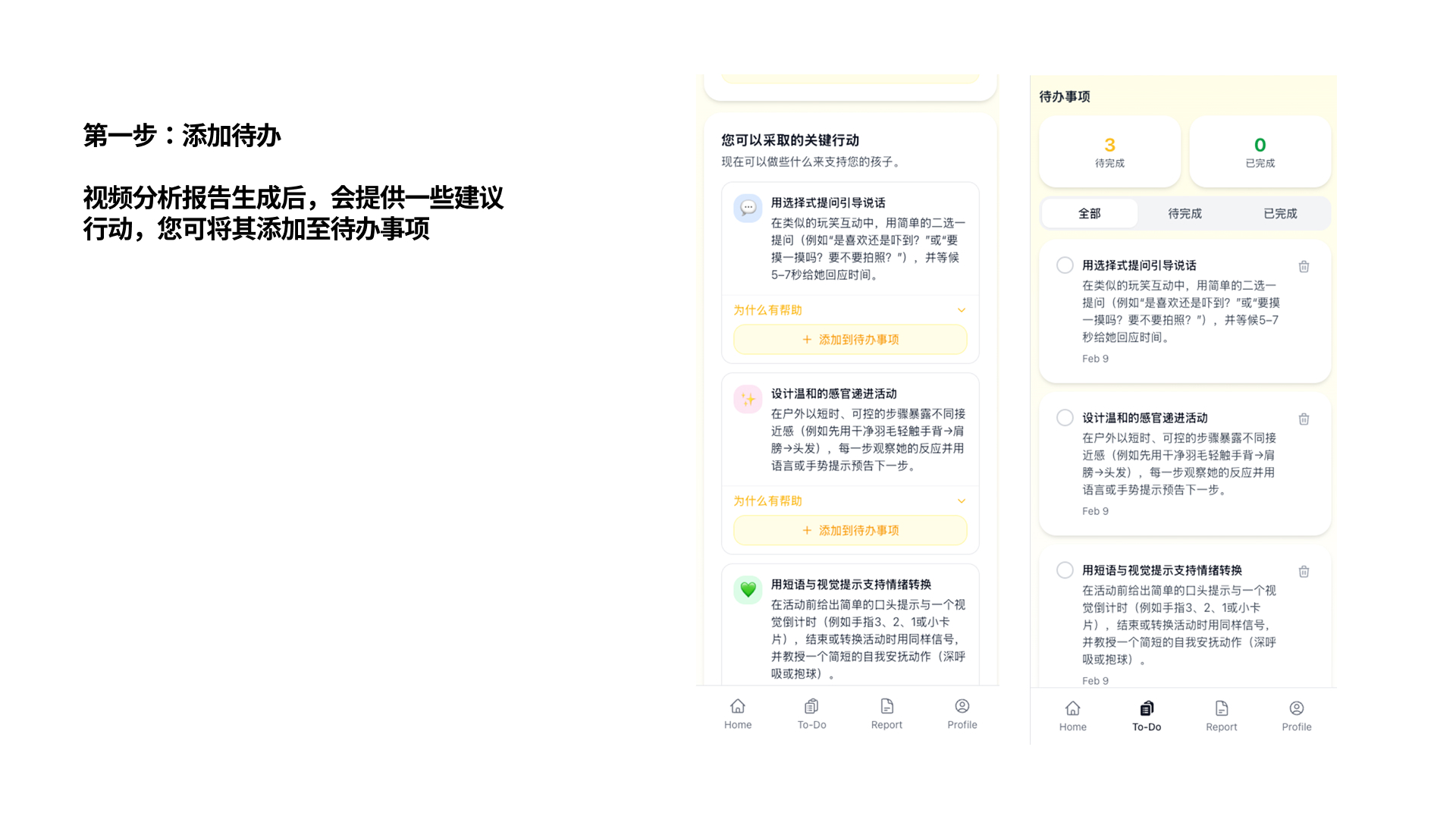
Add strategies to your To-Do list

After the report, scroll to "Key Actions" and tap "+ Add to My To-Dos" to save strategies and track your progress.

To-Do list 待办清单

Common questions

Is Kidooo a medical or diagnostic tool?
No. Kidooo is not a medical device and does not provide diagnoses. It is an AI-powered support tool that helps families observe, understand, and document their child's behaviors at home. Always consult a licensed professional for medical or clinical decisions.
How is my child's video kept private?
All videos are end-to-end encrypted and stored securely. Kidooo never sells your data. You choose exactly what to share with your child's care team — they only see the text summary you explicitly share, never the raw video unless you allow it.
What kind of videos should I record?
Any real moment works — a meltdown after school, a breakthrough during play, a difficult bedtime, or a happy interaction with a sibling. The AI works best with natural, unstaged moments captured in everyday settings.
Is Kidooo Family free to use?
Yes — you can start for free with no credit card required. Visit family.kidooo.ai to create your account and upload your first video.
Do I need to be diagnosed with autism to use Kidooo?
No. Kidooo is built for any family navigating neurodevelopmental challenges — whether your child has a formal diagnosis or you're in the process of seeking one. The tool is most useful for families who want to better understand and document their child's daily experiences.

Ready to try it?

Your first summary is just one short video away.