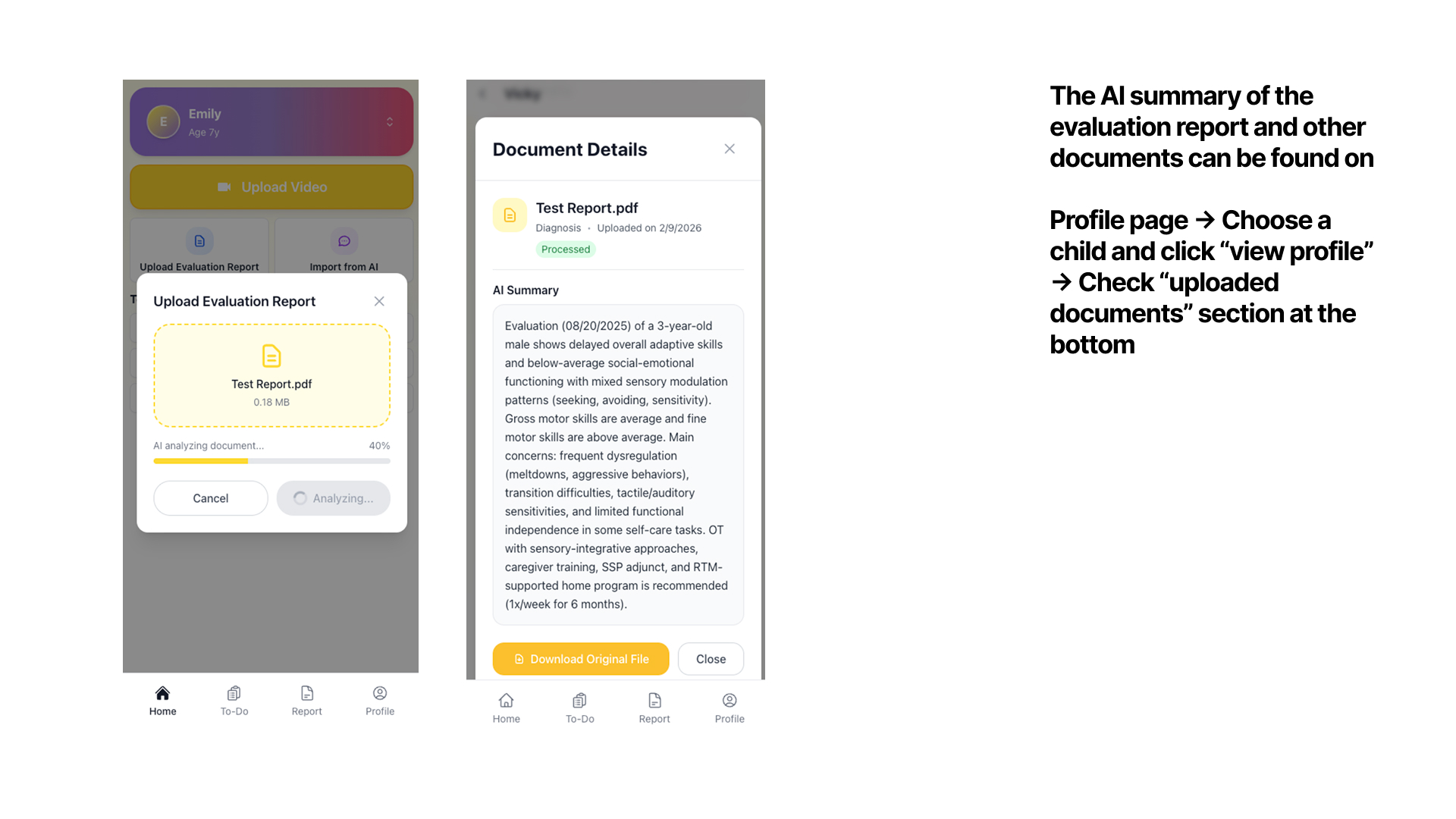
How to use Kidooo Family
Follow these steps to get your first AI summary in minutes.
1
Get Started
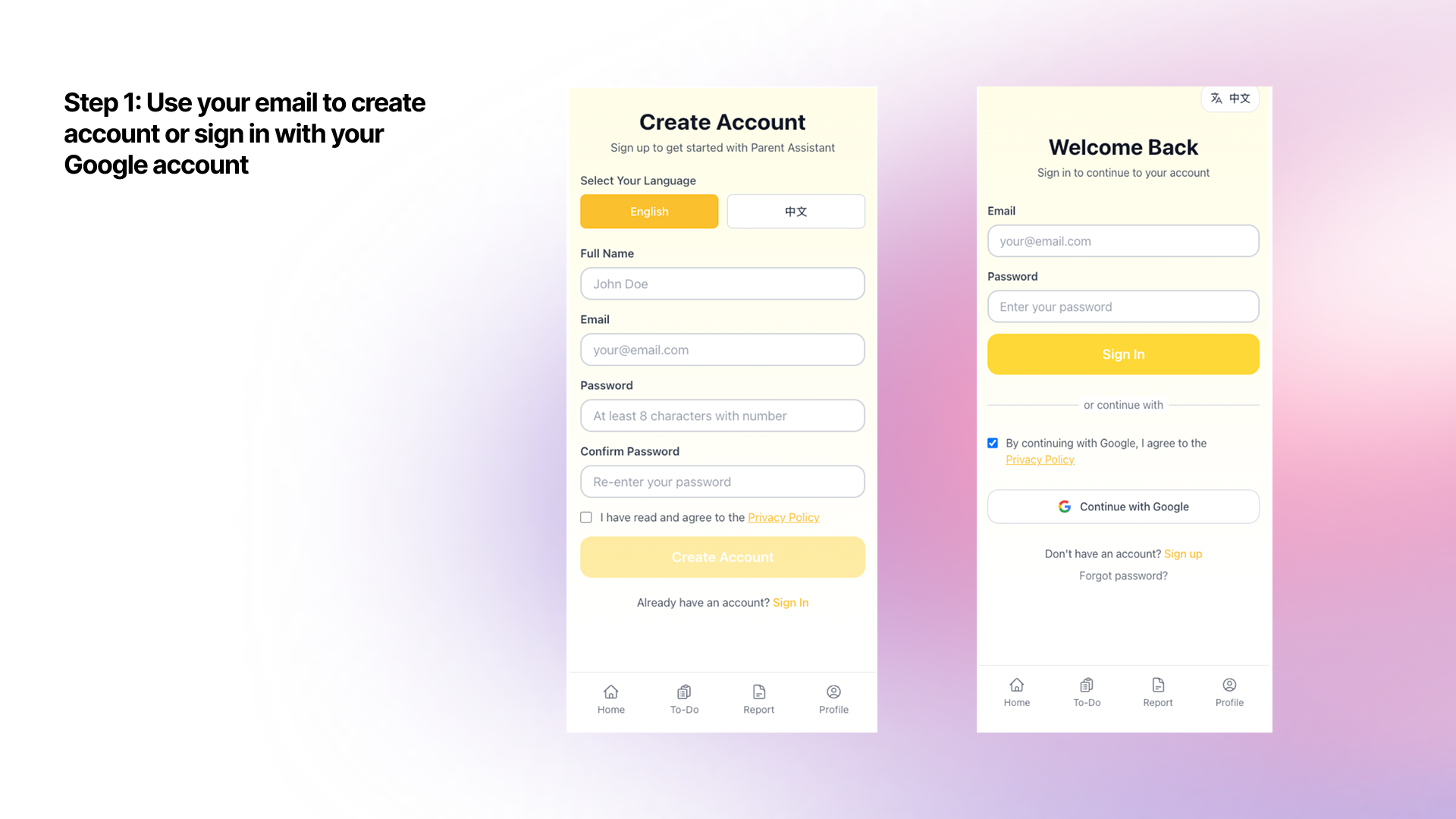
Create your free account
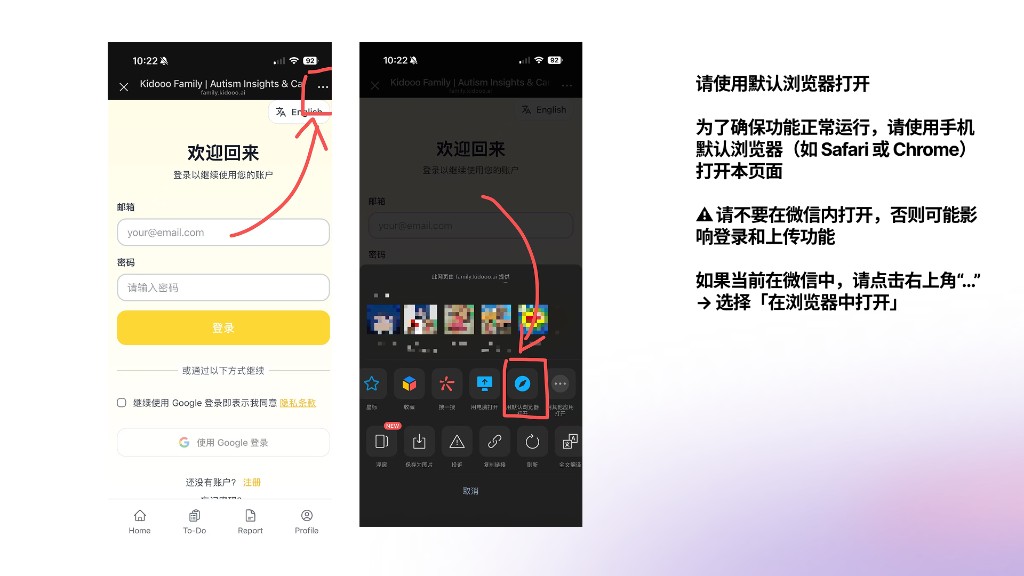
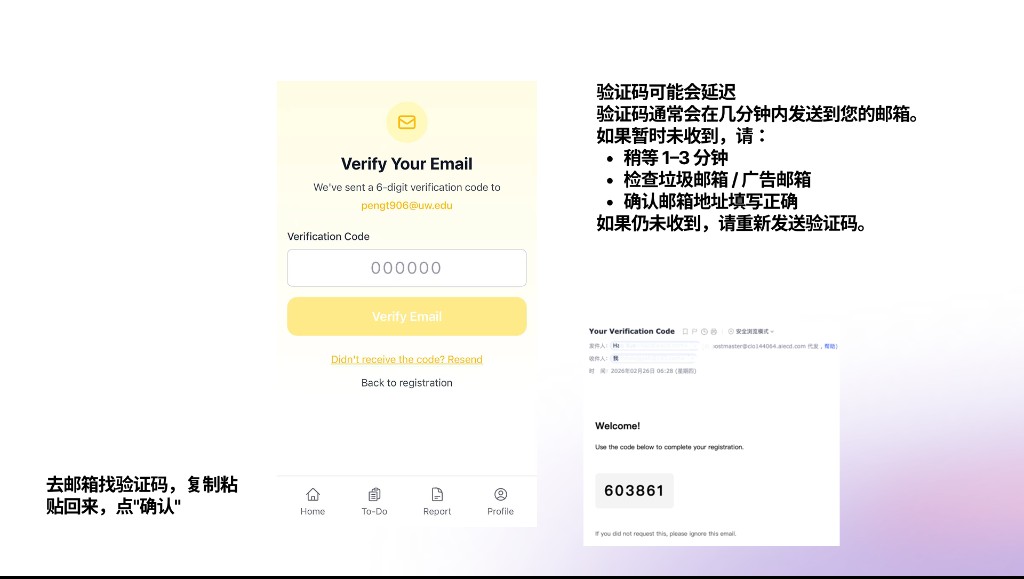
Visit family.kidooo.ai — sign up with email or Google. Takes under 2 minutes, no credit card required.

2
Set Up
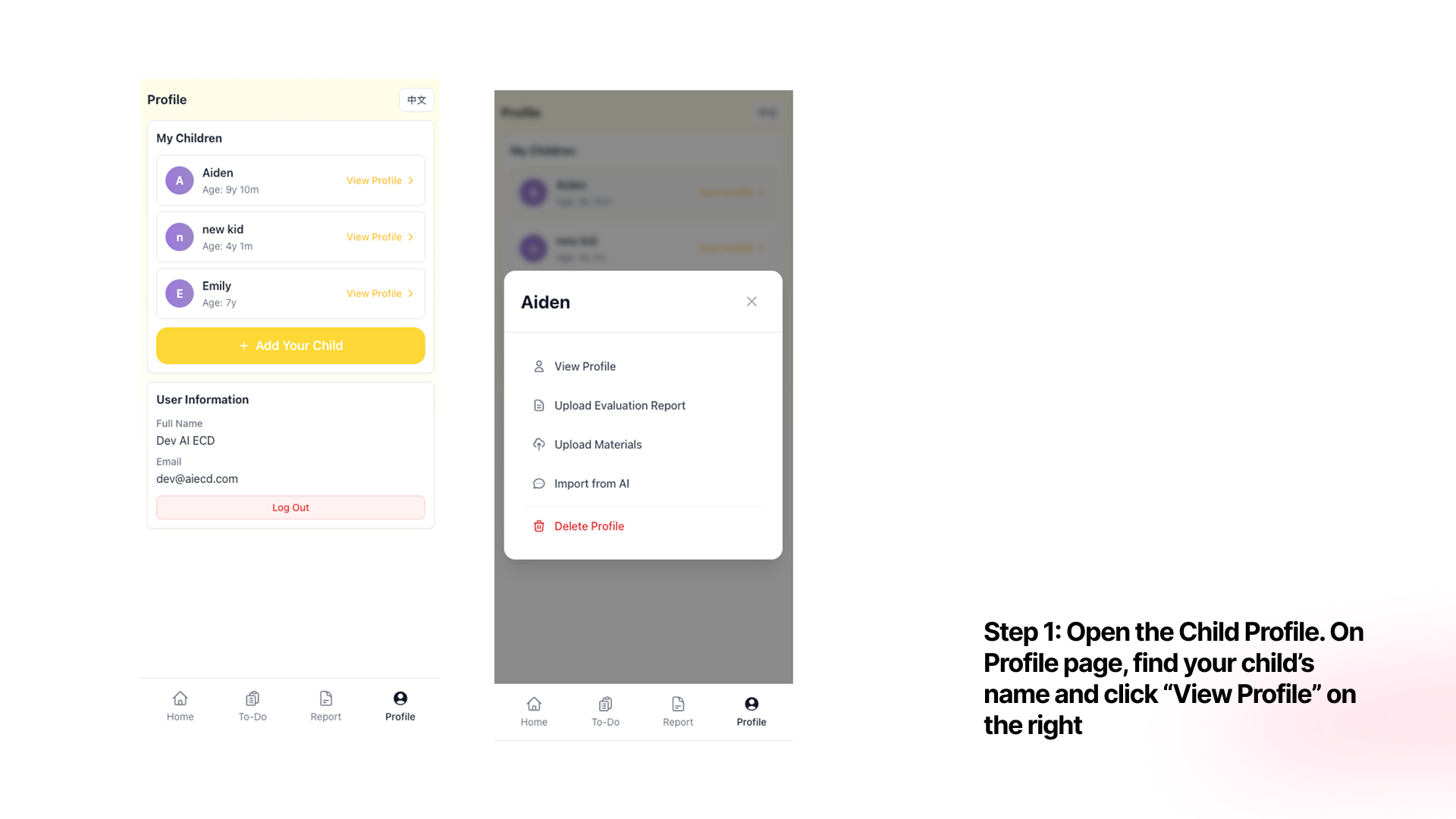
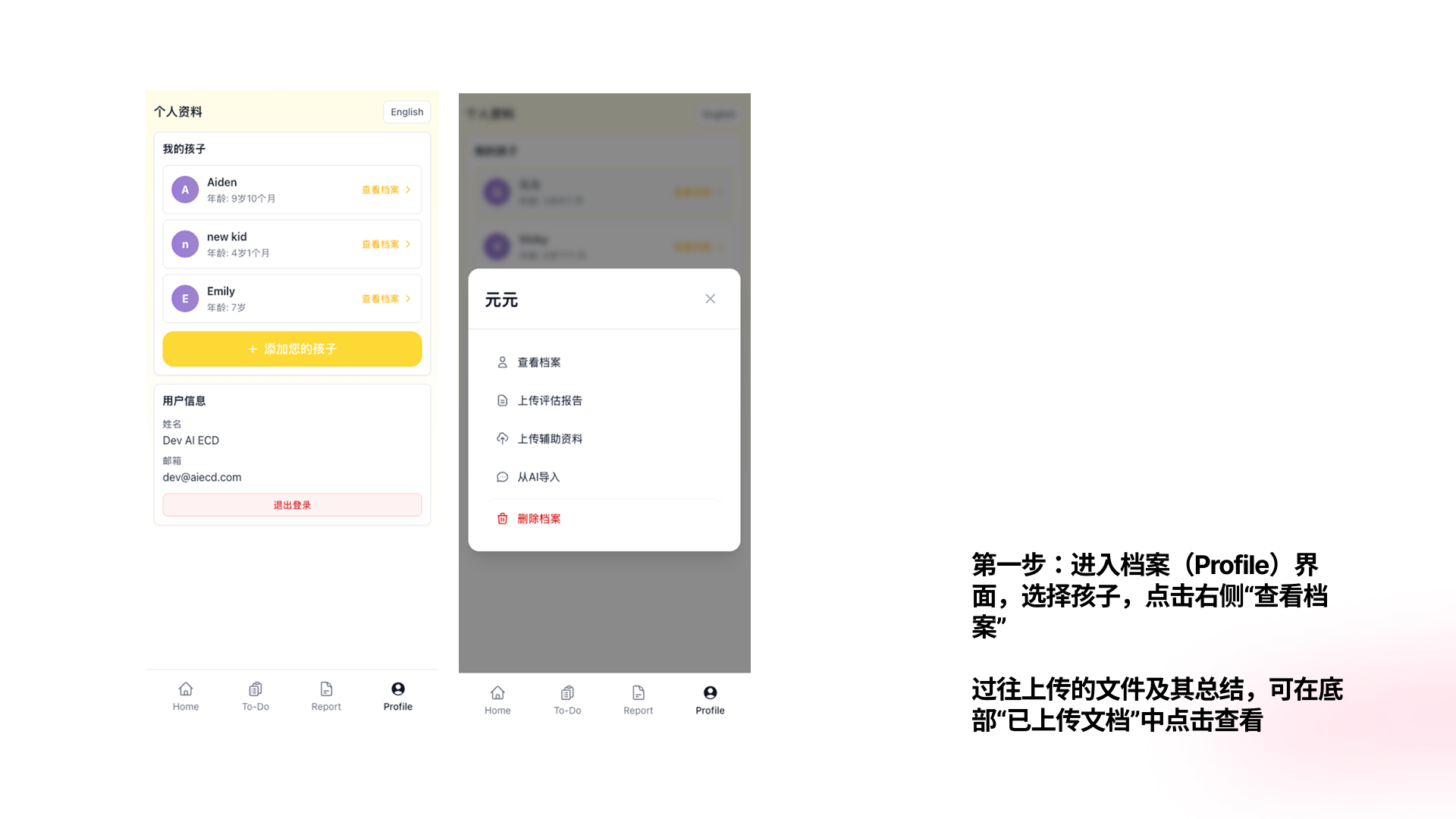
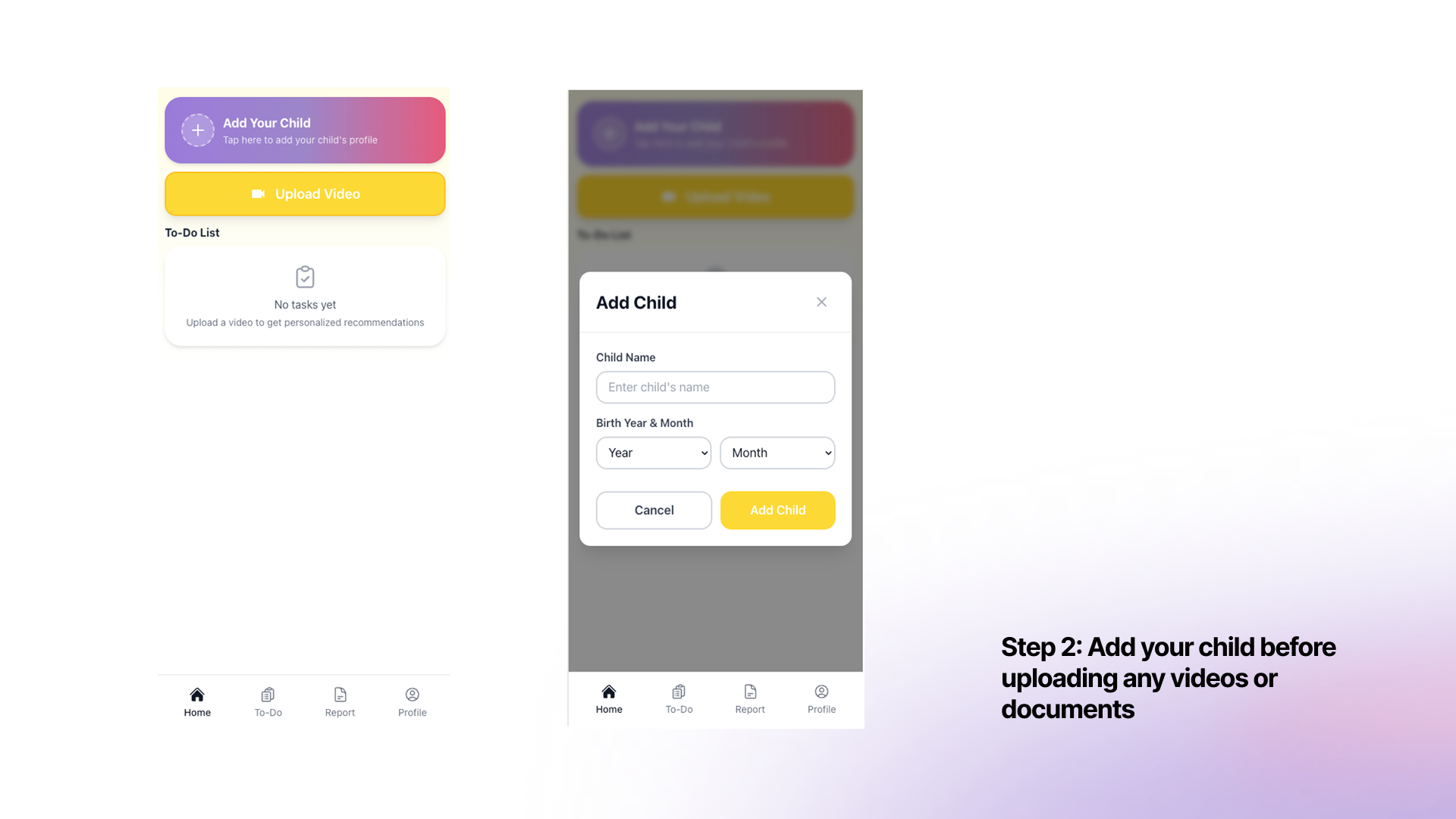
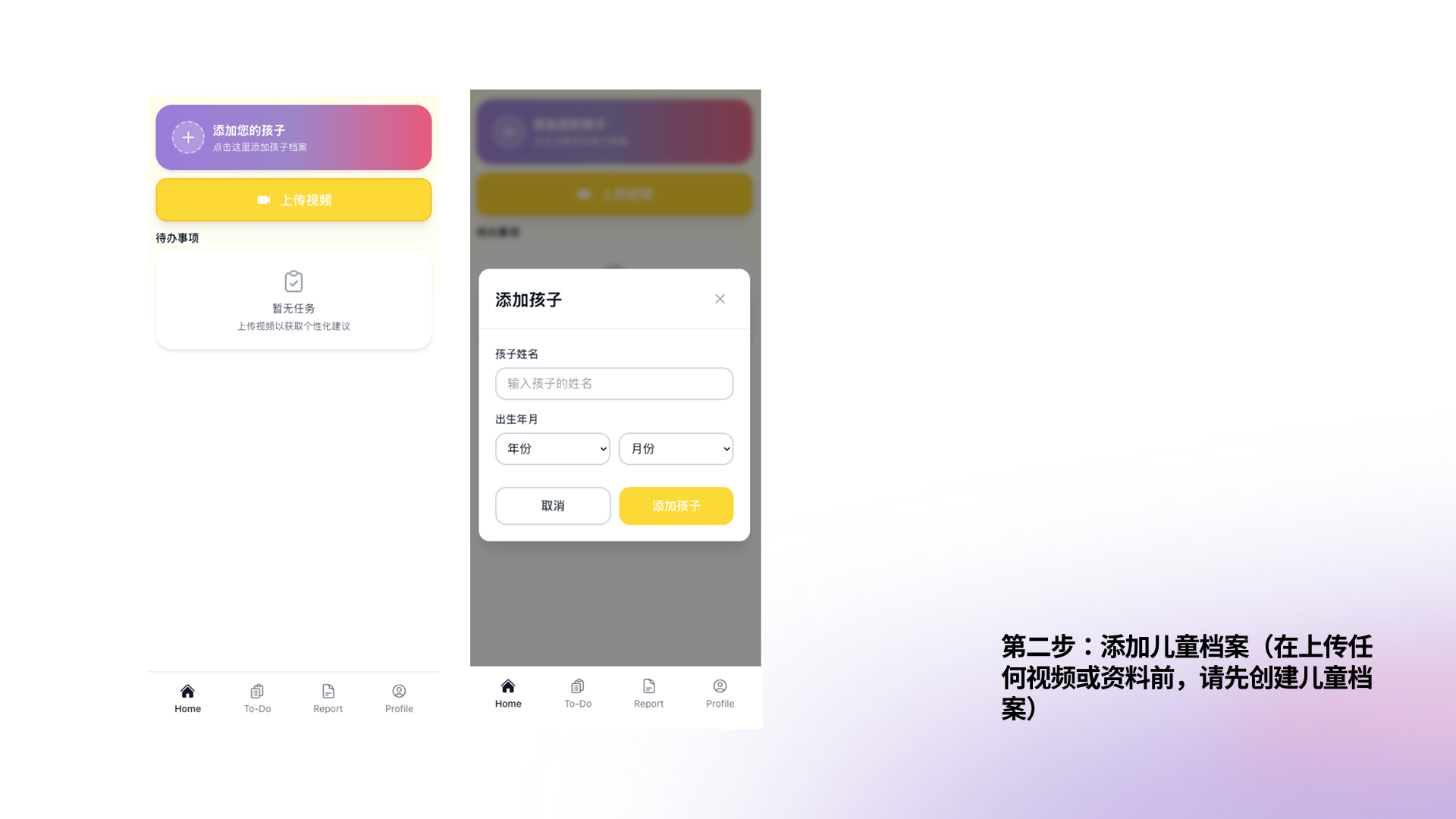
Add your child's profile
Tap "Add Your Child", enter their name and birth date. Kidooo uses this to personalize every insight.
3
Upload
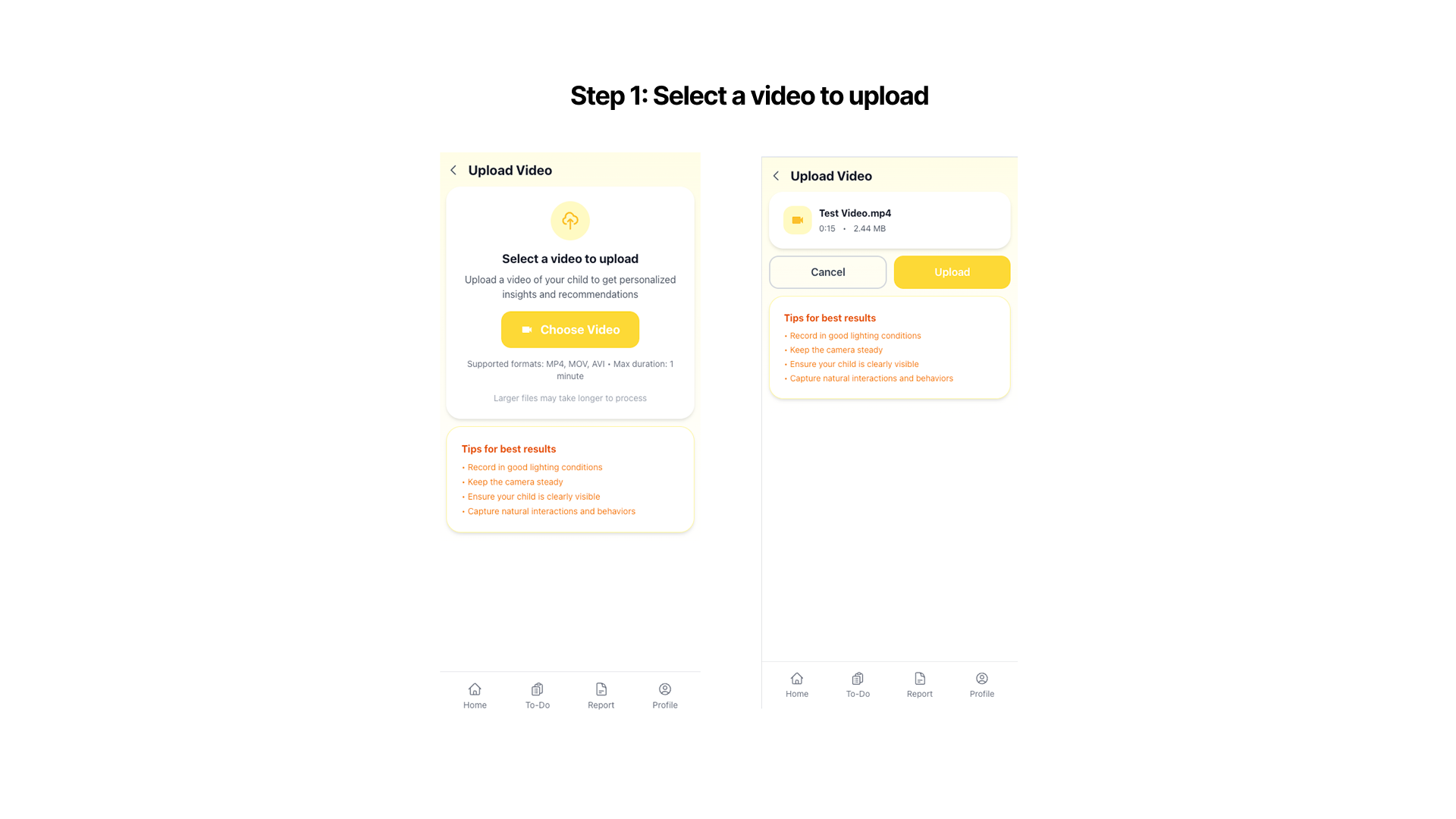
Upload a 10–60 second video
Tap the yellow Upload Video button and select a real moment with your child — a meltdown, a win, mealtime, anything.

4
Understand
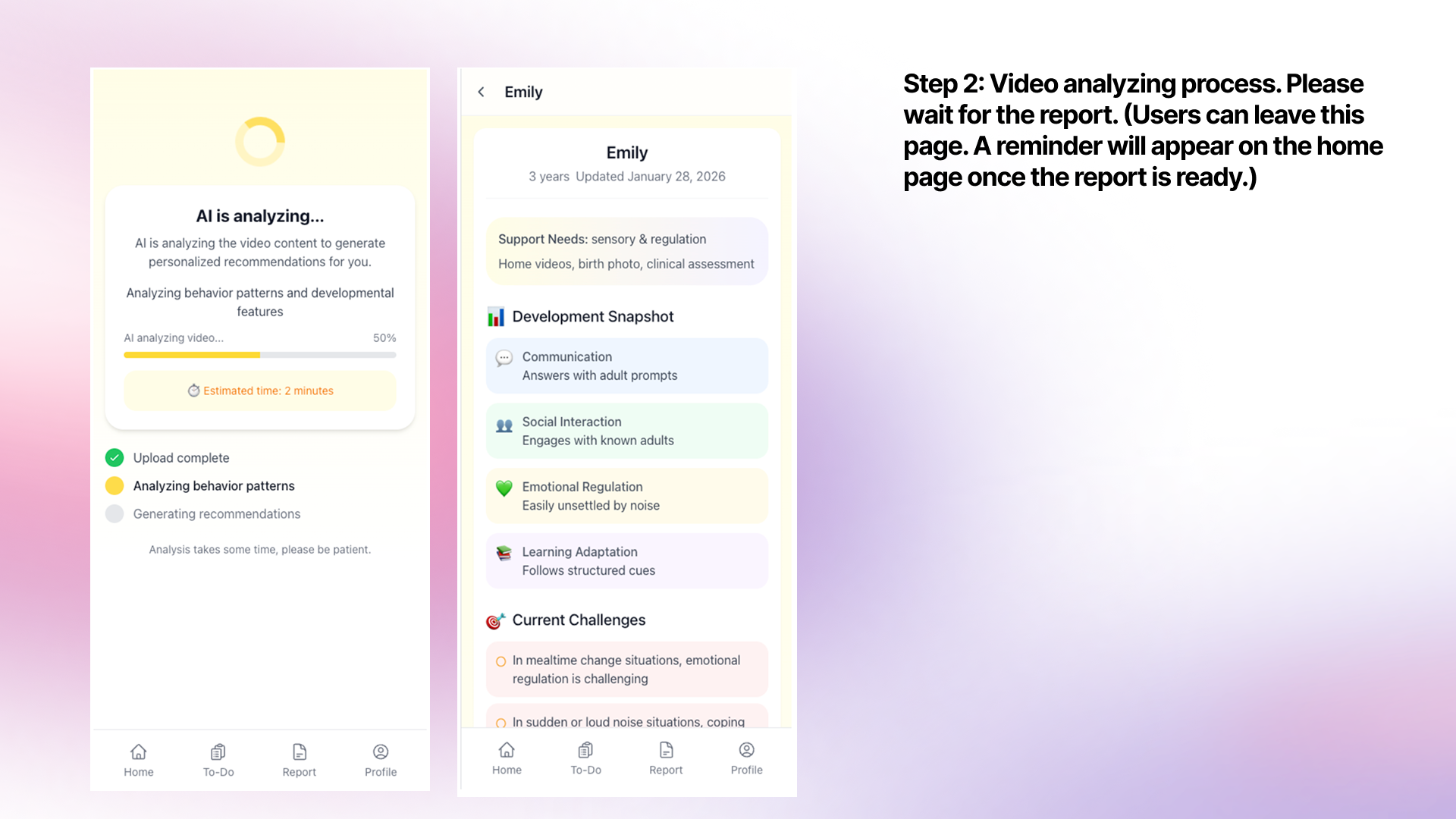
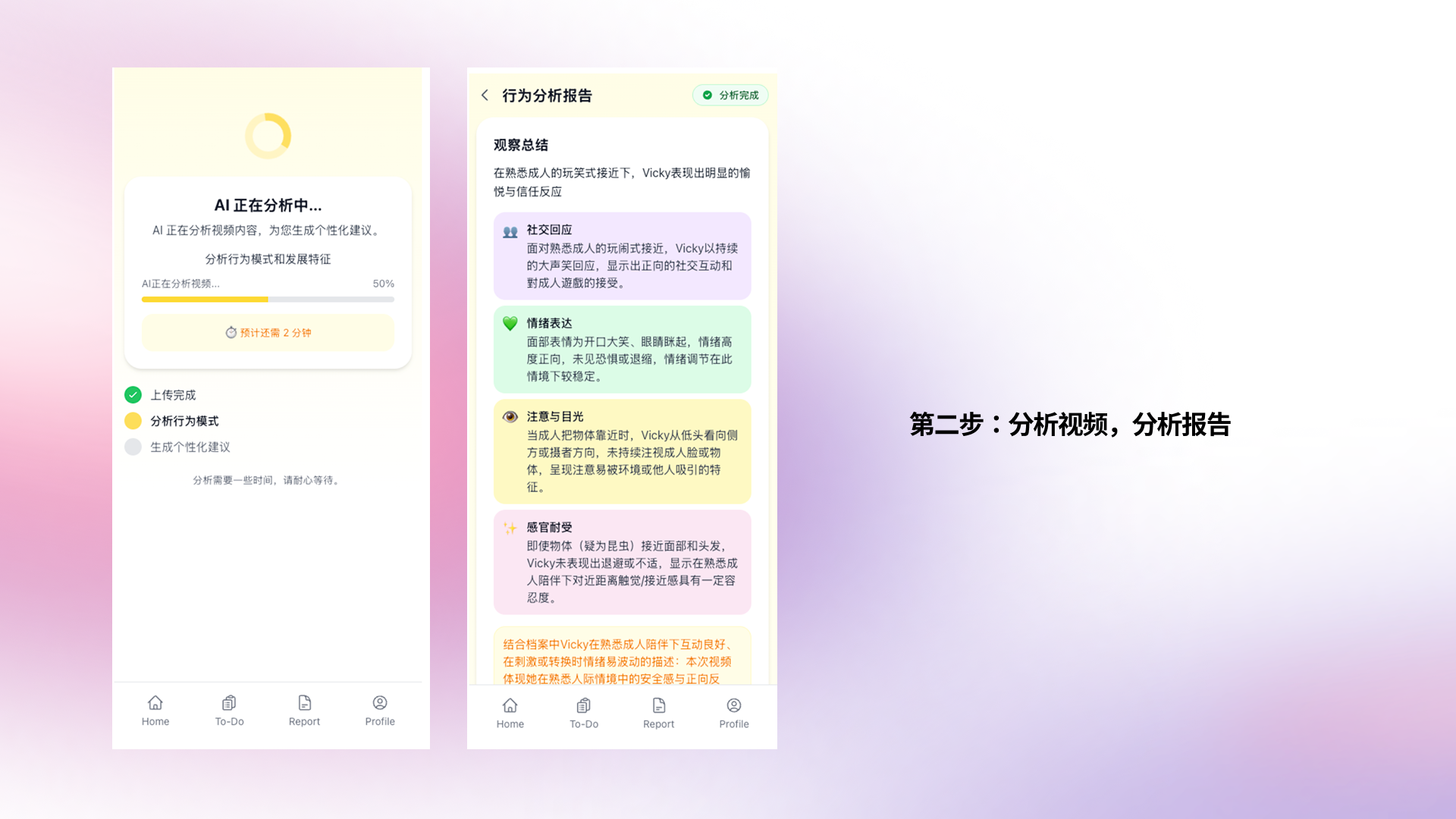
Read your AI summary
In minutes, Kidooo AI generates a clear report — behaviors observed, possible triggers, emotional state — all in plain language.
5
Take Action
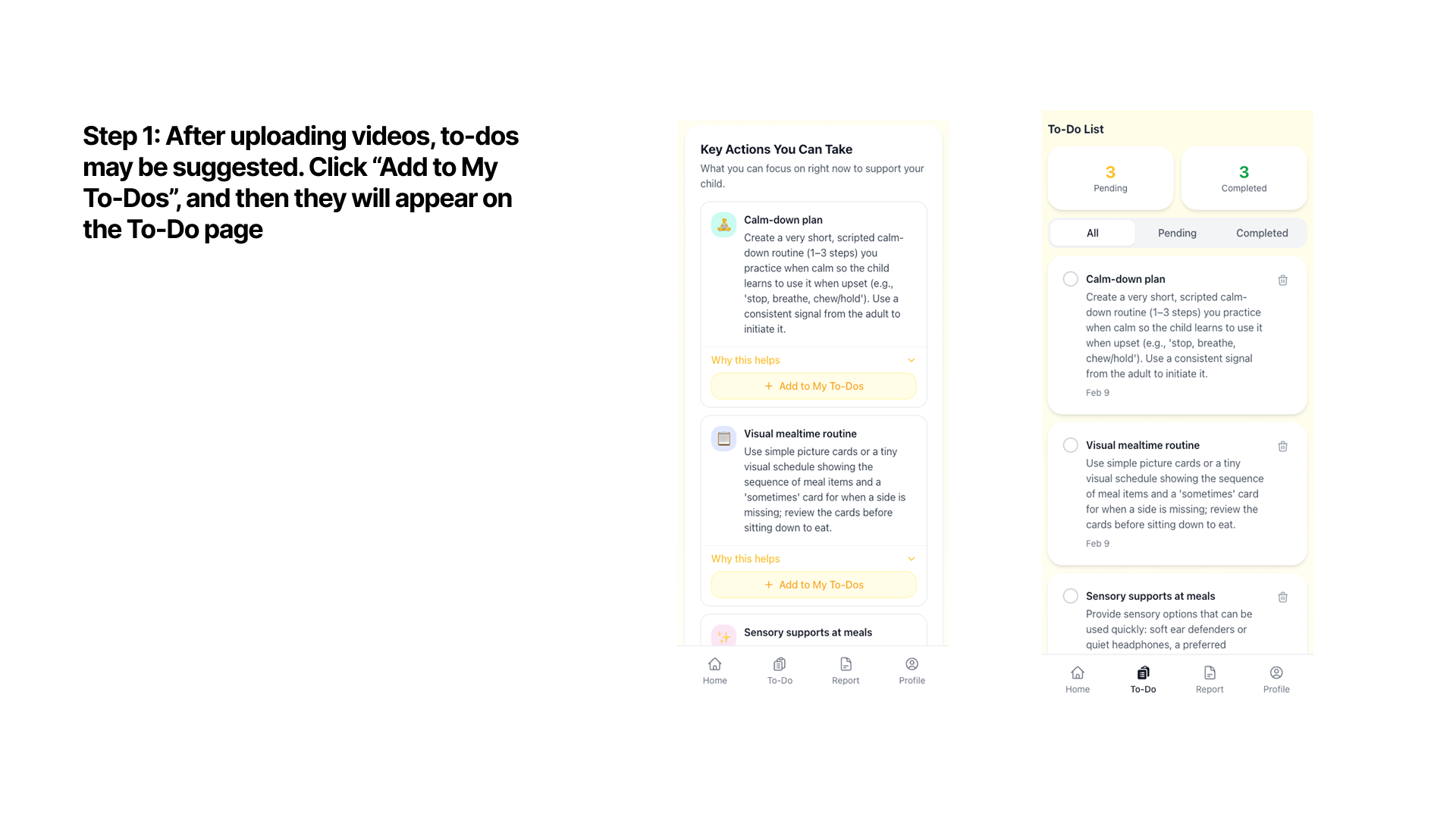
Get a personalized action plan
Kidooo suggests 2–3 practical strategies you can try at home today. Add them to your To-Do list to track what you've tried.

6
Track & Share
View your child's profile & share with care team
Your child's profile builds over time. Share summaries with therapists or clinics — you always control what they see.